
selections for editable grid in pagination
hi,
I have implemented pagination for an editable grid, but when i select a first row and move to next page the selection remain same , though the row data is different
Page1 , i choose the first row
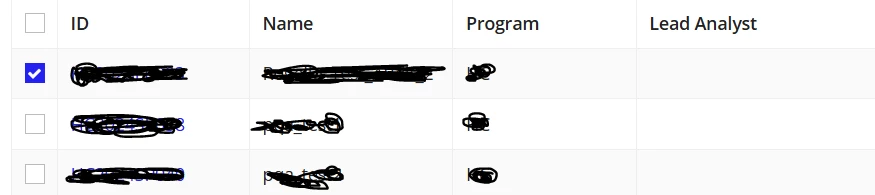
Page 2 - first row is automatically selected
how do I control the selection in pagination ,
local!listPagingInfo: a!pagingInfo(startIndex: 1, batchSize: 20),
local!pagedList: rule!getData(Id: local!search,pagingInfo: local!listPagingInfo)
a!gridLayout(
labelPosition: "ABOVE",
totalCount: null,
headerCells: {},
columnConfigs: {},
rows: {},
selectionValue: local!selectedIndex,
selectionSaveInto: {
a!save(
local!selectedIndex,
a!flatten(save!value)
),
a!save(
ri!selecteditems,
if(
a!isNullOrEmpty(local!selectedIndex),
{},
index(
local!pagedList,
local!selectedIndex
)
)
)
},
/*selectionRequired: true,*/
selectable: true,
selectionStyle: "CHECKBOX",
validations: {},
shadeAlternateRows: true,
borderStyle: "STANDARD",
rowHeader: 1
),