Appian Community and Appian Academy are being upgraded. From July 24–August 3, the Appian Community will be in read-only mode. During this time, the site will be read-only and user registration will be disabled. We apologize for any inconvenience this may cause, but a more secure, stable, and performant Community experience is coming soon!

The new Appian Community launches August 3, followed by Appian Academy on August 7. During the migration, Appian Community Edition, Appian Academy, Documentation, Certifications, Instructor-led Customer Training, Partner Sales Training & Accreditation, and Forum (for Appian Partners and Customers only) will remain available.

Google analytics issue

I have tried to import google analytics utility into my application

im getting the below error.
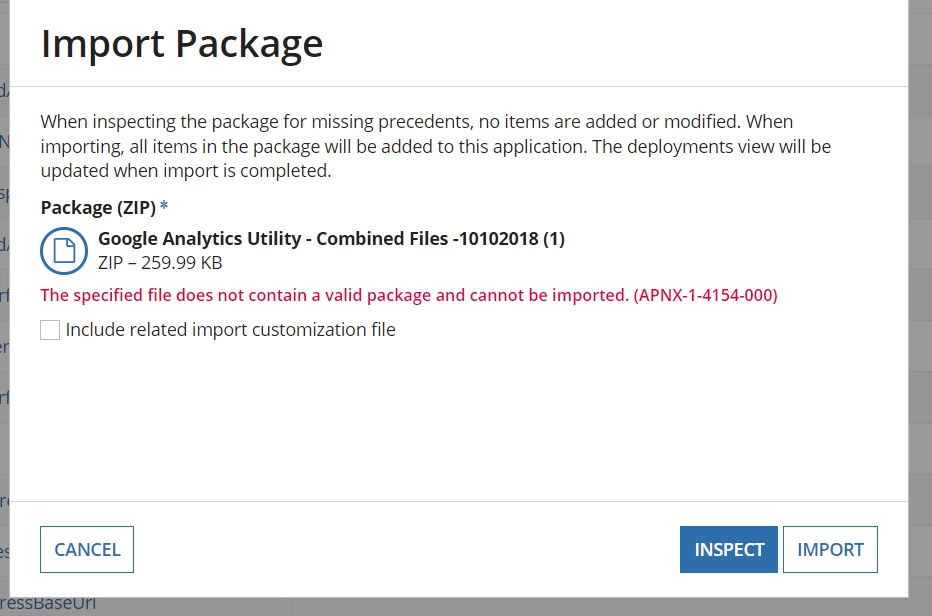
kindly help me to resolve this

  Discussion posts and replies are publicly visible

Parents
  • 0
    Certified Lead Developer

    The downloaded ZIP needs to be extracted. It will contain documentation on how to install the app.

  • Step 1: i have downloaded the utility and added the zip file to my application

    Step 2: i have navigated to google analytics and logged in with my gmail account and created Appiantrackingproperty as below which starts with UA-

    Step 3: i have replaced the GA_trackingid in the utility code with mine.

    Step 4: I have created site and added GA_demointerface and launch the site. Navigated through the interface buttons. 

    Step 5: Coming to google analytics page and checked the status as below

    It is showing 0 users.

    Note:

    While creating property in google analytics, in weburl i have given the appian  siteurl there.

    Appian Site web-address: https://abc.com/sites/ga-site

    Google analytics web url:

    Appian is deployed in cloud and we are using that for development. I have added my gmail id as user in google analytics Utility app administrator group as well.

    what i have missed? help me to resolve this.

Reply
  • Step 1: i have downloaded the utility and added the zip file to my application

    Step 2: i have navigated to google analytics and logged in with my gmail account and created Appiantrackingproperty as below which starts with UA-

    Step 3: i have replaced the GA_trackingid in the utility code with mine.

    Step 4: I have created site and added GA_demointerface and launch the site. Navigated through the interface buttons. 

    Step 5: Coming to google analytics page and checked the status as below

    It is showing 0 users.

    Note:

    While creating property in google analytics, in weburl i have given the appian  siteurl there.

    Appian Site web-address: https://abc.com/sites/ga-site

    Google analytics web url:

    Appian is deployed in cloud and we are using that for development. I have added my gmail id as user in google analytics Utility app administrator group as well.

    what i have missed? help me to resolve this.

Children
No Data