

Question
AWS S3 Connection with Private Link
Hi All,
I am trying to establish a connection from Appian to AWS S3 bucket. I have created a connected system with and without DNS endpoint, please refer to the attached screenshots. It throws an error with endpoint URL.
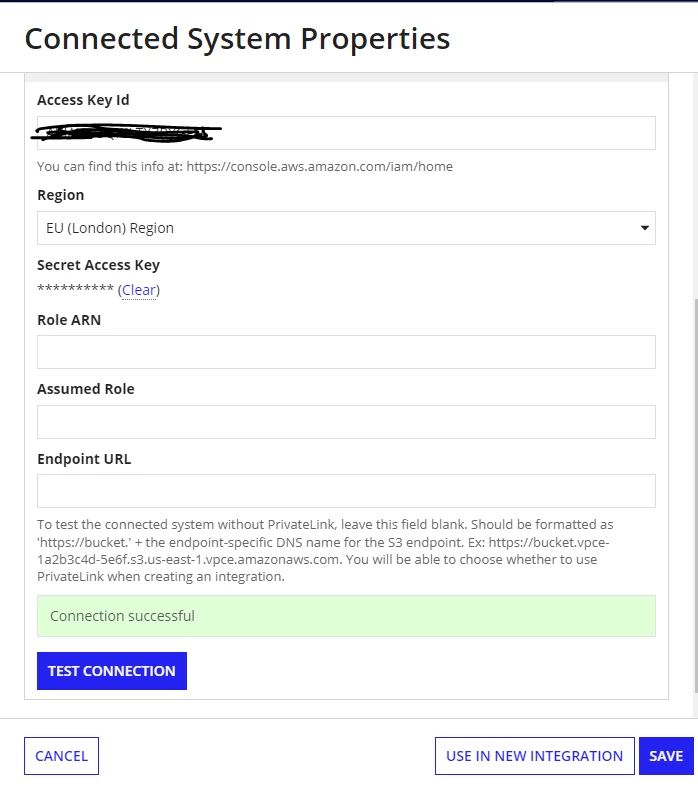
With the endpoint URL error is: "Failed to parse XML document with handler class com.amazonaws.services.s3.model.transform.XmlResponsesSaxParser$ListAllMyBucketsHandler".
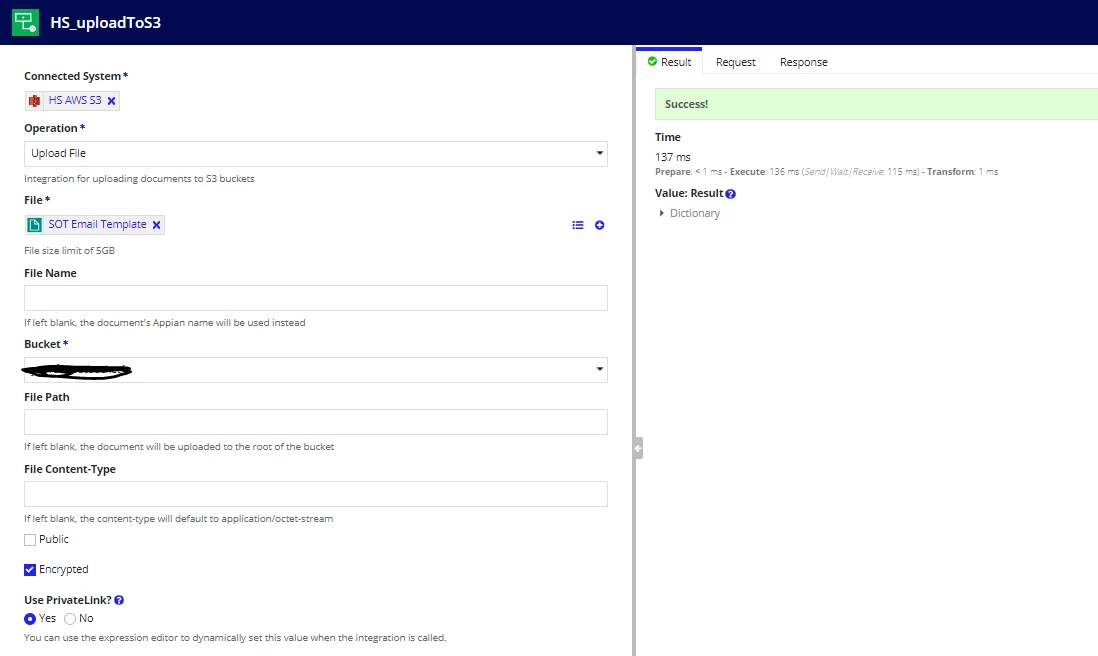
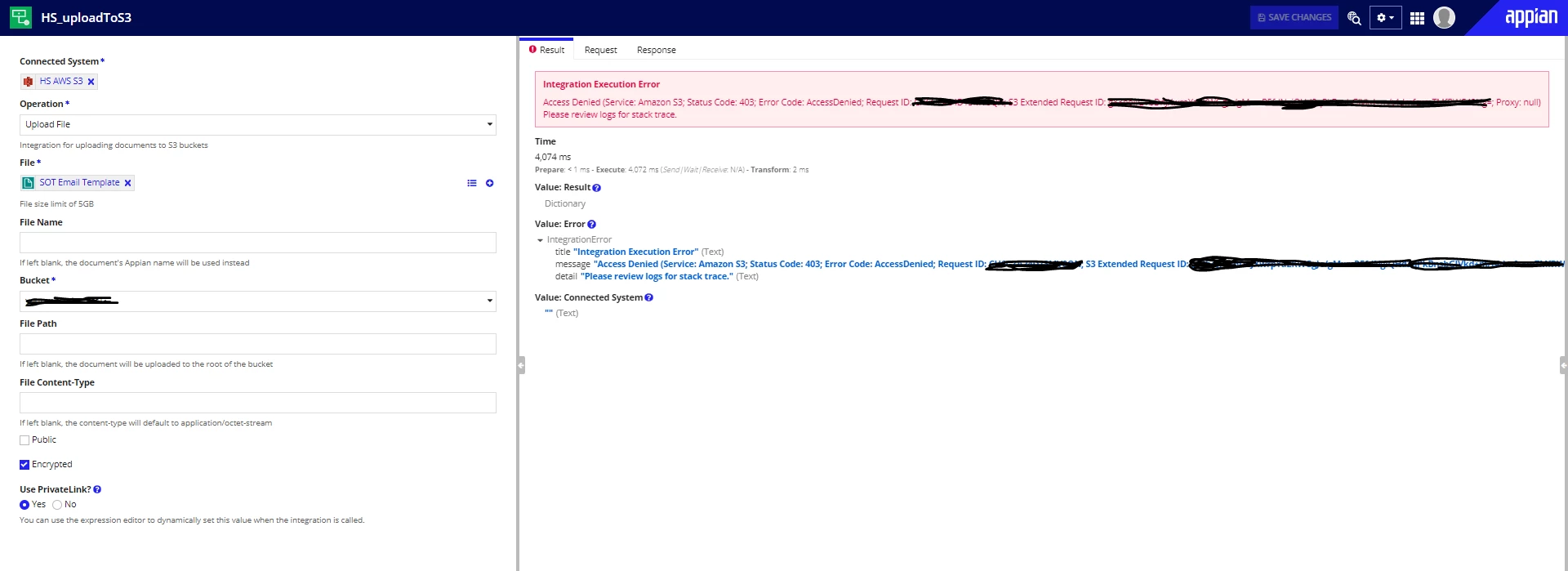
When I am using these connected systems in an integration object then it behaves as following:
- Integration object outcome without Endpoint URL in connected system: SUCCESS
-
- Integration object outcome with Endpoint URL in connected system: FAILED (Access Denied (Service: Amazon S3; Status Code: 403; Error Code: AccessDenied; Request ID: XXXXXXXXXXXXXXXX; S3 Extended Request ID: XXXXXXXXXXXXXXXX/yyyyyyyyyyyyyyyyyyy/ZZZZZZZZZZZZZZZ=; Proxy: null) Please review logs for stack trace.)
The AWS user used for connected system has the following policies:
- AmazonS3FullAccess
- AmazonVPCFullAccess
- Inline policy
{
  "Version": "2012-10-17",
  "Statement": [
    {
      "Effect": "Allow",
      "Action": [
        "s3:ListAllMyBuckets",
        "s3:ListBucket",
        "s3:PutObject",
        "s3:GetObject",
        "s3:DeleteObject"
      ],
      "Resource": [
        "arn:aws:s3:::bucketARN",
        "arn:aws:s3:::bucketARN/*"
      ],
      "Condition": {
        "StringEquals": {
          "aws:sourceVpce": "vpce-01cxxxxxxx"
        }
      }
    }
  ]
}
Bucket permissions are as follows:
- Block all public access: ON
- Object Ownership: Bucket owner preferred
- Bucket policy
{
  "Version": "2012-10-17",
  "Statement": [
    {
      "Sid": "Statement1",
      "Effect": "Allow",
      "Principal": {
        "AWS": "arn:aws:iam::xxxxxx:user/arn"
      },
      "Action": [
        "s3:ListBucket",
        "s3:PutObject",
        "s3:GetObject"
      ],
      "Resource": [
        "arn:aws:s3:::bucketARN",
        "arn:aws:s3:::bucketARN/*"
      ],
      "Condition": {
        "StringEquals": {
          "aws:SourceVpce": "vpce-01cxxxxxxx"
        }
      }
    }
  ]
}
Can anyone help me with the points I am missing here or if anyone has ever faced similar kind of issues?