
February 13, 2026
Solved

In "monitor" section there is a "go to customizable report" link

  • February 13, 2026
  • 11 replies
  • 0 views

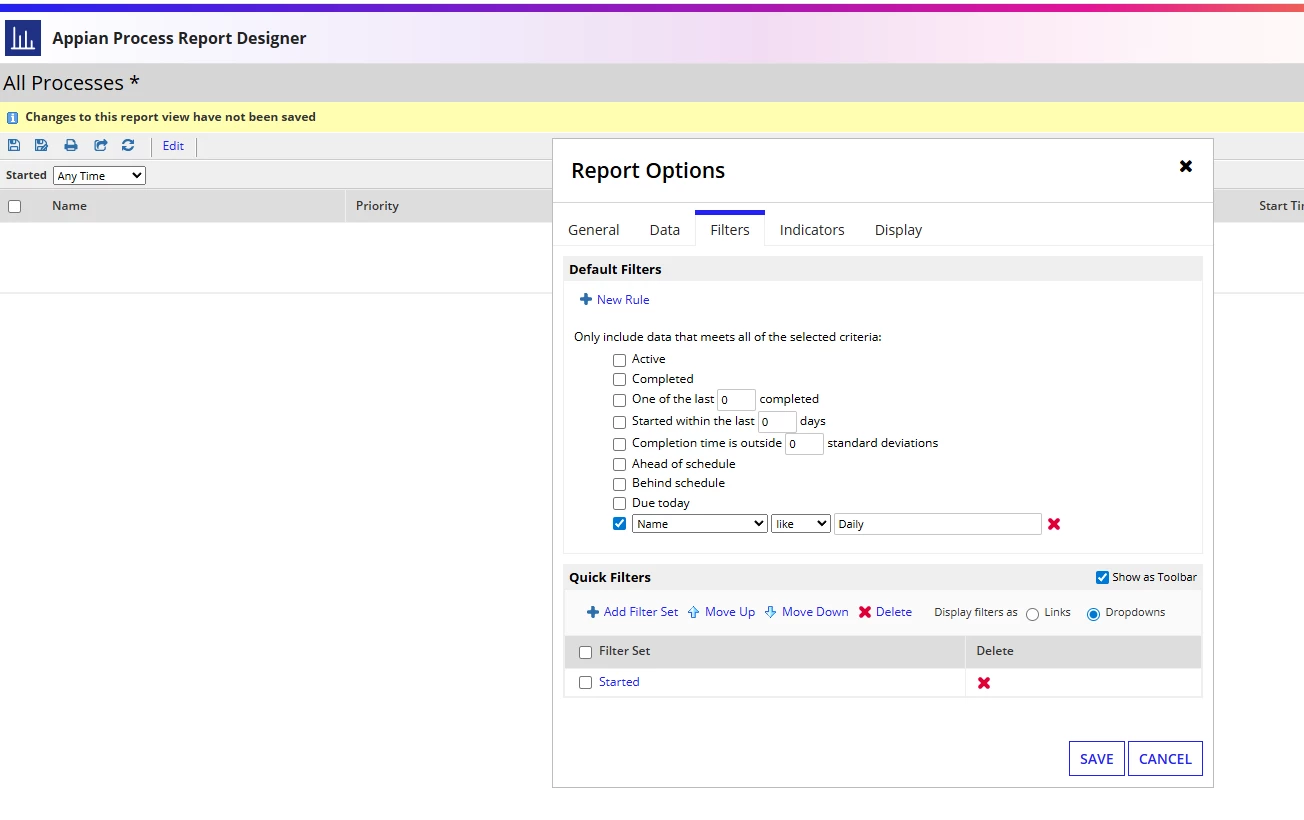
In "monitor" section there is a "go to customizable report" link. I tried to filter them based on the name. I tried (see below the print-screen):

-Name like "Daily"

-Name like "Daily%"

What exactly is the proper way? I need to filter all reports that start with "Daily". The above 2 didn't work. Any idea?

Thank you so much.
    Best answer by stefanhelzle0001

    Use the asterisk *.

    Example: "Daily*"

    11 replies

    mikes0011
    Brainy
    February 13, 2026

    The "Name" field in the Process Report refers to the Process Instance Name.  It will match any Process Instance containing the string you filter on.  I'm unclear what you mean by "filter all reports" though - this is a report that looks at Process Instances.

    February 13, 2026

    [mention:b45a4f6a20b14a008e4e0ec732a8bf98:e9ed411860ed4f2ba0265705b8793d05] - if I use the "=" operator your explanation makes sense. When I use "like" operator I should be able to use an expression similar to SQL I guess (?). I feel that I'm missing something here. By the way we are using date/time in the name of the instance so using "=" doesn't probably make sense (?).

    mikes0011
    Brainy
    February 13, 2026
    if I use the "=" operator your explanation makes sense. When I use "like" operator

    The "like" operator here doesn't work like in SQL.  AFAIK it simply indicates the filtering will return any results with a partial string match -- basically identical to the SQL version of '%Daily%'.  You can choose "begins with' for 'Daily%'.  In other words, the filters work more like the QueryFilters in appian expression queries (though i can't say they'll behave identically).

    February 13, 2026

    [mention:b45a4f6a20b14a008e4e0ec732a8bf98:e9ed411860ed4f2ba0265705b8793d05] if I use the "=" operator your explanation makes sense. When I use "like" operator I should be able to use an expression similar to SQL I guess (?). I feel that I'm missing something here. By the way we are using date/time in the name of the instance so using "=" doesn't probably make sense (?).

    mikes0011
    Brainy
    February 13, 2026

    It works more like Query Filters - "like" by default does a simple find-in-string match, IIRC.
