
June 13, 2023
Solved

MySQL Data Source Configuration

  • June 13, 2023
  • 7 replies
  • 0 views

Setting up a new dev app on Appian Community Edition. Connecting to MySQL cloud database.

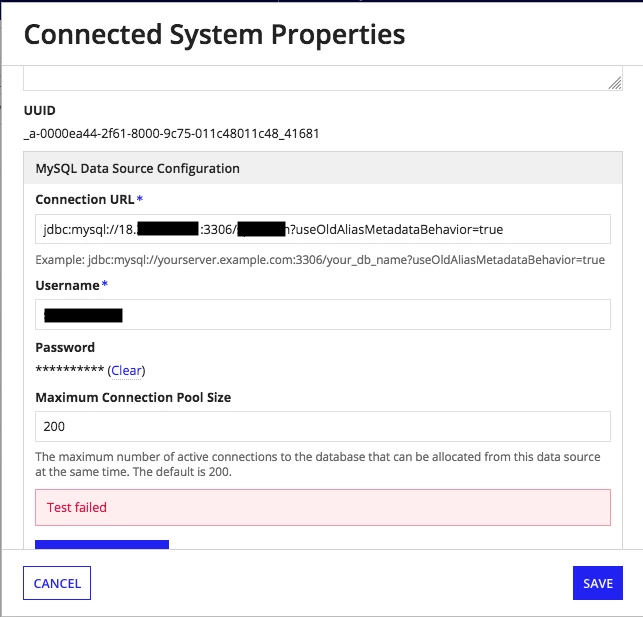
Receiving "Test Failed" error while trying to create MySQL Data Source as Connected System. Able to connect to the database in question via phpMyAdmin over browser.

Thoughts? Thanks.
Best answer by mathieud0001

How is your community edition still running MySQL? Should be MariaDB.

URL should look something like this: jdbc:mariadb://database:3306/InventoryApp?useOldAliasMetadataBehavior=true

7 replies

mathieud0001
June 13, 2023

How is your community edition still running MySQL? Should be MariaDB.

URL should look something like this: jdbc:mariadb://database:3306/InventoryApp?useOldAliasMetadataBehavior=true

harshitb6843
June 14, 2023

If this is some other My SQL instance that you are trying to connect, then probably your creds or connection string is incorrect. 

stefanhelzle0001
June 14, 2023

In the Appian CE, there is one data source already pre-configured. There is no need to set up another data source as long as the credentials are the same.

pato0001Author
June 17, 2023

I'm trying to connect to an external data source.

mathieud0001
June 17, 2023

Are you able to connect to that DB using a database client? (i.e. MySQLworkbench)
