
March 17, 2023
Question

Privacy error while clicking on the Appian login link "Your connection is not private"

  • March 17, 2023
  • 3 replies
  • 0 views

Privacy error while clicking on the Appian login link:

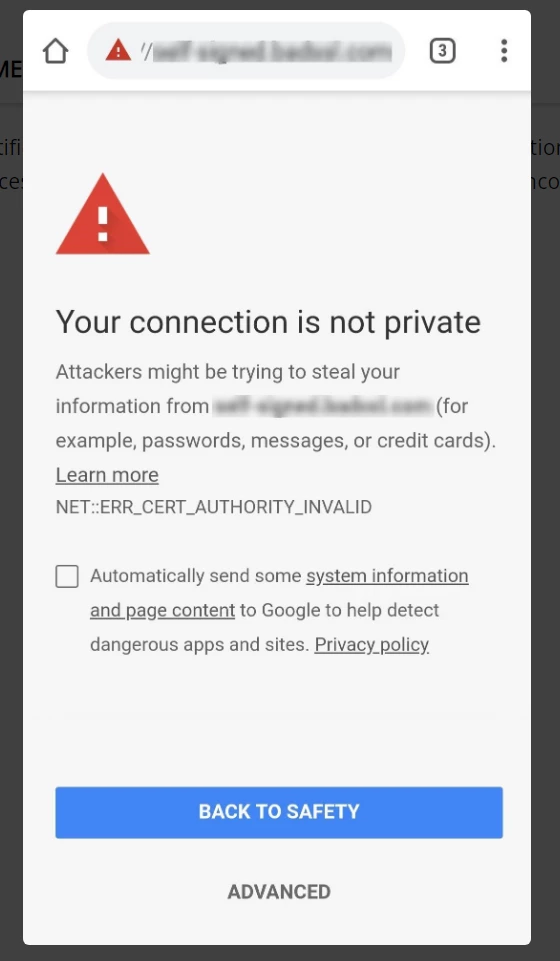
Receiving the below screenshot error while hitting the Appian login basic link. After clicking on the login url we are receiving "Your connection is not private" error (full error message is as per the below screenshot). 

We are always made to click on the "Advanced" option and then only the login page showing username and password appears. Please suggest how to avoid this privacy error everytime and how to go directly to the login page.
    3 replies

    March 18, 2023
    mohdk0002
    March 20, 2023

    Try switching the Internet network if you already/cannot disable your Antivirus or disconnect VPN, the same error happened while I was working from the office with VPN connected without the Advanced option, I used my hotspot and it worked fine.

    dennish
    March 21, 2023

    This is likely caused by your client web browser not trusting the PKI certificate presented by the Appian server.  You can resolve this by installing the same root certificate that signed the Appian PKI certificate on your client machine as a trusted certificate authority.