
November 11, 2022
Solved

Start Process for Debugging not displaying form

  • November 11, 2022
  • 6 replies
  • 0 views

Hi

On my process modeller, whenever I debug the process model, the Process Start Form does not display, the process continues to the next steps without the option to populate the form.
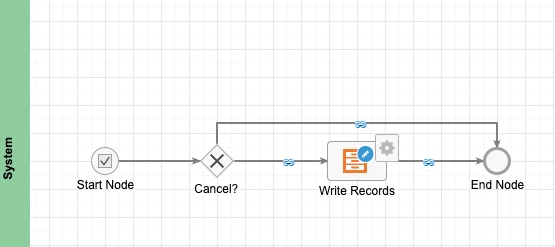
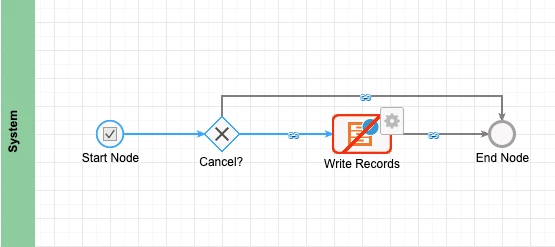
Is there a setting for enabling and disabling the Process start form or is this just in my environment?

Thanks in advance

    Best answer by shampenem0001

    "This was posted by Someone two years ago and its the same issue"

    I had a similar problem. My browser language was set to "English (GB)".

    • From "Appian Process Modeler"


    • Select "Properties".


    • Select "Process Start Form".


    • Choose the "English (GB)" tab.


    • Select the "Enable this language" check box.


    • Select the interface and select "Yes" to the "Create Process Parameters" prompt.


    • Select "File...Save and Publish".


    • Select "File...Start Process for Debugging".

    This works if I blocked pop-ups or not, so that may be a red herring.

    I hope this helps.

    Regards,

    Jules

    6 replies

    gopalk2865
    Participating Frequently
    November 11, 2022

    Hi , Try checking your start form configuration and their inputs.

    November 11, 2022

    Is this a new requirement in 22.3 as initially there was no need to add a process start form through a user input task to populate initial data.

    For example:  On the ACME Automobile Process Model for adding a new Vehicle, there is no user input task to initiate the process for populating the vehicle details. Used to work, but no longer works.

    November 11, 2022

    Can you show us the start form configurations from the properties pane?

    November 11, 2022

    Below are the Properties. Ordinarily is the Process start form is on the Start Node, when the Debug process is initiated, it would automatically display the form in order to populate the test values.

    shampenem0001AuthorAnswer
    November 11, 2022

    "This was posted by Someone two years ago and its the same issue"

    I had a similar problem. My browser language was set to "English (GB)".

    • From "Appian Process Modeler"


    • Select "Properties".


    • Select "Process Start Form".


    • Choose the "English (GB)" tab.


    • Select the "Enable this language" check box.


    • Select the interface and select "Yes" to the "Create Process Parameters" prompt.


    • Select "File...Save and Publish".


    • Select "File...Start Process for Debugging".

    This works if I blocked pop-ups or not, so that may be a red herring.

    I hope this helps.

    Regards,

    Jules