Unable to Configure nodes in Edit Process View
Hi all,
I'm trying to edit a process through the Edit Process View in the process modeler, but am missing options when opening a node to configure.
To get to configure view with no tabs/options I am taking the following steps...
- Open designer in monitoring view
- Check box to show Processes with Errors
- Click process name to open up process modeler
- In process modeler I select Edit Process View
- Double click script task (in this instance the node is called "get list of tickets")
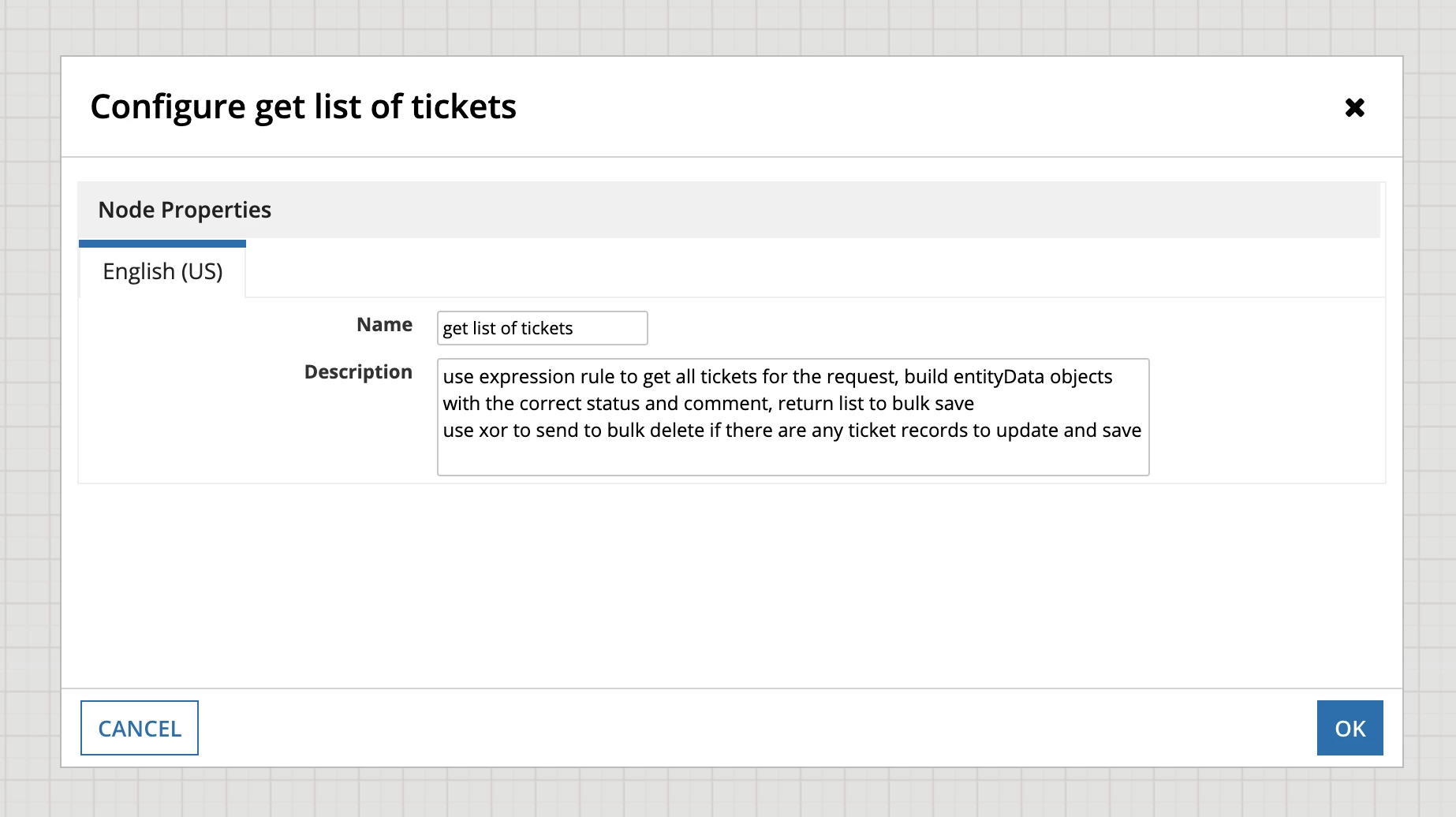
I have verified in the Appian Administrator Console my User Type is set as System Administrator
Other developers with their User Type set as System Administrator are able to see the correction options when configuring nodes in the Edit Process View (General/Data/Forms/Scheduling/Assignment/Exceptions/Other).
We have several development environments which are all running Appian Version 21.4.340.0
In every other development environment where my User Type is set as System Administrator I am able to see the configure a node with the correct options.
Following the same steps listed above in a different environment I get the expected options
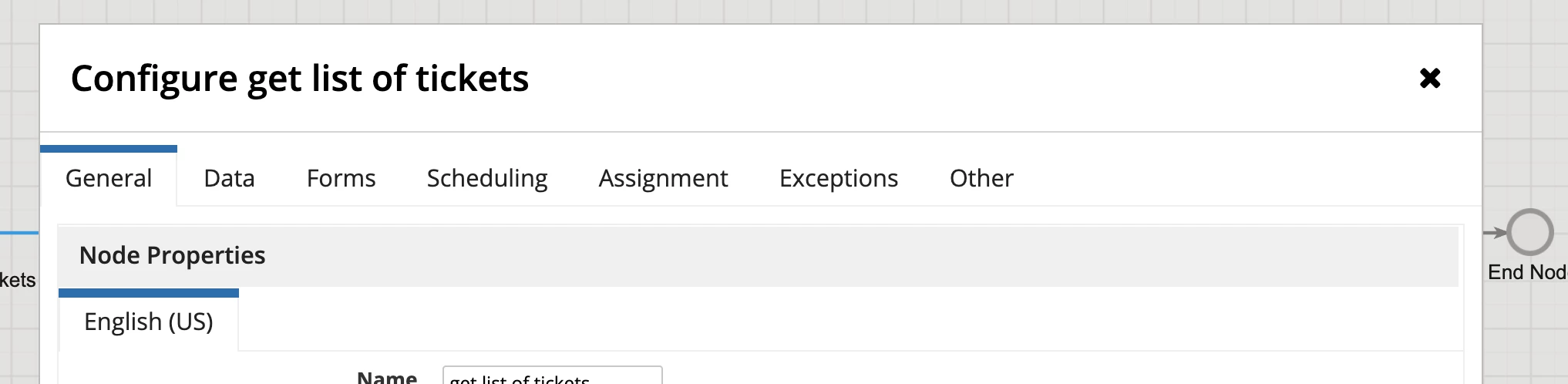
I'm not sure what could be going wrong and any help/advice would be greatly appreciated.