A!foreach() in Expression rules
I have built an expression rule where I am using a!foreach() and looping through items. Below is the query.
a!localVariables(
local!var: a!queryRecordType(
recordType: 'recordType!rec_type1,
pagingInfo: a!pagingInfo(1, 10)
),
a!forEach(
items: { local!var}.data, //4 data items from the record type table are that it can iterate on//
expression: fv!item['recordType!rectype1.fields.col1'] [1]
)
)
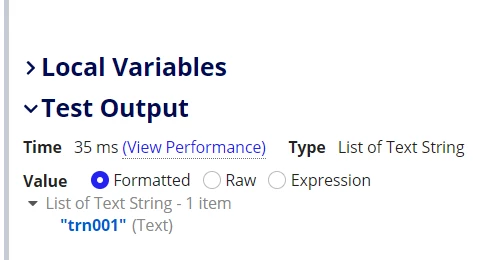
The record type I am querying here has 4 items that I am iterating in using a!foreach(). Now expression gives a single output (specific cell's data from table i.e. first record's col1 value). My expectation was that this would give same table cell data as output but 4 times instead of 1 time.
Is it due to the fact that in every iteration fv!item moves to the subsequent item as current array item and therefore cannot give that cell's data as output remaining 3 times since it has already moved ahead to next item.
Let me know if I am thinking correctly or is there some other reason. (Refer: Below image shows the single output for above query.)