gautams4173
July 28, 2023
Solved

Contains() function Not Giving Results

  • July 28, 2023
  • 8 replies
  • 0 views

Hi 

I have created a constant for storing all the valid file extensions 

constant : OPP_TXT_VALID_FILE_EXTENSION  -> {"PDF", "JPEG", "JPG", "PNG", "DOCX", "DOC", "XLSX", "XLS", "CSV", "TXT"

Now I wanted to implement a validation in fileUploadField wherein I want to check for valid file extensions. For this I am using the contains function 

contains (
  cons!OPP_TXT_VALID_FILE_EXTENSIONS,
  upper(fv!files.extension)
)

Now even for a valid file extension (say PNG) this validation fails

But if I use normal array of hardcoded values instead of constant then I am getting the desired result

contains(
  {"PDF", "JPEG", "JPG", "PNG", "DOCX", "DOC", "XLSX", "XLS", "CSV", "TXT"},
  upper(fv!files.extension)
)
   

Is there something that I am missing ?

Best answer by harshm4411

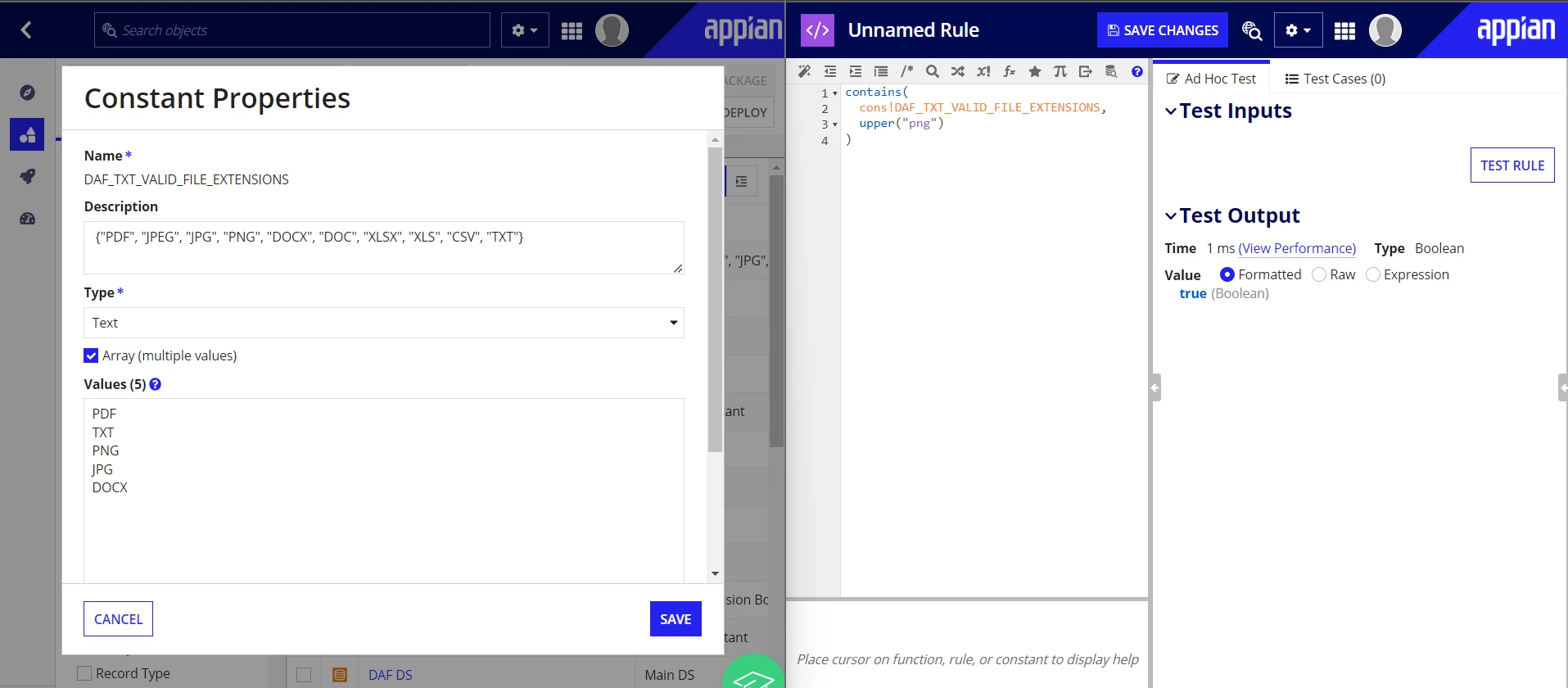
I think there could be a problem during the creation of a constant.

To create a constant with multiple values (array), follow these steps:

  1. Select the array option.
  2. Provide the values in the following format (see the attached image for reference).

8 replies

mathieud0001
July 28, 2023

Your constant needs to look like this:

gautams4173
July 28, 2023

It does look like that [emoticon:41d3875e132d40cdaee3dc767007b788]

mathieud0001
July 28, 2023

Can you show a screenshot?

harshm4411
July 28, 2023

I think there could be a problem during the creation of a constant.

To create a constant with multiple values (array), follow these steps:

  1. Select the array option.
  2. Provide the values in the following format (see the attached image for reference).

gautams4173
July 28, 2023

There was a trailing space