Question
Customizing Appian Chat Component (25.4) to Trigger Card Layouts intelligently for Document Upload & Confirmation
Hi Appian Community,
i watched the 25.4 release showcase by product manager for a!chatField component and custom chat interface from timestamp 54:37 and wondering how to achieve the same functionality which i can further modify as per my use case.
i tried using custom chat interface present in appian documentation but it is limiting me to only use a card interface once and it will show same in every response.
My goals:-
- Achieve same functionality of booking an appointment via chat field or custom chat interface.
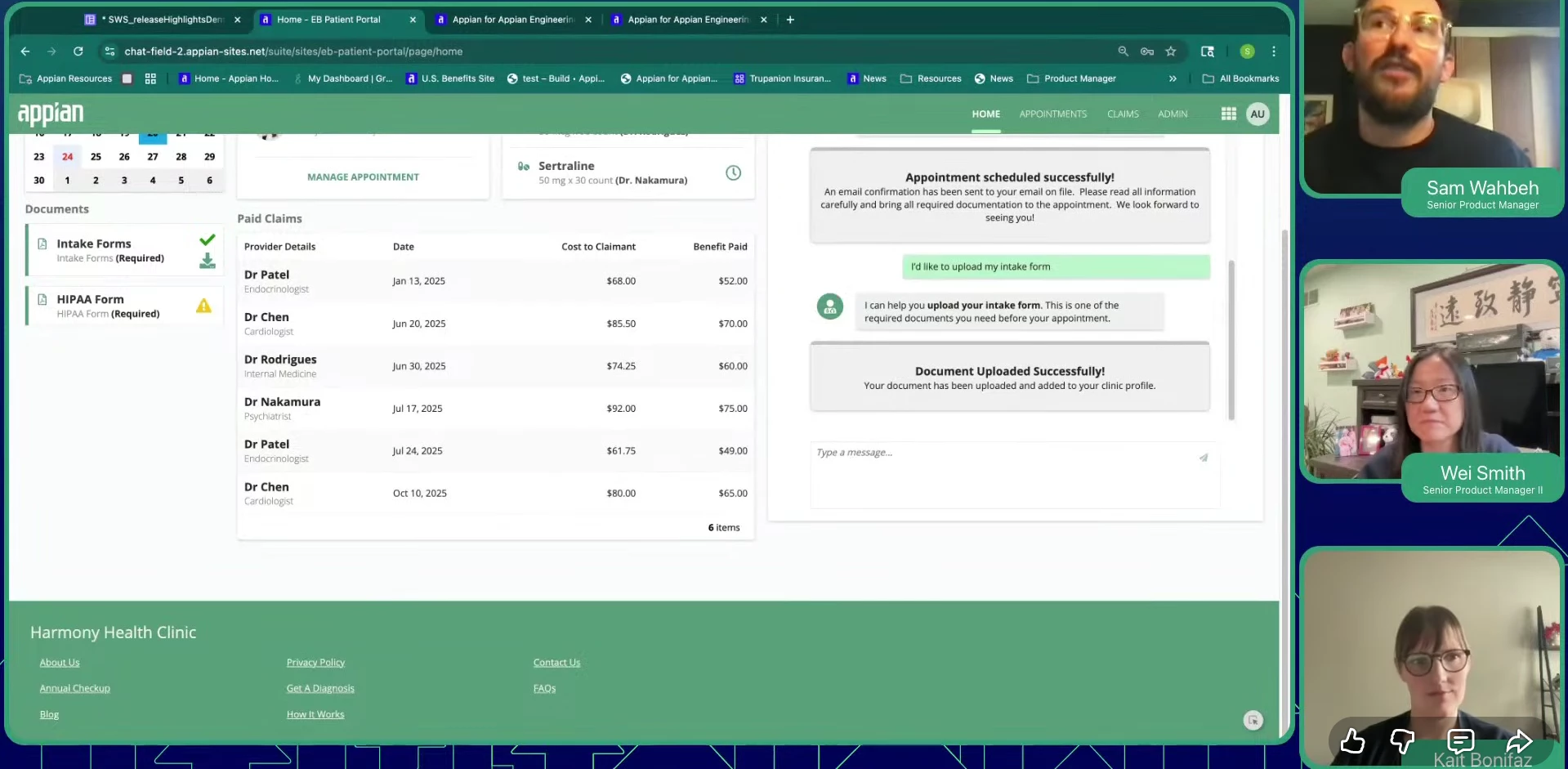
- it should be intelligent to dynamically respond as per user, such that when first given symptoms it only shown a text response, but later responses after the appointment confirmation it showed user a custom card layout with a confirm button, and later another custom card layout with confirmation and another user input text field where user can enter further symptoms and upload any images(optional).
i have uploaded images in sequence from video, in which the responses in start are just texts and later based on responses the appointment confirmation and upload intake forms are configurable card layouts.
any help or suggestions with either SAIL code or documentation reference are well appreciated.