
nikhilk162764
July 21, 2025
Solved

Document Extraction inside Community Edition

  • July 21, 2025
  • 8 replies
  • 0 views

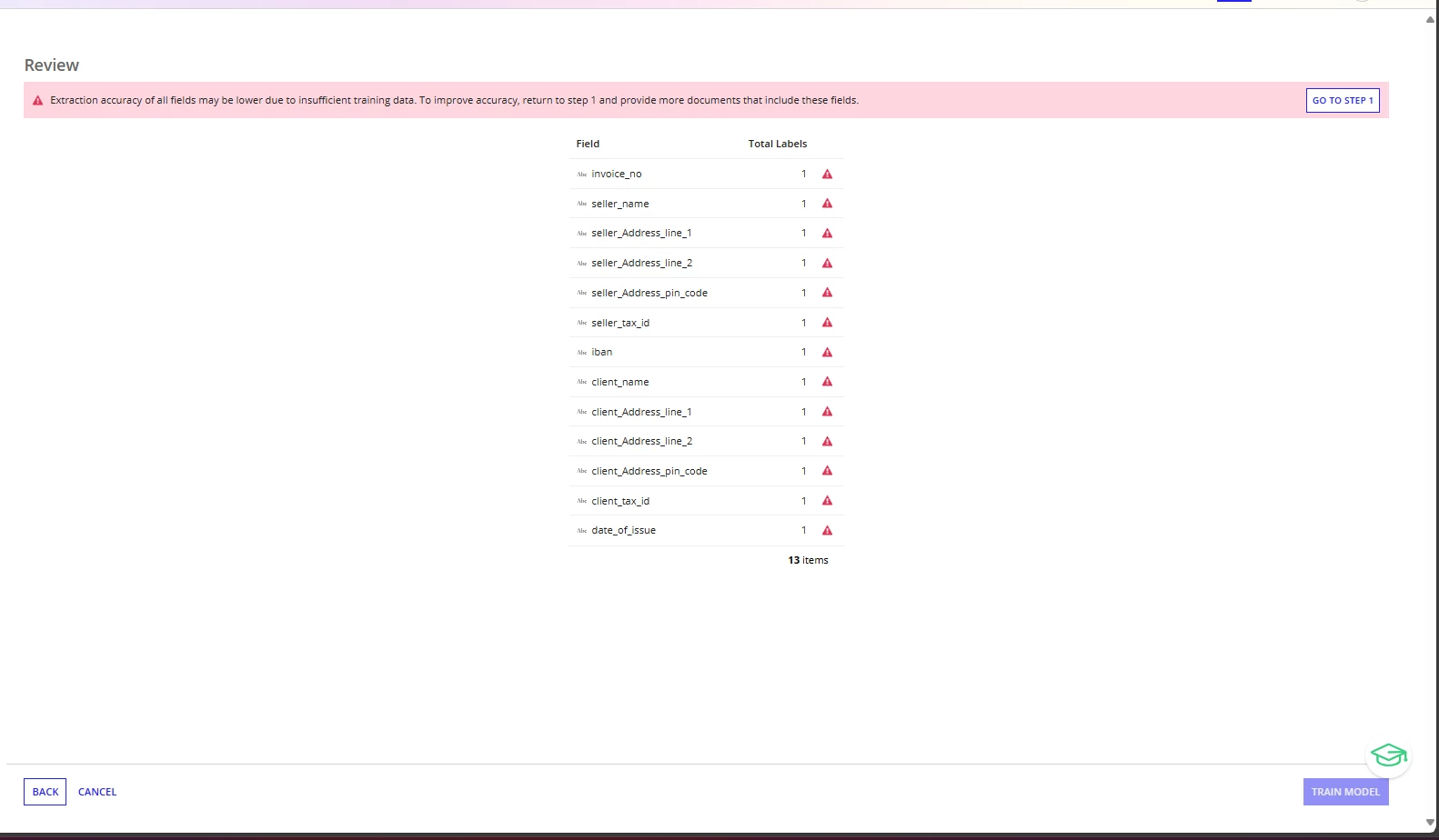
I'm getting an error when trying to publish a model using AI Skills (Extraction). Could this be a restriction of the Community Edition, or is there something I need to configure?

Best answer by kapils024874

It is not necessary that all the fields must be present in the documents
if the field name are not present in the document then it's not an issue, you just need to use the different types of documents while training the model for eg, You have total 15 fields, in one of the document only 5 fields are present, in other document the next 5 fields are present, while training the model, you need to capture whatever fields are present in document. 

8 replies

July 21, 2025

Hi [mention:95d061664a2d4926bdf2c4c17bf9fc63:e9ed411860ed4f2ba0265705b8793d05] ,

this is not a restriction on Community Edition, it's merely the document which you are using to train the model are not accurate and the training data which is used inside PDFs  might be the same,
Can you please let me know how have you generated the PDFs which you are using to train the model ?
Are you using the same PDF again and again to train the model ?

shubhama926776
July 21, 2025

The error you're seeing isn't a Community Edition restriction - it's telling you that you need more training data. All your fields have warning symbols because the AI extraction model requires more examples to learn from. To fix this, click "GO TO STEP 1" and upload additional documents that contain these fields, then label each field in multiple documents.
AI extraction typically needs at least 5-10 examples of each field across different documents to train effectively and achieve good accuracy.

nikhilk162764
July 21, 2025

Does the field need to be the same as what's in the documents? If so, what if the field name doesn't exist in the document?

July 21, 2025

It is not necessary that all the fields must be present in the documents
if the field name are not present in the document then it's not an issue, you just need to use the different types of documents while training the model for eg, You have total 15 fields, in one of the document only 5 fields are present, in other document the next 5 fields are present, while training the model, you need to capture whatever fields are present in document.