
September 8, 2025
Question

How to increase the execution speed of AI skills

  • September 8, 2025
  • 2 replies
  • 0 views

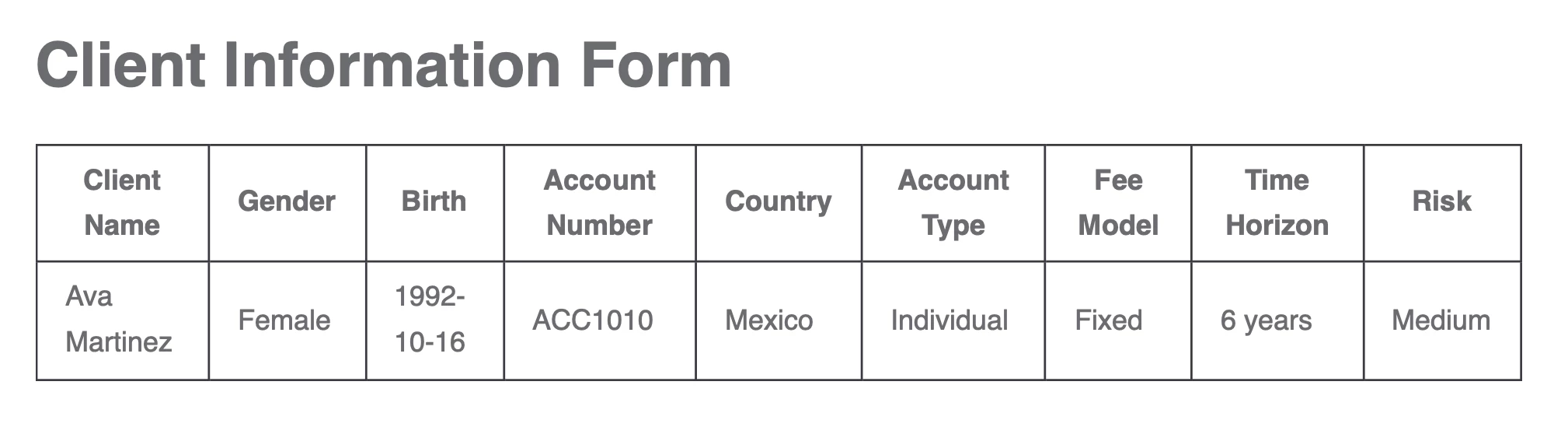
I have tried to use the AI skill to extract info from pdf. But I notice that the speed of the AI skill is too slow. A doc like this. It takes 5 minutes to execute such a simple document. Is there anyway I can increase the execution speed? Is this because my model is not trained enough? Should I trained my model more?
 

2 replies

shubhama926776
September 8, 2025
Is this because my model is not trained enough? Should I trained my model more?

No, training won't help with speed. Training only improves accuracy, not performance.

5 minutes for that simple table is abnormal. Should take seconds. This is an infrastructure/network issue; contact Appian support as 5 minutes for that simple document indicates a system problem.

louis.prensky
September 8, 2025

Hi [mention:c175878b6d0741989dcd8272751de6f9:e9ed411860ed4f2ba0265705b8793d05] , I agree with [mention:9861aef97eb2483a8b76175d9eda1e37:e9ed411860ed4f2ba0265705b8793d05]  that training will not impact latency, only AI accuracy. However, I'd like to call out that the three AI Skills that use traditional machine learning technology (Structured Document Extraction, Document Classification, and Email Classification) are designed to run asynchronously and thus can take minutes to respond.

If response time has a strong impact on your use case, I recommend using a Generative AI Skill, which run synchronously and support activity chaining. You can leverage these Skills for Intelligent Document Processing use cases through AI Document Center.