
November 19, 2025
Question

Unable to Extract Data from Excel using AI Document Center in Appian
  • November 19, 2025
  • 6 replies
  • 0 views

Hi Appian Community,
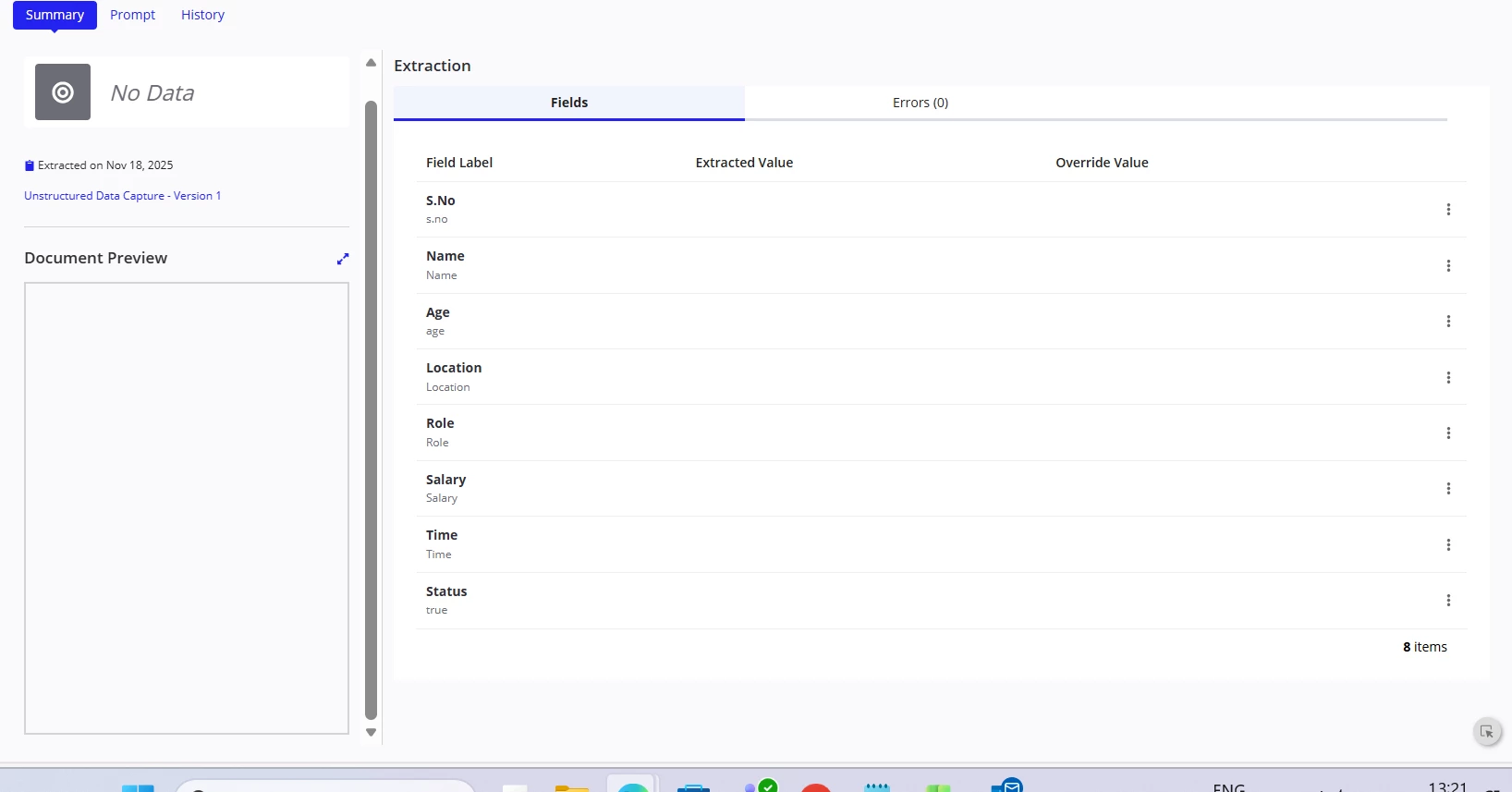
I am using AI Document Center in Appian to Extract an Excel file. The extraction runs successfully, but the Extracted Value column is empty. Only the field labels are displayed (e.g., S.No, Name, Age, Location, Role, Salary, Time, Status), but no actual data is populated and also not able see the preview of excel 

Any guidance or best practices would be appreciated.

6 replies

November 19, 2025

[mention:4edec940dc0f42d093fd4962b20d6366:e9ed411860ed4f2ba0265705b8793d05] are you able to share your file & DocCenter version? XLSX file support is limited depending on complexity of the file. 

November 24, 2025

shubhama926776
November 25, 2025

Have you tried same with CSV?
Recommend use Excel Tools plugin for this requirement.

November 25, 2025

[mention:4edec940dc0f42d093fd4962b20d6366:e9ed411860ed4f2ba0265705b8793d05] For your 2nd screenshot, CSV is not supported when using the Extract from Excel File action when creating an extraction model. We do convert Excel files to CSV when you run an instance though so your file should be supported. 

Please ensure you have the latest version available as well as all plugins downloaded & installed.