

KB-1826 Documents cannot be downloaded from Appian Designer
Symptoms
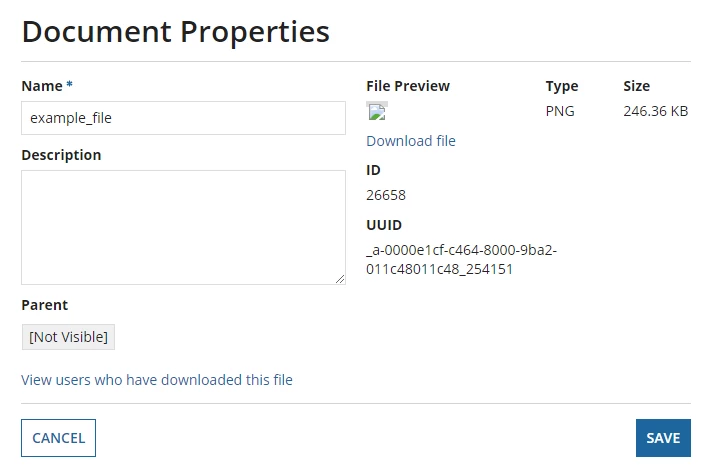
The document was uploaded using the file upload field and after clicking on the document in Appian Designer (/design):
- Clicking on the 'Download file' link does not initiate a download of the file.
- The parent folder is set to [Not Visible].
- The file preview has no thumbnail.
The application server log prints the following error:
WARNING [com.sun.jersey.spi.container.servlet.WebComponent] (ajp-/0.0.0.0:8009-66) A servlet POST request, to the URI https://<SITE_URL>/suite/rest/a/content/latest/document/download, contains form parameters in the request body but the request body has been consumed by the servlet or a servlet filter accessing the request parameters. Only resource methods using @FormParam will work as expected. Resource methods consuming the request body by other means will not work as expected.
Cause
This is a design issue caused by uploading a file to the file upload field when it has the target, value and saveInto fields set to the same value.
Example of sail code:
a!fileUploadField(
 label: "File upload field example",
 labelPosition: "ABOVE",
 target: ri!file,
 value: ri!file,
 saveInto: ri!file,
 maxSelections: 1,
 validations: {}
)
Action
- Search for the affected document(s) in Appian Designer.
- Select the document by checking the checkbox on the left hand side of the document.

3. Click More and then click Download.
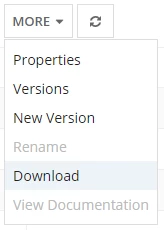
4. A zip file will be generated and downloaded. The zip file contains all the documents selected.
Affected Versions
This article applies to Appian 17.1 and later.