May 19, 2024
Solved

How check an object belong to which Application?

  • May 19, 2024
  • 3 replies
  • 0 views

We have many objects and Applications, sometimes I know the object name, but can't locate to which Application it belongs to.

Is there anyway I can find the belonging Application easily?

    Best answer by karumurua531442

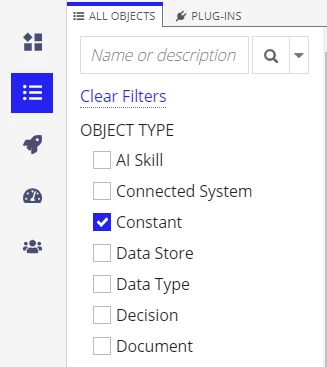
    hi ,[mention:25710eb09098448cbe7f3570455ba814:e9ed411860ed4f2ba0265705b8793d05]  You can go to the objects tab in the designer and select your object type.

    and then select any particular object and click on dependencies as mentioned in the Image below. you can find out where the is used for which application 

    3 replies

    stefanhelzle0001
    May 19, 2024

    Did you check the dependencies?

    konduruc733182
    May 19, 2024

    Yes, As Stefan mentioned you can find from the dependencies, Navigate to the Application's Object View and enter the object name in the Search bar.


    The first non-selectable item would be your application to which the object belongs.

    karumurua531442
    May 20, 2024

    hi ,[mention:25710eb09098448cbe7f3570455ba814:e9ed411860ed4f2ba0265705b8793d05]  You can go to the objects tab in the designer and select your object type.

    and then select any particular object and click on dependencies as mentioned in the Image below. you can find out where the is used for which application