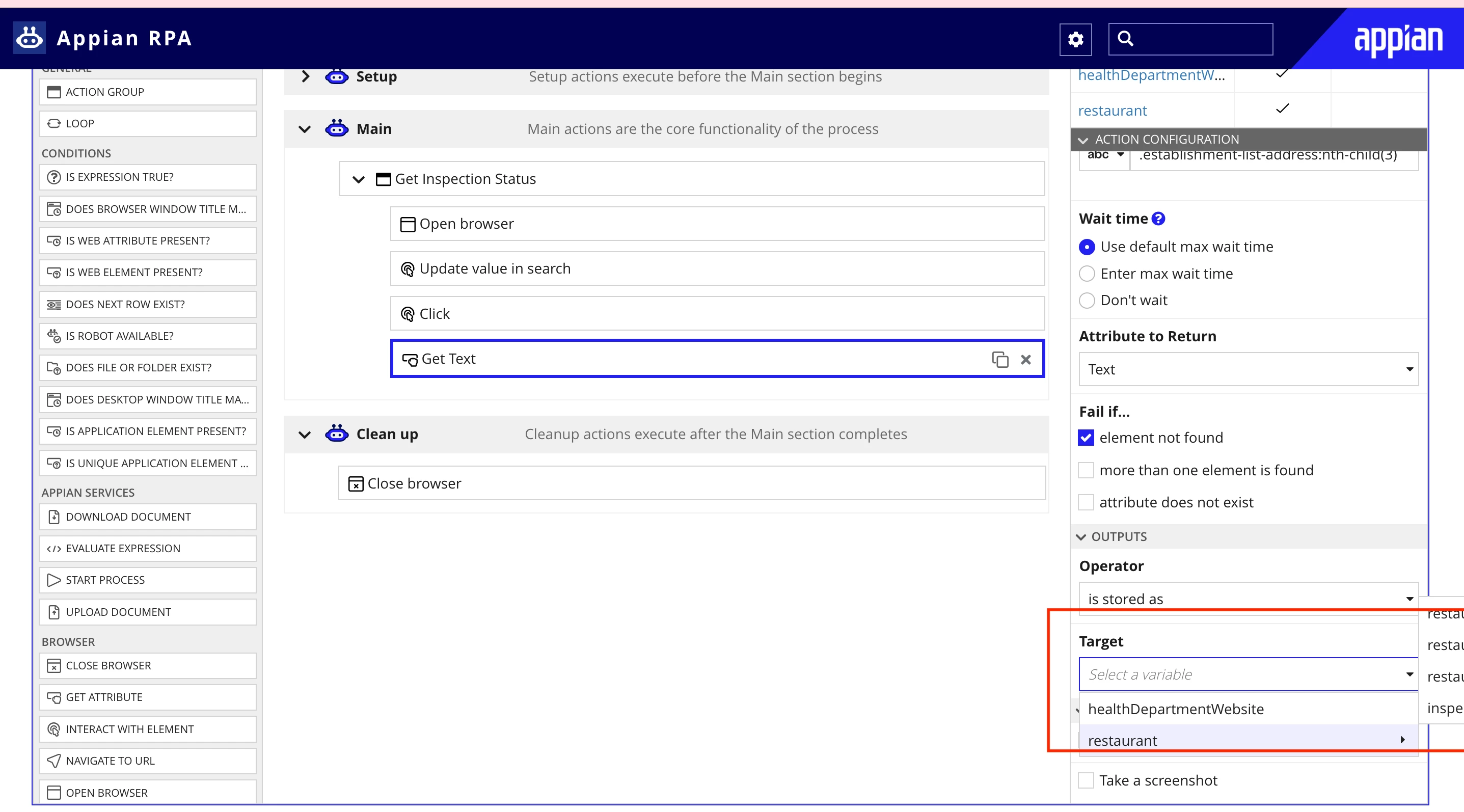
Target Variable is partially hidden on Action configuration menu in Appian RPA
Hi,
Learning Appian RPA from the Appian course. Came along a scenario where I need to modify the Target variable. See screen shot.
If you see the annotated area I cannot view the fields of restaurants..just the first few letters of the word restaurant.
in this case, I have 4 fields in the restaurant table so no problem but if I have a huge table and need to select any field from there it will be a difficult job (or I need to see my CDT and figure out my column number of the field and the count and select it in the Target dropdown values (not a good way but that's a workaround)
Can this be fixed. Can the window that shows the fields of restaurant table appear on the left side instead of right so that I can view the complete field name?? I do not know how to put this problem across Appian so raising it here
thanks
jaideep