November 7, 2024
Solved

Remove Appian logo and Process HQ webpage from Site

  • November 7, 2024
  • 29 replies
  • 1 view

Hello,
I am using Appian version 24.3, and it's a licensed environment and not community edition. I have three different environments available - Dev, Test, and Production. I am currently working on the Dev environment. I want to remove the following Appian default components from my Sites.

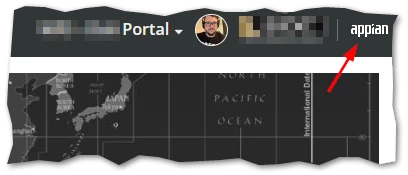
1. Appian logo on the top right corner which has "Powered by Appian" as tooltip text. It was removable in version 23.3 but I don't see any option in the newer version. I am aware of the option to add custom logo (it is on the top left of the site), but it doesn't remove the Appian logo.

2. 'Process HQ' webpage from the navigation list. I want to remove it for all users.

I have attaches an annotated picture of the UI below.

/resized-image/__size/640x480/__key/communityserver-discussions-components-files/13/Screenshot-2024_2D00_11_2D00_07-at-2.53.52_2F20_PM.png

Best answer by mikes0011

Have you fully configured the site's branding?  On my sites there is no "appian" logo visible.  I'm in 24.3.

For the Process HQ issue: it looks like current versions automatically have a "Process HQ Users" group, which (by rule) is set to add all users.  What happens when you change this group's settings to not automatically include all environment users?

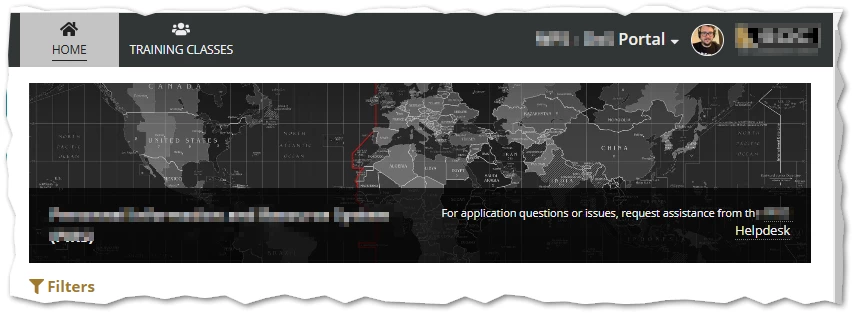
EDIT: as of the "21 November 2024 Hotfix" (at least), the branding logo described in the OP here has also been added to all my environments, which persists despite any branding changes I've tried.  It looks like this is just being forced into the product across the board. Here's the same site as pictured above as of today:

29 replies

mikes0011
Brainy
November 7, 2024

You're probably viewing as an admin user.  Basic users will not see many of these things unless they're members of the necessary permission group(s).

November 7, 2024

I am logged in as a basic user (there are multiple test users) and not as an admin in the above screenshot.

mikes0011
mikes0011Answer
Brainy
November 8, 2024

Have you fully configured the site's branding?  On my sites there is no "appian" logo visible.  I'm in 24.3.

For the Process HQ issue: it looks like current versions automatically have a "Process HQ Users" group, which (by rule) is set to add all users.  What happens when you change this group's settings to not automatically include all environment users?

EDIT: as of the "21 November 2024 Hotfix" (at least), the branding logo described in the OP here has also been added to all my environments, which persists despite any branding changes I've tried.  It looks like this is just being forced into the product across the board. Here's the same site as pictured above as of today:

stefanhelzle0001
Brainy
November 8, 2024
mathieud0001
November 9, 2024

If you want to remove the logo, you could simply replace it by an image that matches the background color. For process HQ, I would follow [mention:b45a4f6a20b14a008e4e0ec732a8bf98:e9ed411860ed4f2ba0265705b8793d05] 's suggestion for removing the rule.

You can define it in the Site Settings

stefanhelzle0001
Brainy
November 9, 2024

I defined a custom logo, but the small Appian logo top right hand is still there.

mathieud0001
November 11, 2024

Which version is that on?