July 22, 2022
Question

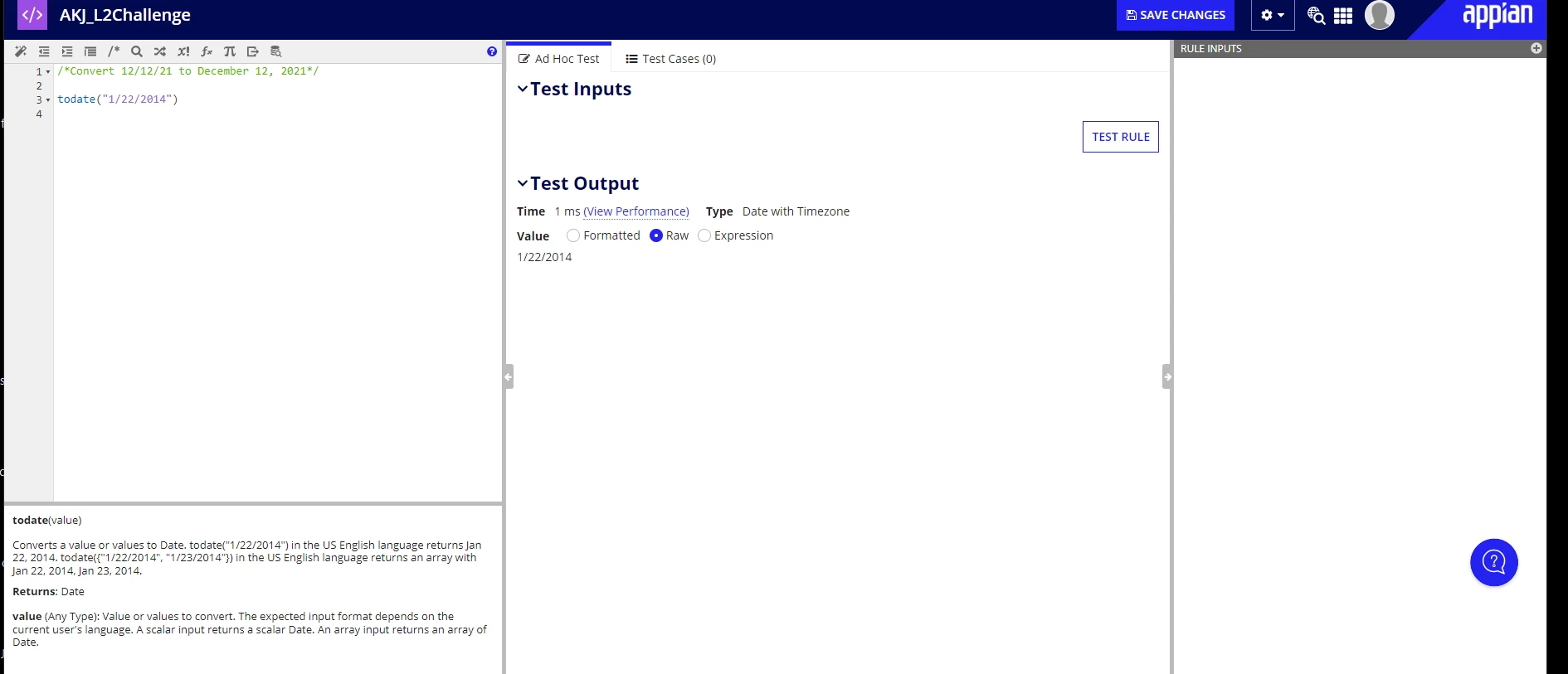
About todate() function i have attached the screenshot for reference i am getting a different result but the documentation is telling a different format

  • July 22, 2022
  • 7 replies
  • 0 views

    7 replies

    Participating Frequently
    July 22, 2022

    I think it is avoid the confusion that first part is month and then it is date and then year because the return type is date for conversion in this format we can use the text() function and the Date in appian takes all the integer values for date month and year.

    July 22, 2022

    text(datevalue("12/12/21"),"mmmm dd, yyyy")  by this i can get my output but my concern was like in document section what appian has stated that i am not getting why?

    stefanhelzle0001
    Brainy
    July 23, 2022

    When preparing a value to be displayed to the user, Appian will always consider the selected language of the user and adjust that format accordingly. For the documentation the language is set to en_us.

    July 22, 2022

    Could you please share the output which you are expecting. The output of this function is of MM/DD/YYYY format. But if you want to modify it then you can use text function over it.

    July 22, 2022

    text(datevalue("12/12/21"),"mmmm dd, yyyy")  by this i can get my output but my concern was like in document section what appian has stated that i am not getting why?

    harshitb6843
    July 22, 2022

    Which documentation link are you browsing? 
    The todate() function is working correctly. However, you need to change the format of the output where you need to customise the order of date/month/year and also change from number to text, then text() is the correct function you will need to use. 

    July 23, 2022

    Kindly refer the image once and by using text(datevalue("12/12/21"),"mmmm dd, yyyy") i am able to get my output but what they have told for todate function in the image i thought it was sufficient for my use