
September 19, 2025
Question

Appian expression rule strange behaviour

  • September 19, 2025
  • 7 replies
  • 0 views

Hello,
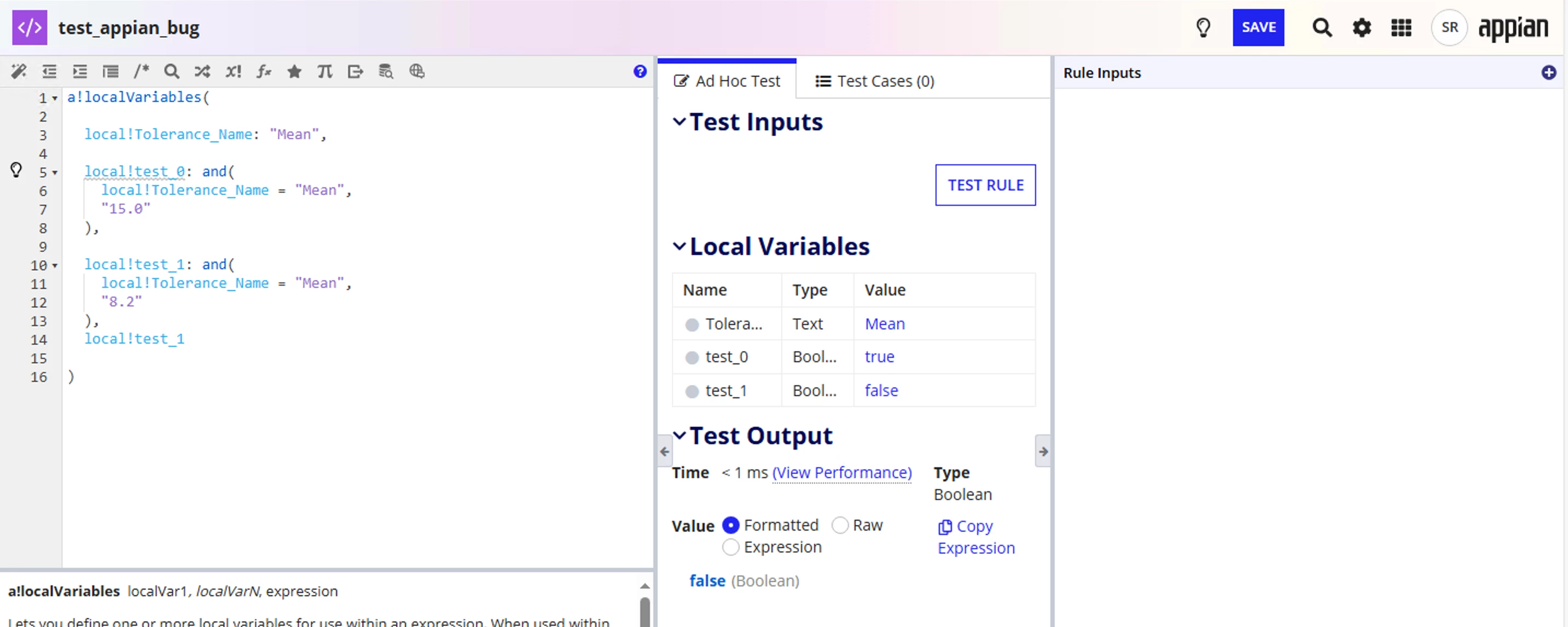
Consider the following test code:

a!localVariables(
    local!Torerance_Name:"Mean",
    local!test_0: and(
        local!Torerance_Name = "Mean",
        "15.0"
    ),
    local!test_1: and(
        local!Torerance_Name = "Mean",
        "8.2"
    )
)


Here test_1 has value : false and test_0 has value true.
What is the cause of this? Please find the screenshot as follows:
7 replies

stefanhelzle0001
September 19, 2025

Not sure what you think this "and()" is doing.

What do you try to achieve?

September 19, 2025

Trying to achieve a simple logic, if there is a non zero value and local!Torerance_Name is mean "Mean" then some logic.
The output must be uniform, I can't find any logic behind this different output. Is it an Appian bug?

mikes0011
Brainy
September 19, 2025

The and() function expects a list of boolean arguments.  Neither the text value "15.0" or "8.2" are boolean values.  My guess is that when the and() function is typecasting both of these to boolean, it gets as far as seeing that "15.0" starts with "1", which aliases to a value of "TRUE" in most contexts, and thus casts it as "TRUE"; and likewise when it sees that "8.2" does not start with "1", it gets cast as "FALSE".

Any chance you tested this out?

So to answer your first question: no, it's not an Appian bug.

To echo Stefan as usual, what are you trying to achieve when you put the "15.0" and "8.2" text values in this rule?  If I could tell what your intended rationality was I'd love to help you come up with the appropriate expression, but I'm struggling to understand.

davidj137213
September 20, 2025

The problem is the one pointed out by Stefan… the and function is not correctly coded

shubhama926776
September 21, 2025

Appian casts strings to boolean and In Expression Strings beginning with "t", "T", "y", "Y", or "1" return true; all other strings return false.
Remove the string values from and() or use explicit boolean comparisons.

mikes0011
Brainy
September 22, 2025

Sadly OP has seemingly no-showed this thread - I was greedily hoping for some validation on my correct answer from nearly 3 days ago [emoticon:c28b2e4cc20f4ba28d1befdba6bed29c]

Funny, I never exactly realized that the casting works out that way for all strings beginning with "T" and "Y" as well.  It makes sense in a way of course, though in situations like the original post here, when someone wanders into a "typecast as boolean" situation with no idea what's happening or why, it can produce some truly silly results [emoticon:c22324d72be24d45bf071047c6583446]

amerayanaa709622
September 22, 2025

I was trying to understand the issue using gpt ,in one of it's responses :

.... How to fix it:

If the goal is “non-zero value” plus the Torerance_Name being “Mean”, they should:

  • Use numeric types, not strings, when testing numbers

  • Or compare the string explicitly, e.g. check if the string is not "0" or not empty or convert it to number and see if it's > 0

Some example fixes:

a!localVariables( local!Torerance_Name: "Mean", local!value: 15.0, /* numeric, not string */ local!test_correct: and( local!Torerance_Name = "Mean", local!value > 0 ) )

Or if the value is coming in as a string, convert it:

a!localVariables( local!Torerance_Name: "Mean", local!valueString: "8.2", local!value: todecimal(local!valueString, 0), /* or appropriate function to convert or parse */ local!test_correct: and( local!Torerance_Name = "Mean", local!value > 0 ) )

Or if the string is just being tested for being non-empty or non-zero in string form:

a!localVariables( local!Torerance_Name: "Mean", local!valueStrinacg: "8.2", local!test_correct: and( local!Torerance_Name = "Mean", local!valueString <> "" , local!valueString <> "0" ) )