June 1, 2022
Solved

Convert text of type "11 May 2021 07:08:12 GMT" to datetime

  • June 1, 2022
  • 7 replies
  • 0 views

Hi Team,

I have a csv in which I am receiving "11 May 2021 07:08:12 GMT" as text in one of the columns, Is there anyway to cast  to Appian datetime type

Regards

Bihitak

    Best answer by agamb0001

    Try using parsedate function.

    This is available in plugin: Date and Time Utilities

    Eg: parsedate("11 May 2021 07:08:12 GMT")

    Output: 
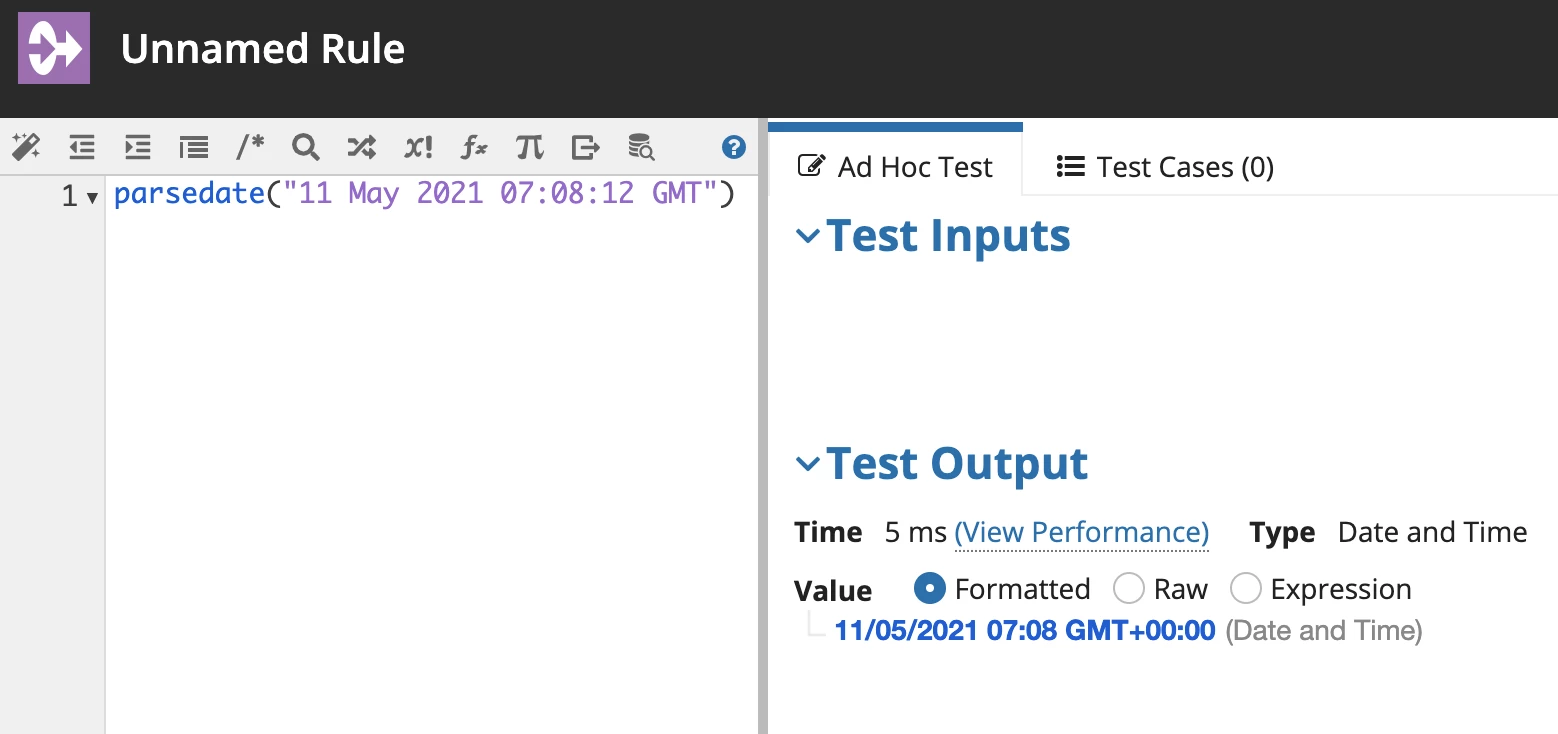
    • 11/05/2021 07:08 GMT+00:00(Date and Time)

      7 replies

      mikes0011
      Brainy
      June 1, 2022

      Using a combination of Appian functions you could develop an Expression Rule that consumes the date text string in question and returns a valid Appian DateTime value.  It would require a bit of parsing on your part.

      The starting hint I have is, the "datetime()" funciton consumes "year, month, day, hour, minute, second".  You would be able to use existing functions to break up the incoming text into parts, convert the month text to a numeric value, and pass them all into that rule.  You would want to test it against a wide variety of example inputs to make sure it returns the expected results in all such cases.

      The Expression Guru
      June 2, 2022

      Thanks for the information.

      Inspiring
      June 1, 2022

      As mike mentioned you can do this using combination of Appian Functions. You can try this logic it might work for your scenario. This is just a reference you may need to tweak based on your requirement

      a!localVariables(
        local!dateTextValue: "11 May 2021 07:08:12 GMT",
        local!splitDateTextValues: split("11 May 2021 07:08:12 GMT", " "),
        local!month: displayvalue(
          local!splitDateTextValues[2],
          {"Jan", "Feb", "Mar", "April", "May", "June", "July", "Aug", "Sep", "Oct", "Nov", "Dec"},
          {1,2,3,4,5,6,7,8,9,10,11,12},
          ""
        ),
        local!splitTime: split(local!splitDateTextValues[4], ":"),
        local!dateTimeValue: datetime(
          tointeger(local!splitDateTextValues[3]),
          tointeger(local!month),
          tointeger(local!splitDateTextValues[1]),
          tointeger(local!splitTime[1]),
          tointeger(local!splitTime[2]),
          tointeger(local!splitTime[3]),
        ),
        local!dateTimeValue
      )

      June 2, 2022

      Thanks for help its working

      agamb0001
      agamb0001Answer
      June 1, 2022

      Try using parsedate function.

      This is available in plugin: Date and Time Utilities

      Eg: parsedate("11 May 2021 07:08:12 GMT")

      Output: 

      • 11/05/2021 07:08 GMT+00:00(Date and Time)
        June 2, 2022

        Thanks for help its working