
Creation of dynamic excel document in Appian
Is it possible to create a dynamic Excel in Appian?
Let me describe the challenge I am facing.
I need to create a dynamic Excel in Appian that would have 10 different tables, each of which is displayed based on dynamic input (list of IDs 1,2,...10),
possible scenarios
An example of the code we used to generate the Excel:
local!dictionary: cast('type!{www.appian.com/.../2009}Dictionary', {}),
local!dataExport: a!forEach(
items: local!labelValue,
expression: reduce(
fn!insert(_, _, _),
local!dictionary,
merge(
index(fv!item, "data", null),
index(fv!item, "value", null)
)
)
),
'type!{urn:com:appian:ps:excel:types}ExportableDataSubset'(
fieldLabels: index(local!labelValue, "label", null),
fieldNames: index(local!labelValue, "value", null),
datasubset: todatasubset(local!dataExport),
filename: "Data inputs_"&local!currentTime
)
The problem with this is that we can't do any functions or calculations within cells and rows.
Also, everything has to be pre-filled to work properly.
This is a sample excel that we are currently generating. Such a solution is not good enough for us due to the complexity of the request.
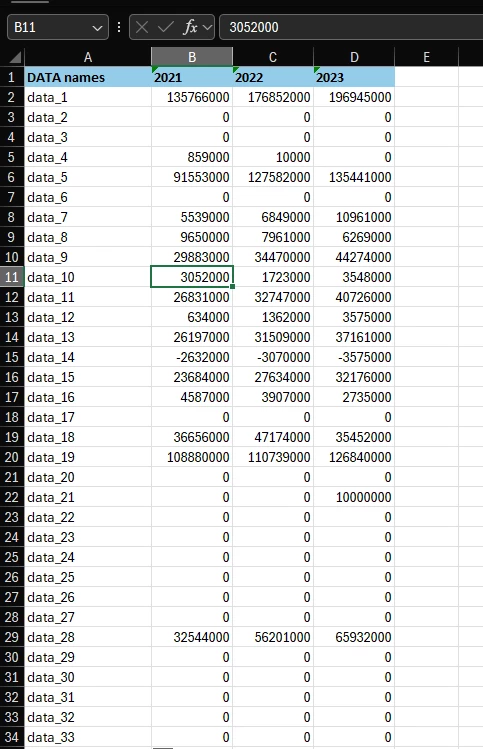
We get the values from the database or rule and just pass them to Excel.
Please give me some advice and a solution on how to do this.