
prabhakarank847990
June 10, 2025
Question

Document Upload Default Validation Message

  • June 10, 2025
  • 7 replies
  • 0 views

Hi Appian Gurus,

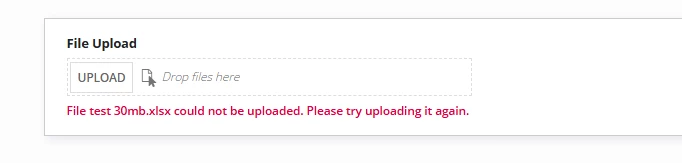
When I try to upload a file with more than 30 MB, I am getting this Appian inbuilt validation message which is totally misleading is it possbile to customize or edit this validation message in Appian On Prem environment.
7 replies

shubhama926776
June 10, 2025

On Prem environment:
The validation message text cannot be directly modified because it is part of Appian's core validation system. The 30MB limit and its corresponding validation message are hardcoded into the platform's file upload components.
To adjust the maximum file upload size, you can modify the following system property:
In Configuring System Properties([APPIAN_HOME]/server/conf/server.properties) -> appian.upload.max.size -> Change to whatever you want.

I would recommend -> Use a document check rule before processing

prabhakarank847990
June 10, 2025

Is it possible to implement pre upload validation for file upload component ?

mikes0011
Brainy
June 10, 2025

How would a system validate a file before it's uploaded?

davidj137213
June 10, 2025

You can mofify the file size that can be uploaded, but not the message itself.