April 13, 2026
Question

Downloading Excel File in Appian using Web API.

  • April 13, 2026
  • 4 replies
  • 1 view

Hi All,

I have a requirement to download the data into excel using web api in Appian. Data is coming from external API.

Using web api, I am able to dowload .csv and.xls file. But To download the .xlsx file. Is there any way.

Currently I am writing the sample code like below.

a!localVariables(
local!data:{
{name:"A",age:10},
{name:"A",age:10}

},

a!httpResponse(

headers: {
a!httpHeader(
name: "Content-Type",
value: "application/vnd.openxmlformats-officedocument.spreadsheetml.sheet"
),
a!httpHeader(
name: "Content-Disposition",
value: "attachment; filename= test.xlsx"
)
},

body:local!data
)

)

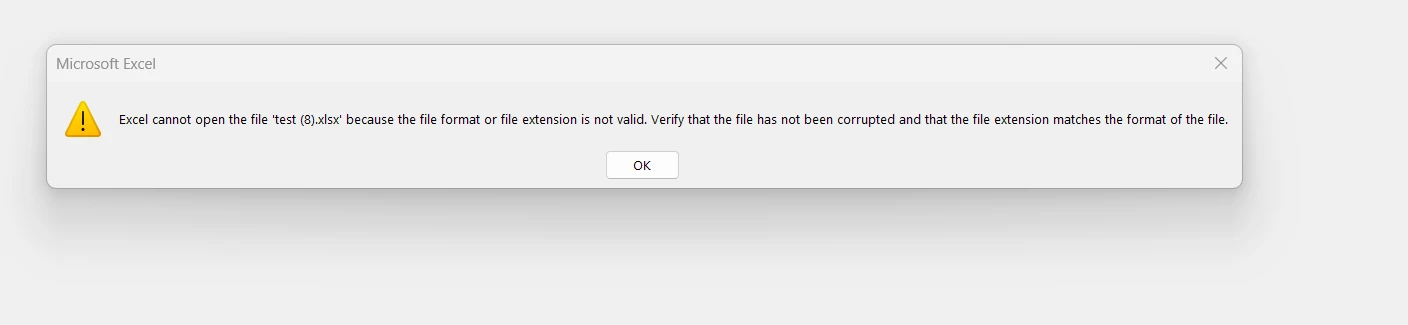
whenever i tried to open the file. Below is the error. Can you please tell how can we resolve this issue?

Thanks in Advance!!

    4 replies

    stefanhelzle0001
    April 13, 2026

    Your code isn't turning the data into an Excel file ...

    Trying to download data from an API, just to forward it to the user as an Excel file is not exactly a great use case for Appian.

    I think you will have to write the data to a database table, and then use one of the plugins to export it into an XLSX file. Then you can make the user download it.

    gopuh0001Author
    April 16, 2026

    ok Thank You for the suggestion.

    mikes0011
    Brainy
    April 14, 2026

    You might look into the "JSON to Excel Smart Service Convertor" plug-in, and calling this in a process model from your API.  I'm not 100% clear whether it will work within your required use case, but it is able at least to generate valid .XLSX files from arbitrary input dictionary data.

    Edit: actually if your data is coming from an external API, it seems to me like you can probably just pass this data into a process model containing this node, without needing to call an Appian API.  Some more details about your requirements might help solidify a suggested approach though.

    gopuh0001Author
    April 16, 2026

    Thank You. will look into it