
May 5, 2026
Solved

Fitnesse for Appian - login with username not retrieving configured password from users.properties

  • May 5, 2026
  • 3 replies
  • 1 view

Hi all, 

Seeking some help, our current Fitnesse for Appian implementation has been signing into our application via credentials entered in a SetUp wiki page -

| login with username | fitnesse.user | and password | examplePassword |

This works as expected and allows the automation user to sign in.

I am trying to switch to using the provided configs/users.properties file to sign in with a key/value pair, however the password never ends up getting retrieved from the configs/users.properties file?

# Users used for | login with username | fitnesse.user |
fitnesse.user=examplePassword

| login with username | fitnesse.user |


As you can see, the result of our setup script is as follows (and it stops here)
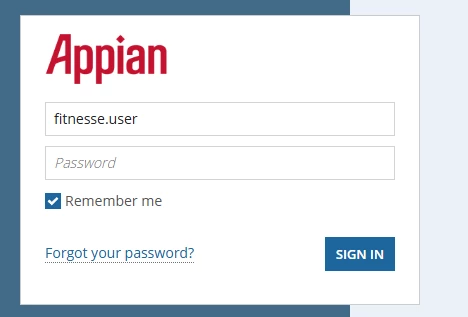


Site is on 25.4 using SAML, Fitnesse for Appian version 23.4

Fitnesse start.bat script is:


java -jar lib/fitnesse-20230503-standalone.jar -p 8980 -e 0 -f configs/custom.properties


Has anyone experienced this same problem and been able to resolve it?

Best answer by kyleb316062

I resolved this myself - seemed to be just an issue with using an outdated Selenium build. Most recent is working as intended now

3 replies

subhankarb6682
May 5, 2026

Hi,

Are you referencing users.properties inside custom.properties?

It should contain:

UsersPropertiesFile=configs/users.properties. 

Also please share your Fitnesse library structure. How config and start.bat files are located.

May 5, 2026

Thank you for your response,

users.properties
was not being referenced within custom.properties. 
I added that within custom.properties but it did not seem to help


library structure:

.
├â”`â”` configs/
│   ├â”`â”` users.properties
│   â””â”`â”` custom.properties
â””â”`â”` start.bat


users.properties is the same as the original file, 

# Users used for | login with username | fitnesse.user |
fitnesse.user=password5
fitnesse.twoser=password5
fitnesse.admin=Pa$$w0rd5

# Roles used for | login with role | role.basic_user |
role.basic_user=fitnesse.user|password5
role.admin=fitnesse.admin|Pa$$w0rd5

custom.properties also has not had many changes, left the snippet you provided in here just in case

### INSTALLATION PROPERTIES ###
# Populate with location of this project's Home Directory. Home Directory is the unzipped directory.
automated.testing.home=.

download.directory=downloads
download.mime.types=application/xml,text/plain,text/xml,image/jpeg,image/png

# When set to true, login will login to Tempo News, ignoring any path in the URL after /suite
login.to.base.url=false

### CHROME ###
# Leave blank if installed in default location of: C:\\Program Files (x86)\\Google\\Chrome\\Application\\chrome.exe
# For MacOS or Linux/Unix, update with location of Chrome binary
# chrome.browser.home=lib\chromedriver\chromedriver.exe
# If you need to specify a version for chromedriver, un-comment out the below line and supply the path to the executable.
# Otherwise the correct version will automatically be downloaded
# Download new or additional drivers at https://sites.google.com/chromium.org/driver/downloads
chrome.driver.home=lib\chromedriver\chromedriver.exe

### FIREFOX ###
# Leave blank if installed in default location of: C:\\Program Files (x86)\\Mozilla Firefox\\firefox.exe
# For MacOS or Linux/Unix, update with location of Firefox binary
firefox.browser.home=
# If you need to specify a version for geckodriver, un-comment out the below line and supply the path to the executable.
# Otherwise the correct version will automatically be downloaded
# Download new or additional drivers at https://github.com/mozilla/geckodriver/releases
# firefox.driver.home=

### REMOTE FIREFOX ###
#Name the browser REMOTE_FIREFOX
# Leave empty if connecting to localhost. http or https
firefox.host.protocol=
# Leave empty if connecting to localhost
firefox.host.ip=
# Leave empty if connecting to port 4444
firefox.host.port=

### REMOTE CHROME ###
# Leave empty if connecting to localhost. http or https
# Name te browser REMOTE_CHROME
chrome.host.protocol=
# Leave empty if connecting to localhost (i.e. ondemand.us-west-1.saucelabs.com)
chrome.host.ip=
# Leave empty if connecting to port 4444
chrome.host.port=
#Use comma separated values ex: username=appian,accessKey=,browserName=Safari,platform=mySecretAccessKeycOS 10.13,version=11.1,name=My Safari Test
#These two chromeOptions capabilities profile.default_content_settings.popups=0) and safebrowsing.enabled=true are hard coded capabilities.
#You'll need to set chromeOptions to blank to override those capabilities.
chrome.capabilities=

# added per suggestion
UsersPropertiesFile=configs/users.properties


Would you have any other ideas?

The error from the execution log in case it helps:
13:15:10.477 [main] ERROR com.appiancorp.ps.automatedtest.exception.ExceptionBuilder - Login page - fitnesse.user
java.lang.IllegalArgumentException: Keys to send should be a not null CharSequence
	at org.openqa.selenium.remote.RemoteWebElement.sendKeys(RemoteWebElement.java:97) ~[selenium-remote-driver-4.11.0.jar:?]
	at com.appiancorp.ps.automatedtest.tempo.TempoLogin.login(TempoLogin.java:137) [appian-selenium-api-23.4.jar:?]
	at com.appiancorp.ps.automatedtest.fixture.BaseFixture.loginIntoWithUsernameAndPassword(BaseFixture.java:438) [appian-selenium-api-23.4.jar:?]
	at com.appiancorp.ps.automatedtest.fixture.BaseFixture.loginIntoWithUsername(BaseFixture.java:467) [appian-selenium-api-23.4.jar:?]
	at com.appiancorp.ps.automatedtest.fixture.BaseFixture.loginWithUsername(BaseFixture.java:478) [appian-selenium-api-23.4.jar:?]
	at jdk.internal.reflect.NativeMethodAccessorImpl.invoke0(Native Method) ~[?:?]
	at jdk.internal.reflect.NativeMethodAccessorImpl.invoke(NativeMethodAccessorImpl.java:62) ~[?:?]
	at jdk.internal.reflect.DelegatingMethodAccessorImpl.invoke(DelegatingMethodAccessorImpl.java:43) ~[?:?]
	at java.lang.reflect.Method.invoke(Method.java:566) ~[?:?]
	at fitnesse.slim.fixtureInteraction.SimpleInteraction.methodInvoke(SimpleInteraction.java:322) [fitnesse-20230503-standalone.jar:20230503]
	at fitnesse.slim.fixtureInteraction.SimpleInteraction.callMethod(SimpleInteraction.java:307) [fitnesse-20230503-standalone.jar:20230503]
	at fitnesse.slim.fixtureInteraction.SimpleInteraction.invokeMethod(SimpleInteraction.java:290) [fitnesse-20230503-standalone.jar:20230503]
	at fitnesse.slim.fixtureInteraction.SimpleInteraction.findAndInvoke(SimpleInteraction.java:217) [fitnesse-20230503-standalone.jar:20230503]
	at fitnesse.slim.MethodExecutor.findAndInvoke(MethodExecutor.java:18) [fitnesse-20230503-standalone.jar:20230503]
	at fitnesse.slim.FixtureMethodExecutor.execute(FixtureMethodExecutor.java:18) [fitnesse-20230503-standalone.jar:20230503]
	at fitnesse.slim.StatementExecutor.getMethodExecutionResult(StatementExecutor.java:139) [fitnesse-20230503-standalone.jar:20230503]
	at fitnesse.slim.StatementExecutor.call(StatementExecutor.java:112) [fitnesse-20230503-standalone.jar:20230503]
	at fitnesse.slim.instructions.CallAndOptionalAssignInstruction.executeInternal(CallAndOptionalAssignInstruction.java:30) [fitnesse-20230503-standalone.jar:20230503]
	at fitnesse.slim.instructions.Instruction.execute(Instruction.java:29) [fitnesse-20230503-standalone.jar:20230503]
	at fitnesse.slim.ListExecutor$Executive.executeStatement(ListExecutor.java:49) [fitnesse-20230503-standalone.jar:20230503]
	at fitnesse.slim.ListExecutor$Executive.executeStatements(ListExecutor.java:43) [fitnesse-20230503-standalone.jar:20230503]
	at fitnesse.slim.ListExecutor.execute(ListExecutor.java:85) [fitnesse-20230503-standalone.jar:20230503]
	at fitnesse.slim.SlimServer.executeInstructions(SlimServer.java:84) [fitnesse-20230503-standalone.jar:20230503]
	at fitnesse.slim.SlimServer.processOneSetOfInstructions(SlimServer.java:77) [fitnesse-20230503-standalone.jar:20230503]
	at fitnesse.slim.SlimServer.tryProcessInstructions(SlimServer.java:64) [fitnesse-20230503-standalone.jar:20230503]
	at fitnesse.slim.SlimServer.serve(SlimServer.java:49) [fitnesse-20230503-standalone.jar:20230503]
	at fitnesse.slim.SlimService.handle(SlimService.java:169) [fitnesse-20230503-standalone.jar:20230503]
	at fitnesse.slim.SlimService.acceptOne(SlimService.java:177) [fitnesse-20230503-standalone.jar:20230503]
	at fitnesse.slim.SlimService.accept(SlimService.java:139) [fitnesse-20230503-standalone.jar:20230503]
	at fitnesse.slim.SlimService.startWithFactory(SlimService.java:92) [fitnesse-20230503-standalone.jar:20230503]
	at fitnesse.slim.SlimService.main(SlimService.java:57) [fitnesse-20230503-standalone.jar:20230503]


I have also attempted updating to more recent versions of Fitnesse / Selenium builds, and have the same problem, so I'm out of ideas 

kyleb316062AuthorAnswer
May 11, 2026

I resolved this myself - seemed to be just an issue with using an outdated Selenium build. Most recent is working as intended now