

saraha1139
February 14, 2023
Question

Form Steps

  • February 14, 2023
  • 8 replies
  • 0 views

Hello, 

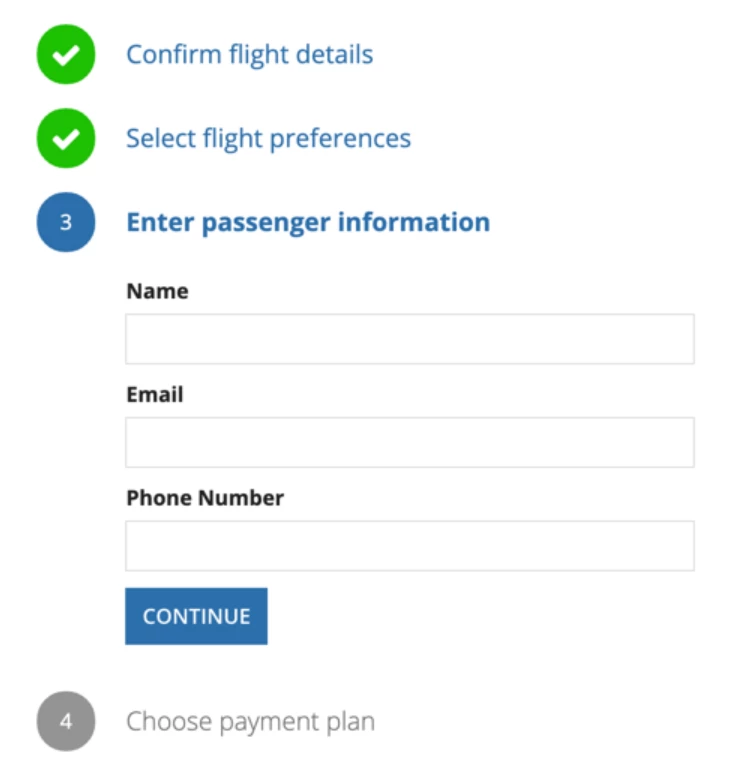
I'm working on project and using the same form steps as "https://docs.appian.com/suite/help/21.2/form-steps-pattern.html"
I'd like to change the color for the stamp field to be red if there's an error in the step. I added "validate: true() " to the next button.
Is that possible to moving forward to the next step and just change the color if the step contains an error. 

Thank you for your help!

8 replies

stefanhelzle0001
Brainy
February 14, 2023

Sure. You can make the color depending on any condition you like. Setting validate to true on any button is not necessary for this.

saraha1139
February 15, 2023

Unfortunately, I tried in many ways but it didn't work! 

stefanhelzle0001
Brainy
February 15, 2023

What are "many ways" and what did not work?

abhayd3663
February 21, 2023

You need to provide additional IF condition in following piece of code, when that specific condition is true you will return "NEGATIVE", instead of "POSITIVE" or "ACCENT".

                backgroundColor: if(
                  fv!index < local!currentFormStep,
                  "POSITIVE",
                  if(
                    fv!index > local!currentFormStep,
                    "#949494",
                    "ACCENT"
                  )
                )
saraha1139
February 21, 2023

Thank you for your reply!

I believe for backgroundColor I can't add two if conditions, should I use OR operator to do that ?

abhayd3663
February 21, 2023

We can have nested "if" anywhere "if" is allowed. Please refer to the following sample code.

Ex.

if(
    ,
    ,
    if(
        ,
        ,
        
    )
)
/* ------------------------------------------- */
                backgroundColor: if(
                ,
                "NEGATIVE",
                if(
                  fv!index < local!currentFormStep,
                  "POSITIVE",
                  if(
                    fv!index > local!currentFormStep,
                    "#949494",
                    "ACCENT"
                  )
                )