
trichelleanne0001
July 1, 2021
Solved

Free Trial Hands On

  • July 1, 2021
  • 9 replies
  • 0 views

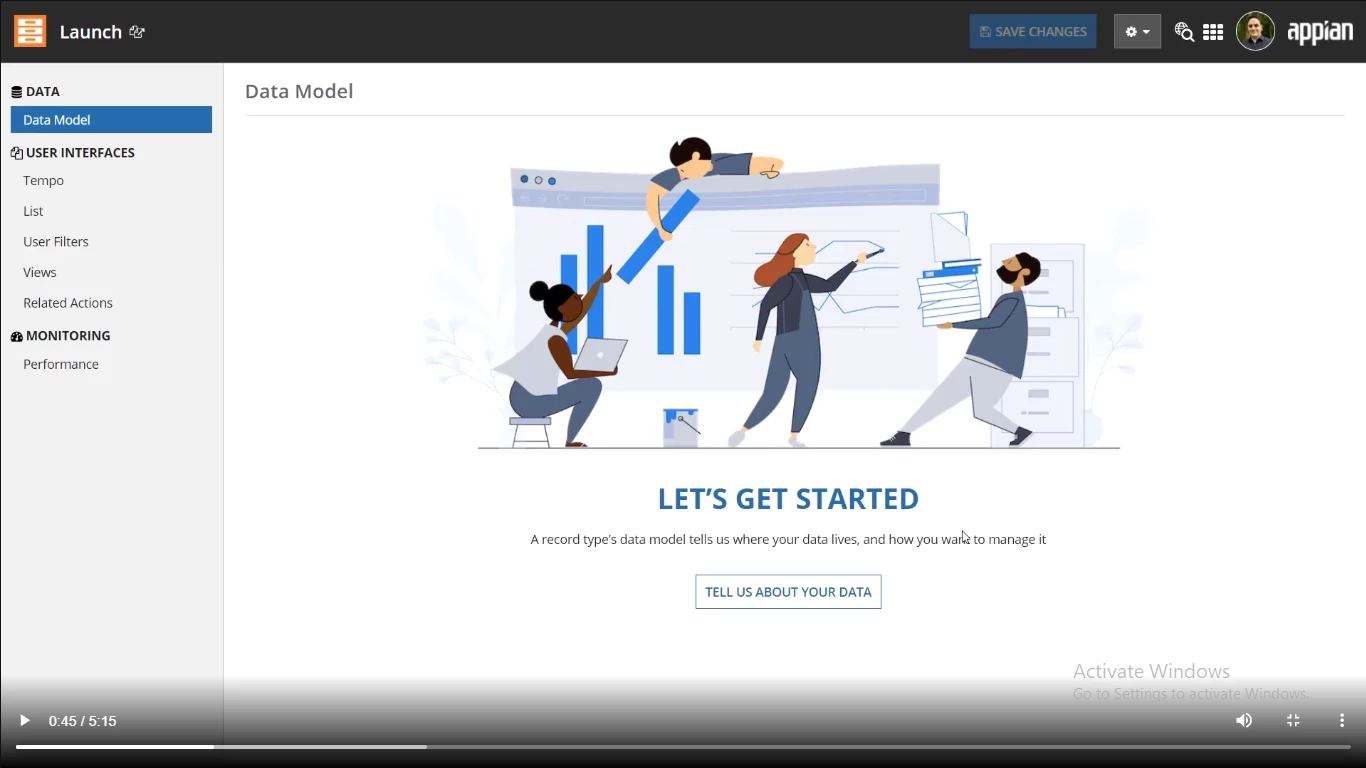
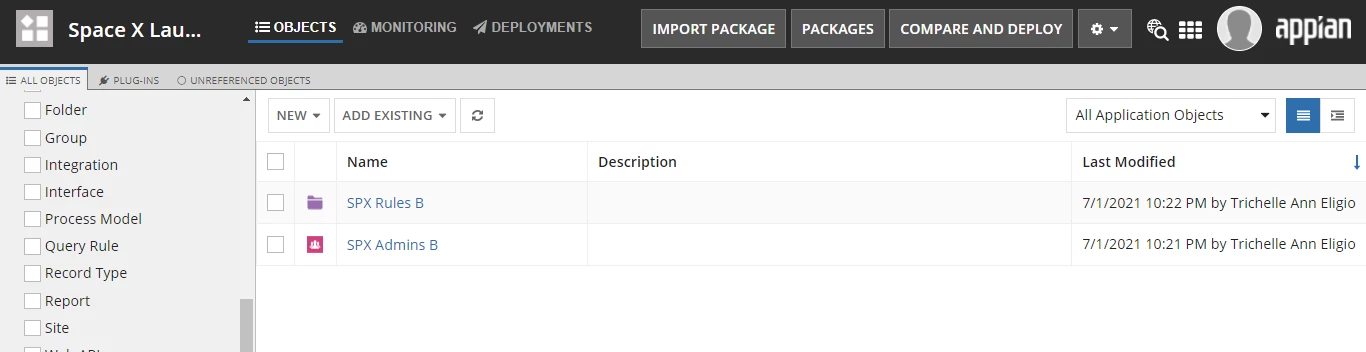
Hi, I am not sure if I get it right but I am now trying the hands on for the low-code app in the Free Trial version. I am following what is indicated in the lessons but i can't seem to proceed to in Picture 1 after I created Group, Folder and then Record Type. In the video, once he saved the added Record Type he was directed to Picture 1 but when I tried, it only saved and only stayed in Picture 2. Did I miss something? Thanks for your help!

PICTURE 1:
PICTURE 2:
Best answer by acaciob0002

Hi there,

Based on the picture 2 you dont have an record created, perhaps you have created your record out of the Space X application, just go to global objects and try to filter by Record Type, otherwise, create a new one inside your current application.

Regards,

Acacio B

9 replies

acaciob0002
July 2, 2021

Hi there,

Based on the picture 2 you dont have an record created, perhaps you have created your record out of the Space X application, just go to global objects and try to filter by Record Type, otherwise, create a new one inside your current application.

Regards,

Acacio B

trichelleanne0001
July 2, 2021

Thanks Acacio! I tried it again but it is still the same. My added record type was successfully saved as prompted but it did not appear in my application. I did the filtering as well. 

acaciob0002
July 2, 2021

You still inside the application,

Click the Application name on the top left of the page, than you should see a screen similar to the screenshot below:

 There you apply your record field

Try and let me know

Acacio B