
April 23, 2024
Question

How to convert list of text string to list

  • April 23, 2024
  • 12 replies
  • 1 view

Hello, 

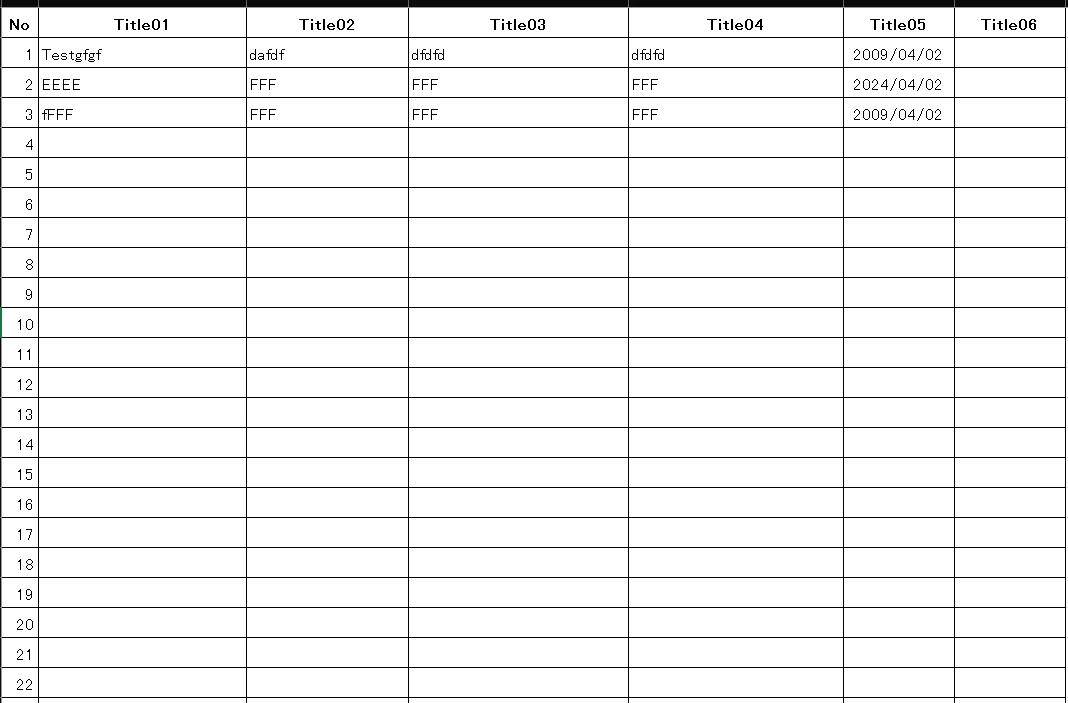
I'm using excel plugin tools and i can read excel data
but i don't need null of row so i want to delete null row.
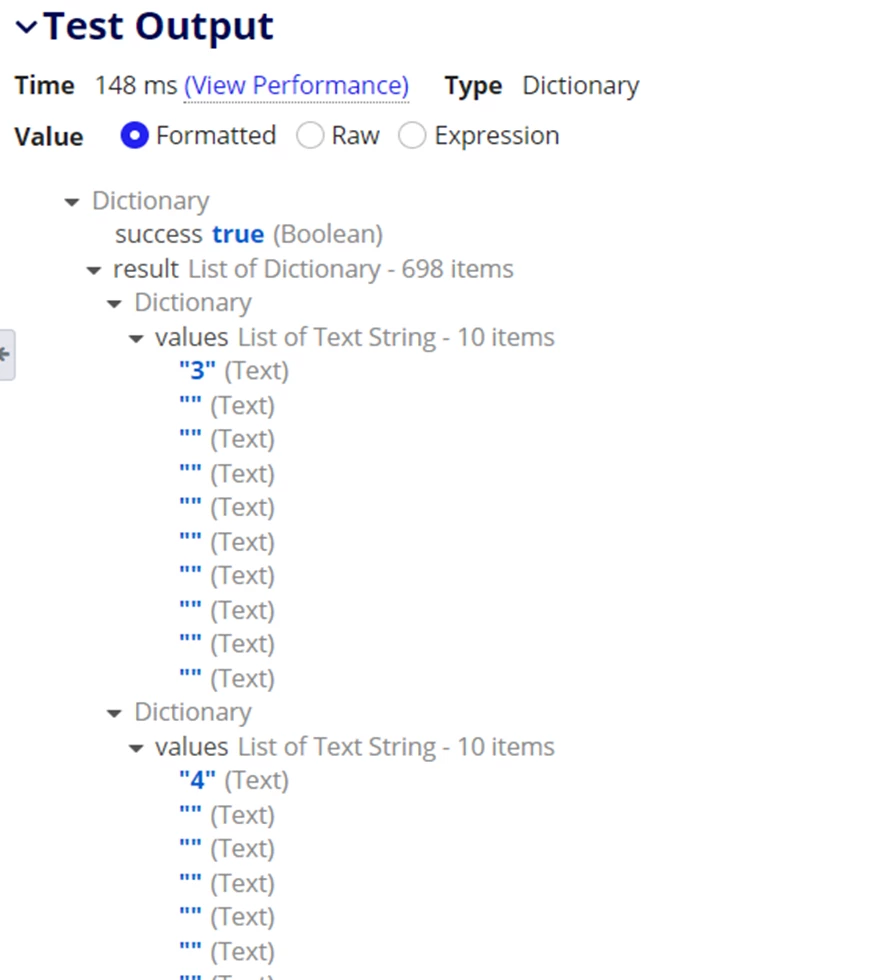
I tried to loop list of text string but cannot get it.
How can i convert list of text string to list.

here is my test rest of screen shot
here is my excel data image
12 replies

konduruc733182
April 23, 2024

Hello [mention:4187e9f2c0404e4aa25182e3f69c4c03:e9ed411860ed4f2ba0265705b8793d05] 

Please share the code which would help us update a little and reshare. You can try using reject function and check.

mikes0011
Brainy
April 23, 2024

You won't be able to "delete" anything.  You can clean up your results in various ways, but it depends on what you want.  Do you just want all non-null values?  Do you want to exclude just rows that contain all nulls (but not exclude ones that contain any data even if mixed with SOME nulls)?  It's pretty unclear here what you're starting with and what you're after, so it's hard to make any definitive recommendations.

The Expression Guru
girlc0001Author
April 30, 2024

 [mention:b45a4f6a20b14a008e4e0ec732a8bf98:e9ed411860ed4f2ba0265705b8793d05] 

I want to read an excel file and check the contents of the excel file. I want to retrieve only rows that have values.
I was able to load excel file and  i'm trying to check the contents of the excel file using a loop, but I can't..

How can i clean up my excel file result 

konduruc733182
May 1, 2024

Could you share your existing code? Below is a simple example. Can give a cleaner code if your code is available here.

a!localVariables(
  local!doc: ri!doc,
  local!data: readexcelsheetpaging(
    excelDocument: ri!doc,
    sheetNumber: 0,
    pagingInfo: a!pagingInfo(startIndex: 2, batchSize: 5000)
  ).data.values,
  local!formatData: a!forEach(
    items: local!data,
    expression: {
      if(
        a!isNullOrEmpty(fv!item[2]),
        {},
        a!map(
          id: fv!item[1],
          name: fv!item[2],
          gender: fv!item[3],
          department: fv!item[4],
          tech: fv!item[5]
        )
      )
    }
  ),
  local!formatData
)

karthikk538
April 24, 2024

There is a new plugin available, with better features  called "excel utilities", you can use below function under that.

readexcelsheetwithfilter(excelDocument, sheetNumber, startRow, endRow, startColumn, endColumn, rejectNullRowsAndColumns, password)

A function to read data from an Excel sheet in a paged way.

Returns: DataSubset

excelDocument (Document): The Excel document to read from. The provided excel file should be of .xlsx extension.

sheetNumber (Number (Integer)): The sheet number to read from, Where 1 is the first sheet, 2 is the second sheet, etc.

startRow (Number (Integer)): Provide the starting row index from where the data should be read. Index starts from 1.

endRow (Number (Integer)): Provide the ending row index up to which the data should be read. Provide null() to get all rows in the sheet.

startColumn (Number (Integer)): Provide the starting Column index from where the data should be read. Index starts from 1.

endColumn (Number (Integer)): Provide the ending Column index up to which the data should be read. Provide null() to get all column in the sheet.

rejectNullRowsAndColumns (Boolean): Optional: Provide true to reject the empty rows and columns in the sheet when getting the output data. Default: false.

password (Text): Optional: Password for the provided excel document when the document is password protected.

girlc0001Author
April 24, 2024

[mention:35656ad056ed4a5a9a8091da482e69e9:e9ed411860ed4f2ba0265705b8793d05] 

Thank for your information. I will try "excel utilities" plugin