August 12, 2024
Question

how to iterate from list 1 & list 2 values at a time
  • August 12, 2024
  • 4 replies
  • 0 views

Hello Everyone,

Can anyone help me on this, Thanks in Advance.

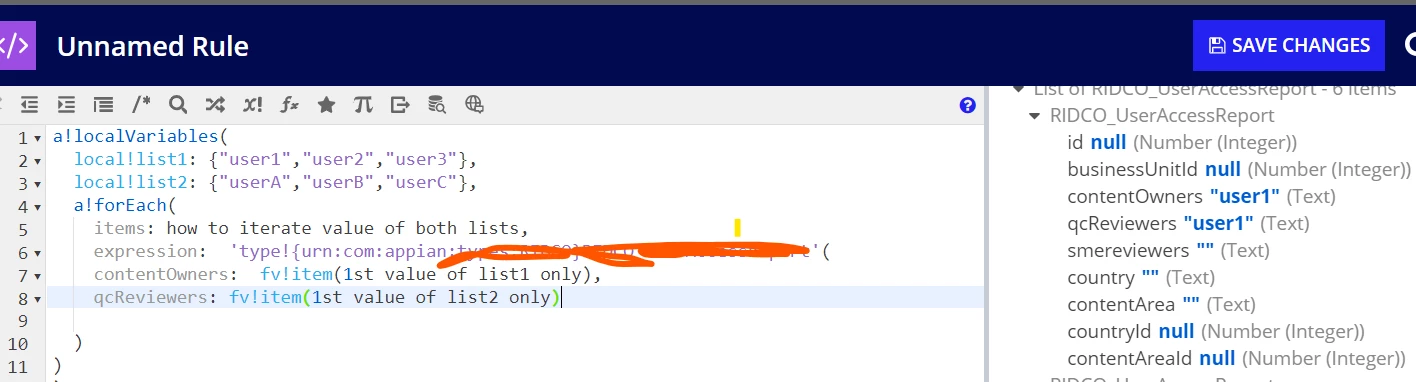
require to iterate from lists & save in cdt in above format.

    4 replies

    kumara0180
    August 12, 2024

    I am guessing both the list are going to be of same length and if thats the case then you can enumerate on any one the list and use the index function to get the value from second list as well.

    a!localVariables(
    local!list1: { "user1", "user2", "user3" },
    local!list2: { "userA", "userB", "userC" },
    a!forEach(
    items: local!list1,
    expression: a!map(
    contentOwner: fv!item,
    qcReviewer: index(local!list2, fv!index, null())
    )
    )
    )

    konduruc733182
    August 12, 2024

    konduruc733182
    August 12, 2024

    Hello [mention:1bf28746db314580b1a6e5d32121e4b3:e9ed411860ed4f2ba0265705b8793d05] 

    You do not need to use both the lists to use in the items. You can use the first list to iterate or the 2nd list considering both have the same length of items. 

    a!localVariables(
      local!list1: { "user1", "user2", "user3" },
      local!list2: { "userA", "userB", "userC" },
      a!forEach(
        items: local!list1,
        expression: 'type!yourCDT_here'(
          contentOwners:fv!item,
          qcReviewers:index(local!list2,fv!index,null)
        )
      )
    )

    stefanhelzle0001
    Brainy
    August 12, 2024

    The merge() function turns multiple lists into tuples picking items from each list at the same index.

    a!localVariables(
      local!list1: { "user1", "user2", "user3" },
      local!list2: { "userA", "userB", "userC" },
      a!forEach(
        items: merge(local!list1, local!list2),
        expression: a!map(
          contentOwners: fv!item[1],
          qcReviewers: fv!item[2],
        )
      )
    )