
nivedhithas0432
May 20, 2024
Question

How to pass a pv! as value for contents in Create PDF (smart service) plugin?

  • May 20, 2024
  • 5 replies
  • 0 views

How to pass a pv! as value for content in Create PDF (smart service) plugin? in Process model 

 I can pass a few words as value using this code which I got from community,

={
'type!{urn:appian:ps:pdftools}PdfContent'(
page: 1,
xPercent: 10,
yPercent: 10,
angle: 0,
sections: {
'type!{urn:appian:ps:pdftools}PdfSection'(
style: null,
components: {
'type!{urn:appian:ps:pdftools}PdfText'(
value: "Some"
),
'type!{urn:appian:ps:pdftools}PdfText'(
value: "text"
)
}
)
}
)
}

but I try to pass a pv! as value into the contents I got this error 
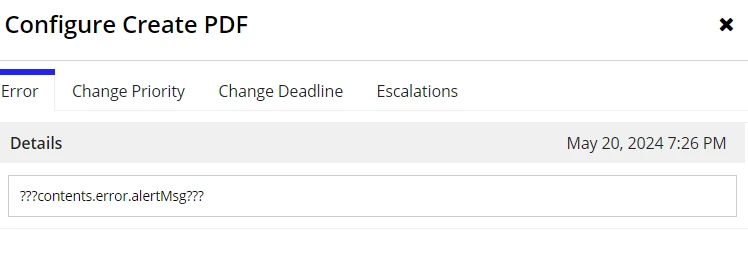
is there any possible to pass a pv as a value in this code 

5 replies

stefanhelzle0001
Brainy
May 20, 2024

What do you want to achieve? Creating PDF can be really easy. Did you read my blog post?

appian.rocks/.../

nivedhithas0432
May 21, 2024

Sure stefanhelzle0001 let me give a look,

I try to pass a Pv! as a value in Contents- Input part of the Configure Create PDF (Smart service) plugin, kind of a small paragraph stored in a PV! 

mikes0011
Brainy
May 20, 2024

You didn't share the specific configuration you're trying to use when passing a PV value, so it's impossible for anyone here to help spot whether there's any syntax error etc...

Also, when pasting SAIL code (of any length) please use a Code Box...

The Expression Guru
nivedhithas0432
May 21, 2024

mikes0011 this is the code I Used to pass the pv!paragraph as value in Contents in input part of the Config Create Pdf


={
'type!{urn:appian:ps:pdftools}PdfContent'(
page: 1,
xPercent: 10,
yPercent: 10,
angle: 0,
sections: {
'type!{urn:appian:ps:pdftools}PdfSection'(
style: null,
components: {
'type!{urn:appian:ps:pdftools}PdfText'(
value: pv!paragraph
)
)
}
)
}
)
}

mikes0011
Brainy
May 21, 2024

If you populate "pv!paragraph" with some simple text does it still get the same error as above, or did you just run it with something complex so far?  One thing I'd like to rule out is the possibility that maybe some special characters were passed in that break the PDF generation.  What has the PV value been in previous instances where you try to run it and it gives that error?

The Expression Guru