
How to refresh interface on navigation change
Hi All,
I am using the Navigation pattern in my interface.
I am having different tabs on the left navigation. I am referring to separate interfaces for each tab.
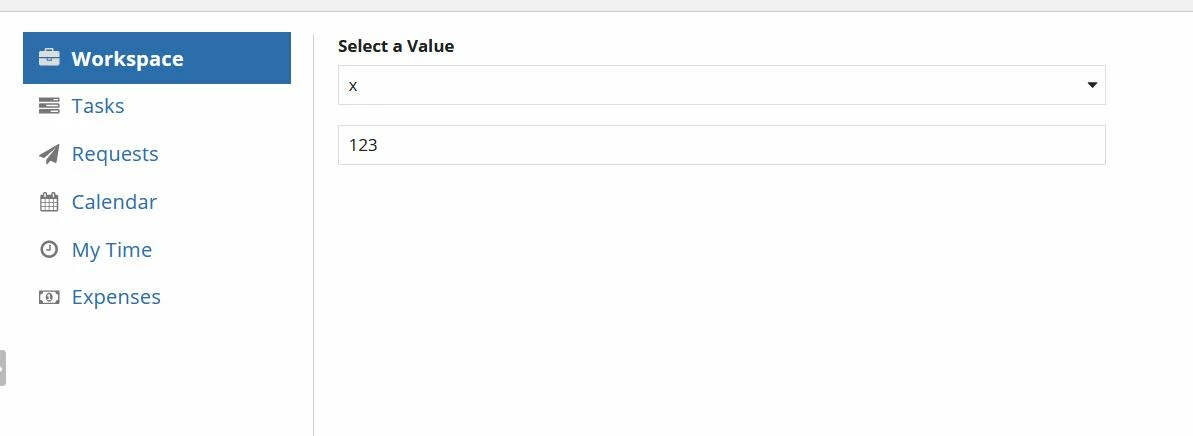
So now when i am moving between the tabs, the content is not refreshing. (When I am changing from WorkSpace Tab and clicking back the Workspace tab i can see the content previously where i left.)
I want to reload the content when we click on the tab each time.
Here i am using rule!testPage1(), rule!testPage2() interfaces for different tabs.
{
a!localVariables(
/* The selected navigation section */
local!activeNavSection: 1,
/* The navigation sections */
local!navSections: {
a!map(name: "Workspace", icon: "briefcase"),
a!map(name: "Tasks", icon: "tasks"),
a!map(name: "Requests", icon: "paper-plane"),
a!map(name: "Calendar", icon: "calendar"),
a!map(name: "My Time", icon: "clock-o"),
a!map(name: "Expenses", icon: "money")
},
{
a!columnsLayout(
columns: {
a!columnLayout(
contents: {
a!forEach(
items: local!navSections,
expression: a!cardLayout(
contents: a!sideBySideLayout(
items: {
a!sideBySideItem(
item: a!richTextDisplayField(
labelPosition: "COLLAPSED",
value: a!richTextIcon(
icon: fv!item.icon,
color: "SECONDARY",
size: "MEDIUM"
),
align: "LEFT"
),
width: "MINIMIZE"
),
a!sideBySideItem(
item: a!richTextDisplayField(
labelPosition: "COLLAPSED",
value: a!richTextItem(
text: fv!item.name,
color: "ACCENT",
size: "MEDIUM",
style: if(
fv!index = local!activeNavSection,
"STRONG",
"PLAIN"
)
)
)
)
},
alignVertical: "MIDDLE"
),
link: a!dynamicLink(
value: fv!index,
saveInto: local!activeNavSection
),
style: if(
fv!index = local!activeNavSection,
"ACCENT",
"NONE"
),
showBorder: false,
accessibilityText: if(
fv!index = local!activeNavSection,
fv!item.name & " " & "selected",
""
)
)
),
/* This card is used to set a minimum height on the column so that the *
* divider takes up more screen space when there is minimal content. *
* Once content is added to the main column, this can be removed. */
a!cardLayout(
height: "TALL",
showWhen: not(a!isPageWidth("PHONE")),
showBorder: false
)
},
width: "NARROW"
),
a!columnLayout(
contents: {
/* Conditionally display selected navigation section. *
* Sections are created individually here because they will *
* have varying contents, so if you change the list in *
* local!navSections, you will need to make sure *
* the list of sections here is the correct length. */
choose(
local!activeNavSection,
rule!testPage1(),
rule!testPage2(),
a!sectionLayout(
label: index(
local!navSections.name,
local!activeNavSection,
""
),
contents: {}
),
a!sectionLayout(
label: index(
local!navSections.name,
local!activeNavSection,
""
),
contents: {}
),
a!sectionLayout(
label: index(
local!navSections.name,
local!activeNavSection,
""
),
contents: {}
),
a!sectionLayout(
label: index(
local!navSections.name,
local!activeNavSection,
""
),
contents: {}
)
)
}
)
},
spacing: "SPARSE",
showDividers: true
)
}
)
}
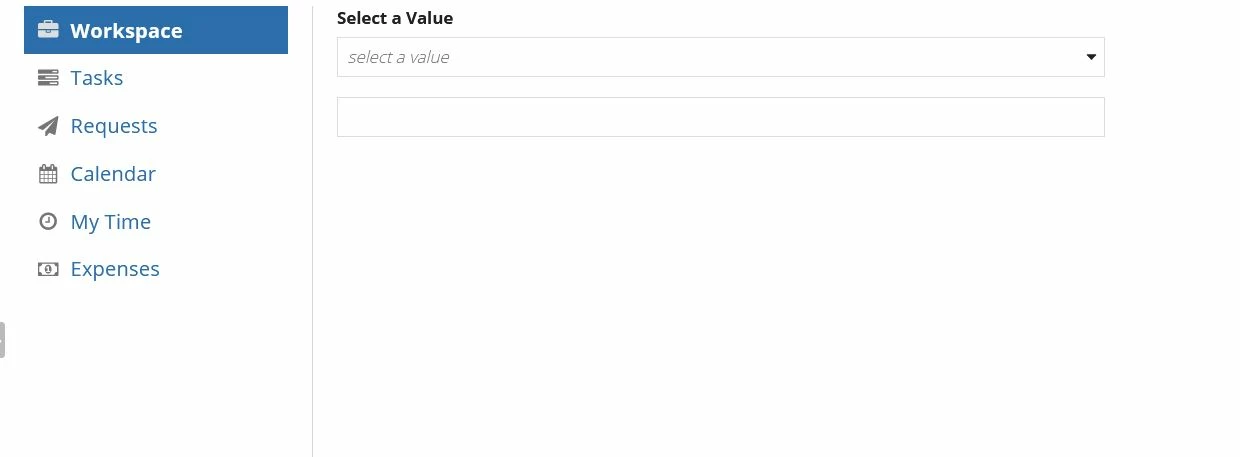
Initially screen will be like below.
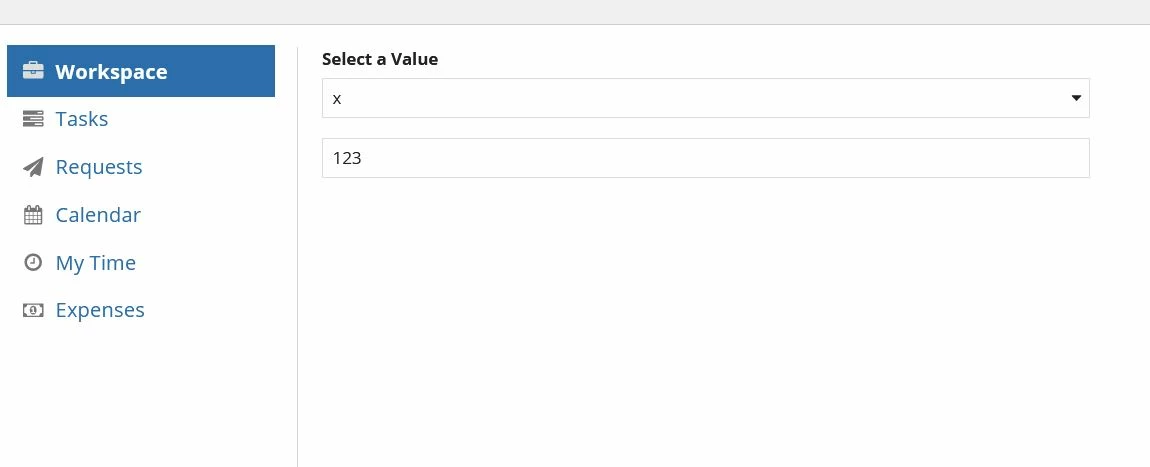
Then In WorkSpace tab, i have selected value X and entered 123. (Just left the data as it is and moved to next tab)
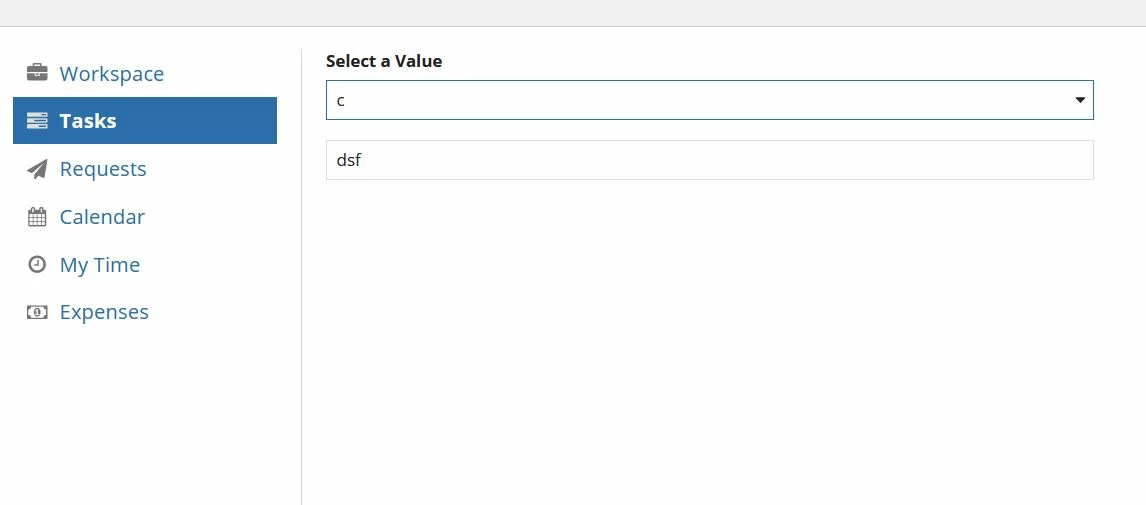
Then I moved to Tab Tasks, Then selected value C and entered dsf.
When i moved back to Workspace Tab, I am able to see the previously selected/entered data.
When i moved back to previous tab(WorkSpace Tab) i should be able to see the initial tab as below. (All the entered/selected content should be cleared)