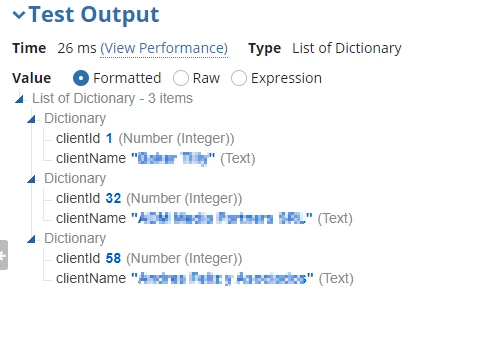
Can you enclose your "CXM_getClientName()" rule call on Line 39 within "toString()"? Depending on the output of that rule it could be evaluating to a somewhat weird data type.
Are you querying this from a database via a QueryEntity rule? If so, you can easily sort on a particular field via your a!pagingInfo() definition.
If it's data you have inherent or manually-created in an interface or a rule, then it takes a bit more work. Appian has no direct way to do this but a fairly easy indirect workaround, again involving pagingInfo.
Hi Mike, I have tried this option but no luck, it shows error.
Expression evaluation error at function 'todatasubset' [line 42]: Cannot sort type {www.appian.com/.../2009}Dictionary by field clientName because it is a complex type {www.appian.com/.../2009}Variant. Sort by fields of primitive types only.
Can you enclose your "CXM_getClientName()" rule call on Line 39 within "toString()"? Depending on the output of that rule it could be evaluating to a somewhat weird data type.