February 27, 2025
Question

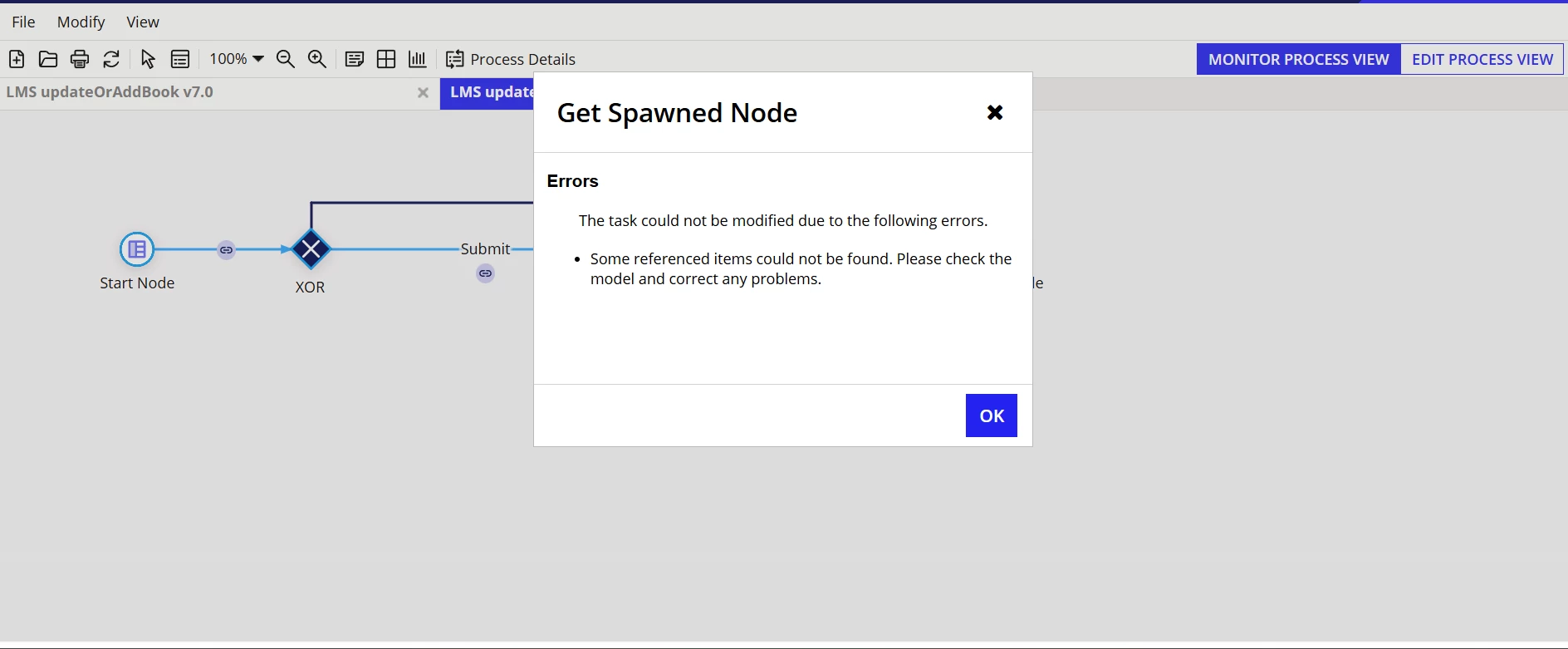
In process model getting this error on write records node

  • February 27, 2025
  • 16 replies
  • 0 views

can anyone help me. i have checked the process variables those all are correct, i configured the setup, output node. but i don't know why this error is coming. 
    16 replies

    karumurua531442
    February 27, 2025

    Hi [mention:6d8e5d4af3ed4a7591390b0070695f3c:e9ed411860ed4f2ba0265705b8793d05]  could you validate the process model once and check does it show any errors ?

    February 27, 2025

    yeah i did. no errors 

    wasiqs384958
    March 3, 2025

    In which node are you facing this issue. Also is this instance reached the end node by any chance?

    stefanhelzle0001
    February 27, 2025

    That's an active process instance. Could it be that you deleted a referenced object?

    February 28, 2025

    no i haven't deleted any object. 

    konduruc733182
    February 27, 2025

    In which node are you facing this issue. Also is this instance reached the end node by any chance?

    February 28, 2025

    write records.  not it is not reached to end node 

    konduruc733182
    February 28, 2025

    Were there any changes made to the record fields?

    mathieud0001
    February 28, 2025

    Would be curious to see the inputs/outputs for the Write Records node.

    March 4, 2025

    mathieud0001
    March 4, 2025

    Can you show the process variables?

    arulk0002
    March 3, 2025

    [mention:6d8e5d4af3ed4a7591390b0070695f3c:e9ed411860ed4f2ba0265705b8793d05] I'm not sure, but this error could be caused by an unmapped !pv in the property or a mismatch in the record type within the interface mapping to the PM.

    March 8, 2025

    Can u show the setup and process variable whether any references missing in the record type 

    July 2, 2025

    We also faced this sort of issues couple of times after dropping / deleting database columns or record filters. Make sure all deleted reference are removed in all objects associated and publish process model again and see if that's working.

    If not remove process node where your process got stuck again configure and save and publish again. This worked for us.
