April 25, 2024
Question

Not able to see any process model node properties.

  • April 25, 2024
  • 11 replies
  • 0 views

Hi,

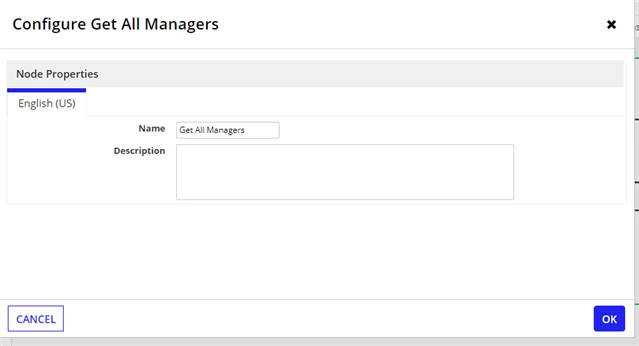
I am not able to see properties of any node in process models of all applications. I verified all the permissions everything is fine.
Here I am attaching snippet for reference.

    11 replies

    stefanhelzle0001
    Brainy
    April 25, 2024

    Switch to "Designer View" in the process modeller.

    April 25, 2024

    Hi Stefan,
    Thanks for quick response, its already in designer view but not able see

    stefanhelzle0001
    Brainy
    April 25, 2024

    Your screenshot shows exactly what you would see in the "Analyst View".

    Do others have the same issue?

    Is this cloud or on-prem?

    Which browser?

    Did you do a Appian upgrade recently?

    Did you delete the browser cache?

    konduruc733182
    April 25, 2024

    Which view are you in. In case designer try logging out and re-login, refresh etc.

    April 25, 2024

    Hi Chaitanya,
    Thanks for quick response, tried mutliple times by logging out but no luck

    konduruc733182
    April 25, 2024

    Are you saying you are in the process model Designer view and still facing this?

    harshk1671
    April 25, 2024

    Can you share a screenshot where we can see DESIGNER VIEW button as well as node properties, for reference:

    karthikk538
    April 25, 2024

    What "system groups" you are part of?

    docs.appian.com/.../System_Groups.html

    shubhama926776
    Brainy
    April 26, 2024

     [mention:9167af3122a740ebada8ec50f033e3d0:e9ed411860ed4f2ba0265705b8793d05]  Can you check the process model security. At least you need viewer permission.

    शुभम्