pauls0010
March 27, 2023
Solved

Process Report .. Processes With Errors

  • March 27, 2023
  • 8 replies
  • 0 views

Is it possible to build a process report that shows me all processes (and id's) that are showing as error ?

i can use the existing report that lives under Perf Monitor to view how many instances have errors - but I want to build a house keeping task that will go back and cancel these cases and for that I need to get the process id's for a named procedure. (date filtered)

Alternatively how much impact is there when deleting process instances in bulk. 

Best answer by sanchitg0002

You can generate a process report for all the processes with error by using combination of Active processes and processes with number of active tasks equal to 0.

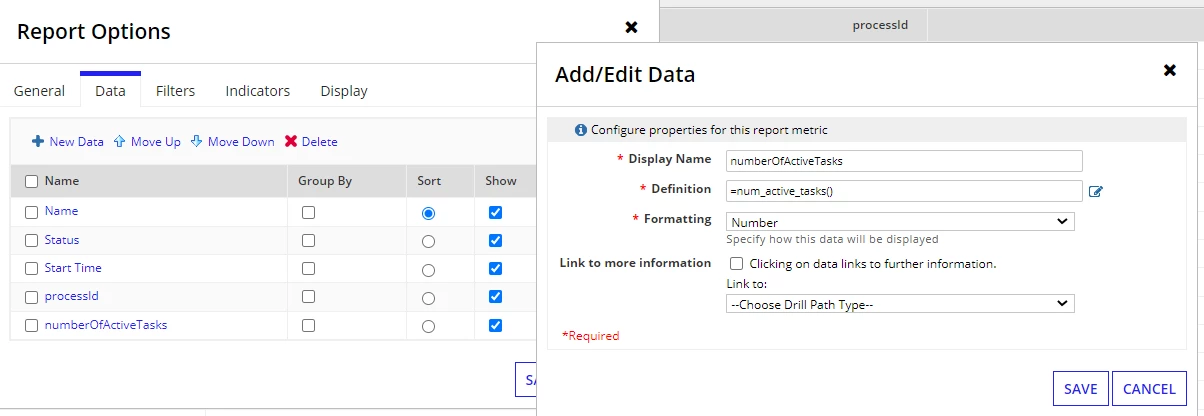
Your generated process report will initially have Name, Status and Start Time of the process, you need to add two more columns processId (definition:- pp!id) and numberOfActiveTasks (definition:- num_active_tasks() ) 


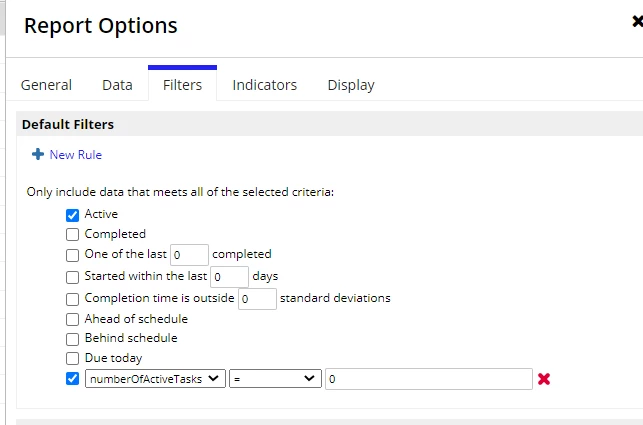
After this, add a filters to your report just as I mentioned above (Active status and active task count = 0)

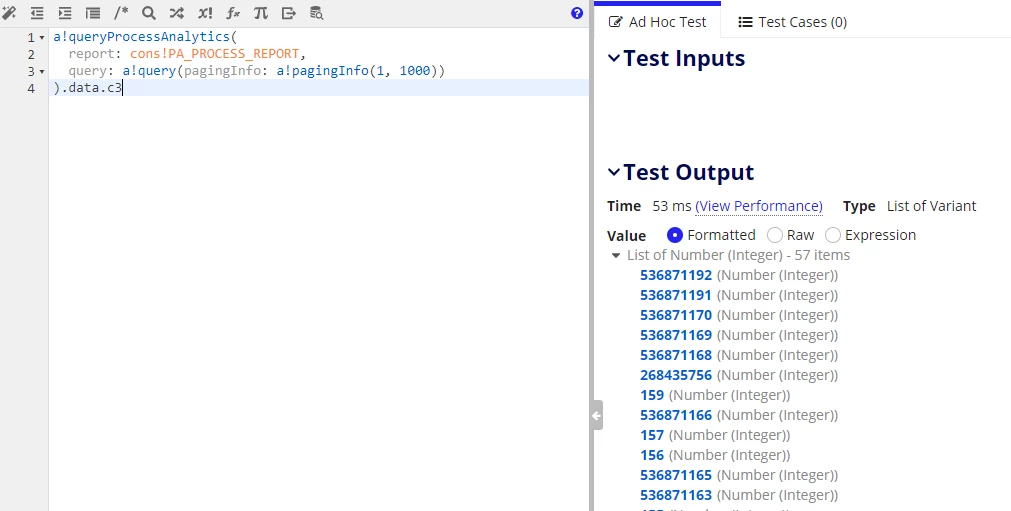
Your process report is ready to use, create a rule using a!queryProcessAnalytics() to get the required process details from the report (processId in this case)

There may be some other ways to do this more efficiently which I'm not aware of but I'm sure somebody here will suggest a better approach, if there any. 

8 replies

March 27, 2023

You can generate a process report for all the processes with error by using combination of Active processes and processes with number of active tasks equal to 0.

Your generated process report will initially have Name, Status and Start Time of the process, you need to add two more columns processId (definition:- pp!id) and numberOfActiveTasks (definition:- num_active_tasks() ) 


After this, add a filters to your report just as I mentioned above (Active status and active task count = 0)

Your process report is ready to use, create a rule using a!queryProcessAnalytics() to get the required process details from the report (processId in this case)

There may be some other ways to do this more efficiently which I'm not aware of but I'm sure somebody here will suggest a better approach, if there any. 

vamsik6197
April 4, 2023

does this report will give count only when process fails at any active task?

romulor0001
April 24, 2023

Yes [mention:75b5b96f00da4c8888fec8e59de4a846:e9ed411860ed4f2ba0265705b8793d05]

romulor0001
April 24, 2023

Hi [mention:9e46b3d313fb41a8b5b4097a182df0fc:e9ed411860ed4f2ba0265705b8793d05],

Please bear in mind that the approach suggested by  [mention:2773a0b2dec7409a8eee377b9fc57b88:e9ed411860ed4f2ba0265705b8793d05]  it does not cover all the cases. Given the case you have models with simultaneous paths (AND gateways) you won't be able to indentify which models are error and what other are active. 

Unfortunately (AFAIK) there is not native way to retrieve process instance with errors considering all the cases:


Hope it helps,

Rómulo