SAML authentication was unsuccessful
Hi all,
I've configured Azure AD as my idP source. My user account on Azure Ad and Appian application exactly matched with case.
Still I get this below error when I test my saml authentication from Appian. i.e. Test this configuration.
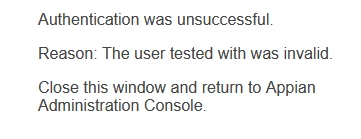
/suite/saml/AssertionConsumer page displays below error.
Authentication was unsuccessful.
Reason: The user tested with was invalid.
Close this window and return to Appian Administration Console.
I've checked with SAML trace on Firefox, saml attributes looks fine no mismatch on user detail attributes. The user's password on native appian and Azure AD matches too.
The Username attribute was correctly configured but does not contain a valid Appian user as its value did not match any usernames within Appian. Please note that usernames are case sensitive. See KB-1450 for how to gather a SAML trace to identify the Appian username shown in the SAML assertion. https://community.appian.com/support/w/kb/370/kb-1153-saml-authentication-faq#The-user-tested-with-was-invalid
Has anyone dealt with this similar issue before? If so could you please suggest on this to resolve? - Thanks.