shantanuj3947
January 4, 2024
Question

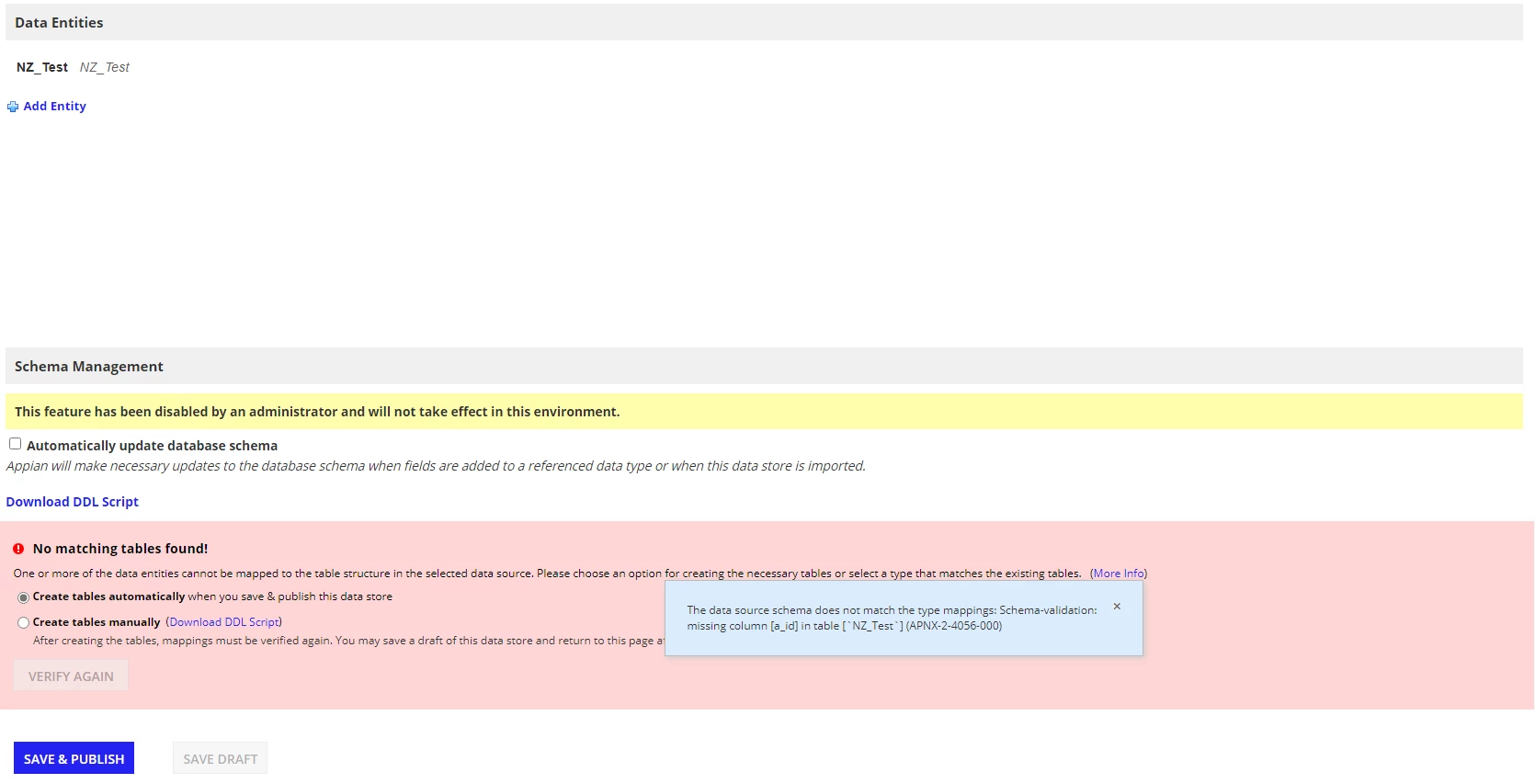
The data source schema does not match the type mappings: Schema-validation: missing column [a_id] in table [`NZ_Test`] (APNX-2-4056-000)

  • January 4, 2024
  • 11 replies
  • 1 view

Facing issue while verifying the data store entity. Error message says that it is unable to find the table column or the table itself. 

I tried creating the new table "NZ_Test" to my DB server and CDT of same table with new Data Store "NZ Test DS". Still getting the same error. 

Note:- The test connections are successful with the data source.

Also, we had a version upgrade from 21.4 to 23.2 recently. Is this causing the issue?

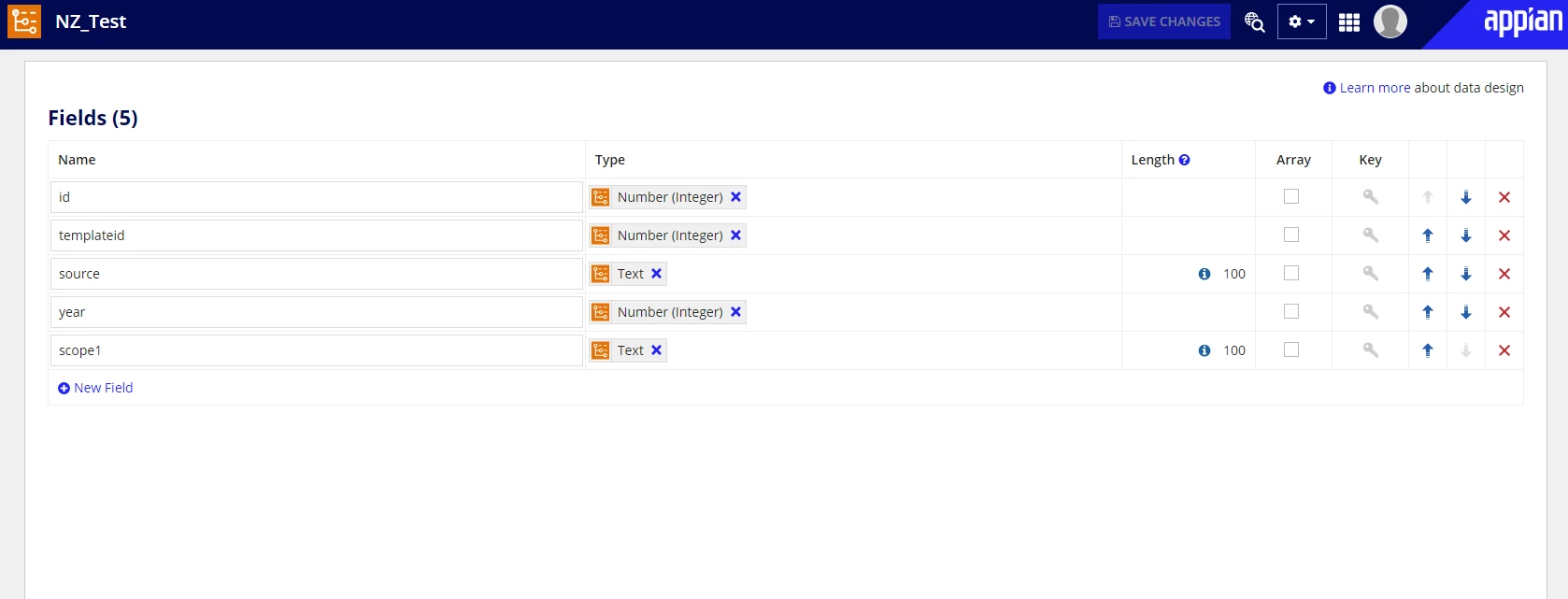
Attaching the screenshot of CDT and Data Store for reference.
11 replies

harshitb6843
January 4, 2024

The primary key column in not present in your CDT. 

harshitb6843
January 4, 2024

More context - Appian cannot interact with a table via CDT unless there is a primary key column present in both of them and mapped to each other. So if you check the "key" icon next to the first column, you will be able to make it a Primary Key and the error should be resolved. 

shantanuj3947
January 4, 2024

Hi Harshit. Thanks for replying.

We also tried adding primary key constraint to the table. Still getting the column missing error. Below are the screenshots for reference. 

vishnud126275
January 4, 2024

If you're using an external Database then please check if Appian support's your external DB: https://docs.appian.com/suite/help/23.4/System_Requirements.html#databases

You might need to contact Appian Support if your DB is not in supported DB list.