

ramia1343
December 6, 2022
Question

Token Error

  • December 6, 2022
  • 10 replies
  • 0 views

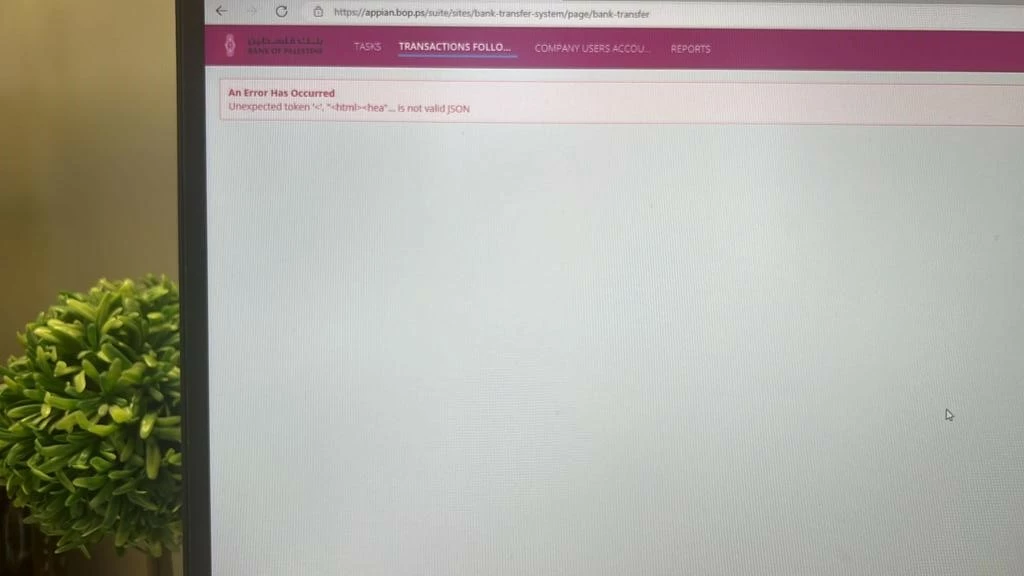
Hello, I had faced the fallowing error when the user opened the transactions follow-up page in a transactions project: Unexpected token '<', "html><hea" __is not valid JSON

Note that, I gave access to a user outside our Appian servers, and the user faced this error. we didn't use any authentication method for the user login. Did anyone see this error before or knows whats its problem.
10 replies

stefanhelzle0001
Brainy
December 6, 2022

I think we need way more details to understand what might go on.

What does "Note that, I gave access to a user outside our Appian servers, and the user faced this error. we didn't use any authentication method for the user login" mean?

ramia1343
ramia1343Author
December 6, 2022

The scenario is as follows: I developed a money transaction system for my organization using appian. Now, we wanted to extend this system to be used by our customers in their offices. so we gave them the site link to access it and open appian from outside the environment. When the customers opened it, they faced the shown error which left us wondering. The project works correctly.

Have you ever saw such a error like this?

stefanhelzle0001
Brainy
December 6, 2022

I have never seen such an error. And I wonder how your customers would access Appian without login credentials.

jean-jacquesz
December 14, 2022

Hi,
I have experienced the same error with our users.
The context is quite the same : it concerns users who access our server (on-premise) from Internet.
The users are authenticated and the connection between the user and our server is made through a network device (a netscaler).

I need to experiment more because it is hard to reproduce.

jean-jacquesz
January 4, 2023

Hi and Happy New Year !
We finally found the origin of this error : it is due to a timeout on one of our intermediate network gear between the browser and the APPIAN server.
It's a network equipment where an idle timeout is set to 60 minutes while our Appian instance sets an idle timeout to 65 minutes : it makes APPIAN crashes because the network session ends before.
The solution is to reduce the APPIAN Idle timeout to make it lower than the network equipement. In that way, APPIAN will correctly handle the session timeout and the application won't crash.

February 21, 2023

Great, I've been searching for a solution to this for a long time and still can't find it, glad you solved it word wipe