
February 26, 2024
Question

Unable to read excel file which has text box

  • February 26, 2024
  • 3 replies
  • 0 views

Hi Everyone,

Requirement: We need to Read the excel file which have some row data along with some text boxes. 

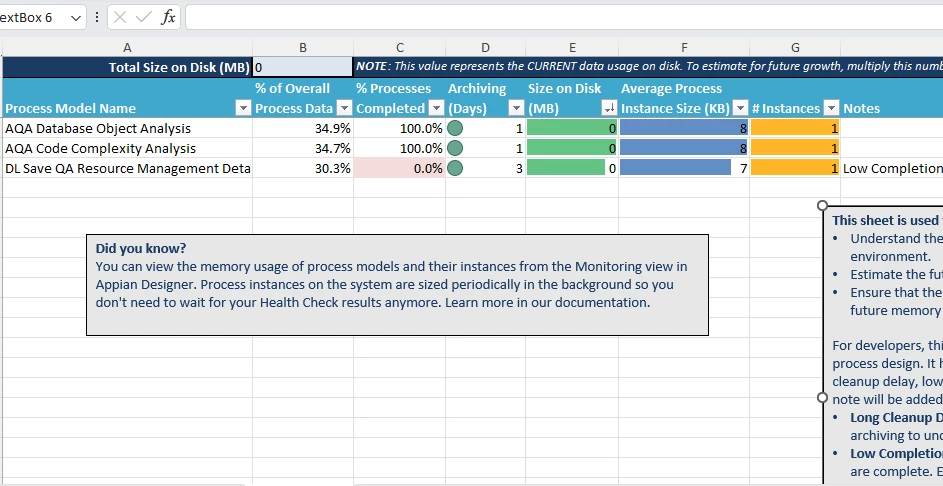
We are unable to read the excel file which has some row data along with some text boxes as shown below, we have tried almost all the functions, but we did not get any solutions. 

Used Plugin/Functions:

  • readexcelsheetpaging
  • validatedocumentheaders
  • excelreadcellsbyname
  • excelreadcellsbynumber

Any suggestions would be appreciated, Thanks in advance. 
3 replies

stefanhelzle0001
Brainy
February 26, 2024

These plugins do not support reading from text boxes. I am not aware of any ready-made function that supports it.

mikes0011
Brainy
February 26, 2024
do not support reading from text boxes

OP should perhaps add some clarificaiton on this point, but to me it sounds like they are not necessarily trying to "read from" the text boxes, but merely that the very presence of text boxes is preventing them from systematically reading the sheet data they might otherwise normally be able to read.  Which does sound like a shortcoming of the plug-in functionality, especially if they don't specifically warn against such a drawback.

The Expression Guru
srmm0001
February 26, 2024

Problem: Appian's built-in Excel tools don't handle text boxes directly.

Solutions:

  • Option 1: Preprocess Excel (if possible): If you can modify the Excel file, remove or convert the text boxes into regular cells before importing into Appian.
  • Option 2: Use RPA: Use Robotic Process Automation tools (like UiPath or Automation Anywhere ) to open the Excel file, extract text box content, and pass the data to Appian.