vijayg1506
June 19, 2024
Question

What are the default security of 'Application' root Folder and how to set application security if those are not editable

  • June 19, 2024
  • 5 replies
  • 0 views

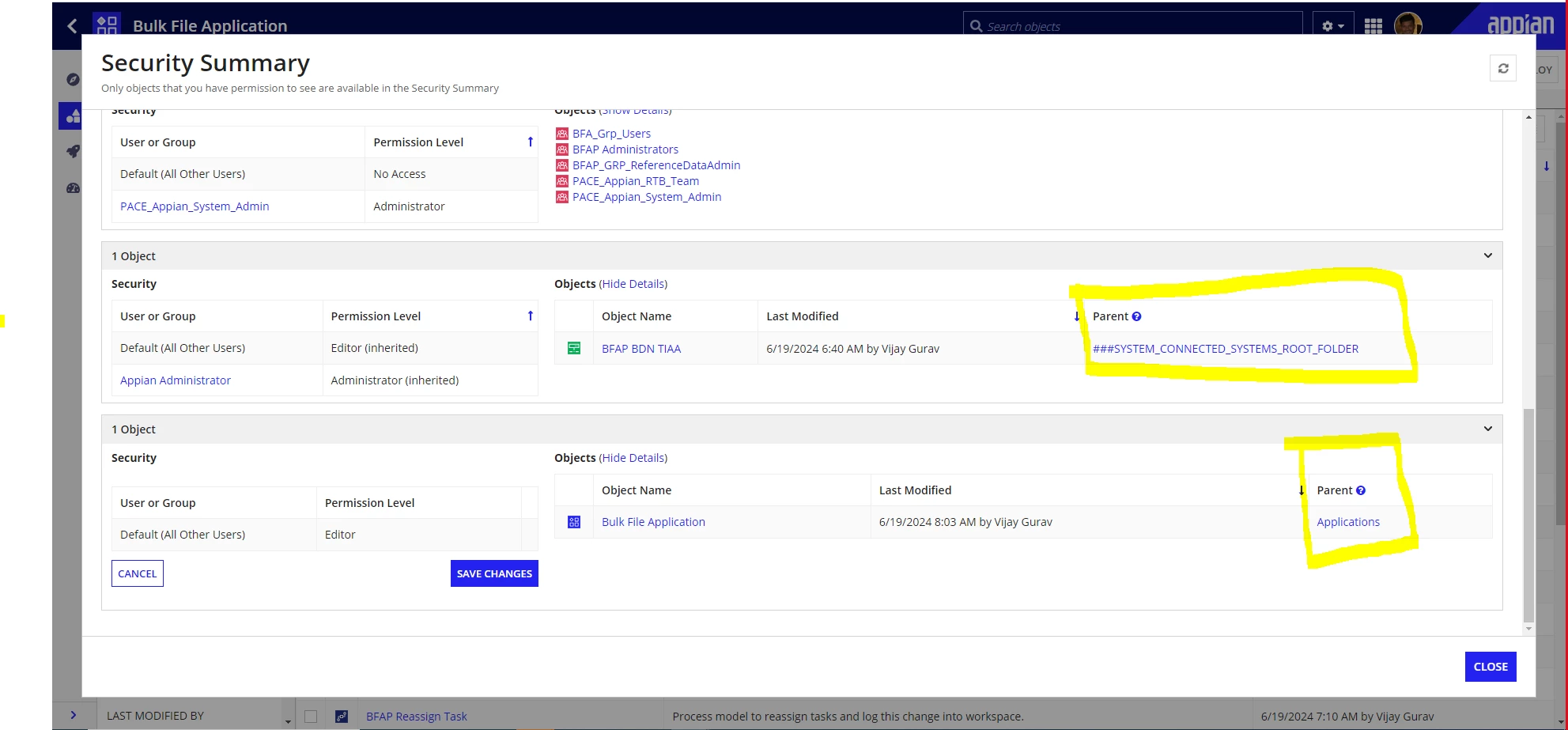
I've updated the application object securities to Inherit from parent  then 1 object of application and 1 connected system object is now following securities from root folder respective to "Application" & "###SYSTEM_CONNECTED_SYSTEMS_ROOT_FOLDER" . So , how can I remove this inheritance security. Also, for root folders what is the default security. I'm also facing issues to set those.
5 replies

June 19, 2024

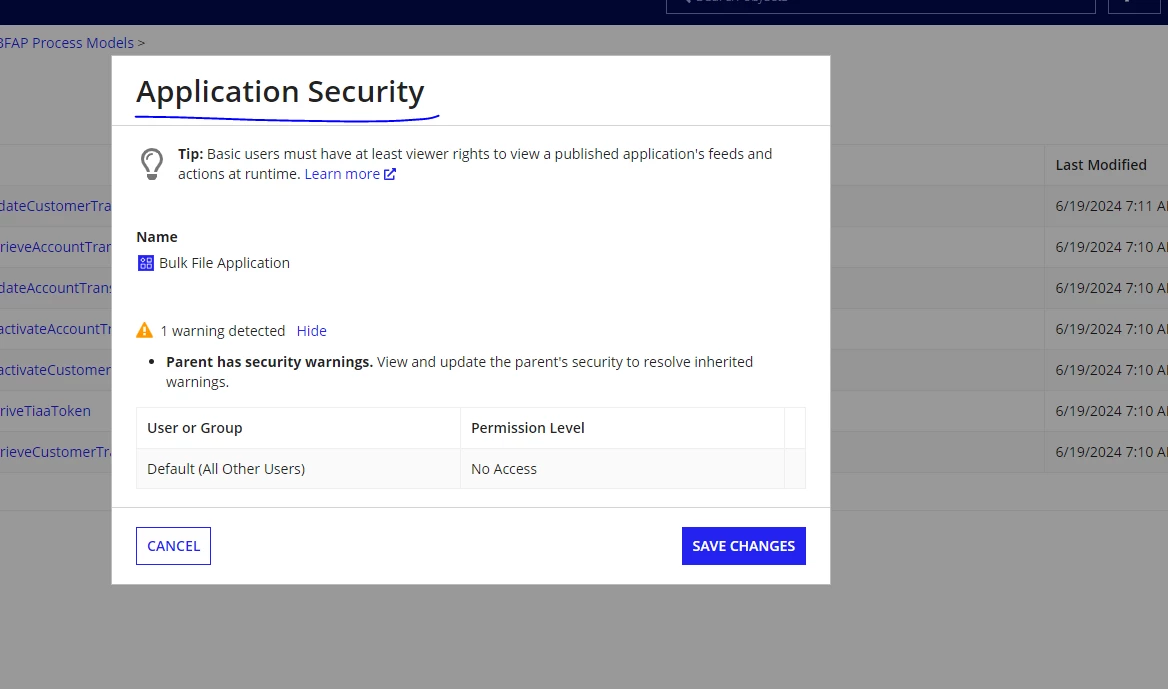
See the below screenshot for Application security & Folder security:

vijayg1506
June 19, 2024

[mention:c3d4bf332aba4695885fdc0e0110ec6e:e9ed411860ed4f2ba0265705b8793d05]  Thanks. But this ideal scenario. I've explain the flow above and then I'm unable to add users and groups in application security. 

stefanhelzle0001
Brainy
June 20, 2024

That document root is not a real folder, but an artificial artifact provided by the platform. It cannot be modified.

How did you change the application security to inherit something? I do not see that option.

I am not sure how to help you, and I do not fully understand how you got into that issue.

vijayg1506
June 21, 2024

 [mention:a11f77a729fb4db2af76b09948583328:e9ed411860ed4f2ba0265705b8793d05] : I select Security Summary -> Edit- > Checkbox Inherit security from parent  -> Save Changes.

for now, I've created another app and I moved the all objects in new app. And another option for me is to import the test copy in dev by deleting dev copy.

June 20, 2024
Yes, it seems an unusual scenario. I think an Application is the root object (topmost object) of an object tree. Not sure why it's giving a warning that "Parent has security warning". Also, how folder can be the parent of itself?
Share updates and solutions if it is resolved.