
KB-2402 Unable to create record type due to property 'STRICT_TRANS_TABLES/STRICT_ALL_TABLES'
Symptoms
Users cannot create Record Types from any data source backed by this database. They will see the following error in the frontend: Failed to configure your record type.
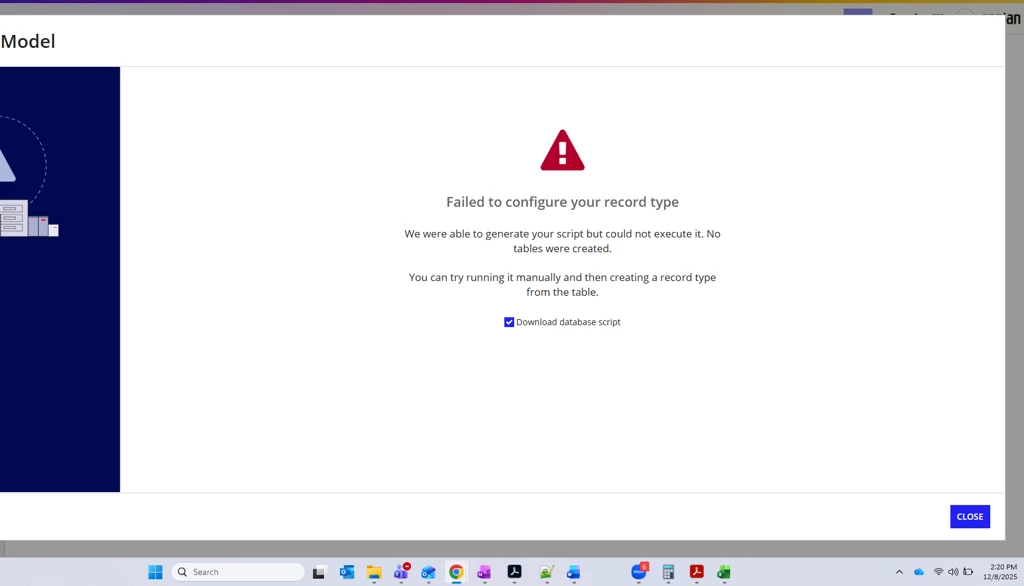
Additionally, the following message will appear in tomcat-stdOut.log:
YYYY-MM-DD HH:mm:ss,mss [ajp-nio-0.0.0.0-8009-exec-8] ERROR com.appiancorp.datasources.SqlExecutorImpl - Failed to execute the following statement against MySQL:

insert into `<SCHEMA>`.`<TABLE>`(SORT_ORDER1, VALUE1, IS_ACTIVE1)

    values

        (1, 'Not Started', 1),

        (2, 'In Progress', 1),

        (3, 'Done', 1)

Error: Field 'ID1' doesn't have a default value

java.sql.SQLException: Field 'ID1' doesn't have a default value
Cause
The database connected to Appian is running in Strict Mode (STRICT_TRANS_TABLES or STRICT_ALL_TABLES is set), which prevents Appian from performing necessary schema/data operations.
Action
Open the MySQL configuration file (/etc/mysql/my.cnf on Linux or my.ini on Windows) and add or update the sql_mode directive under the [mysqld] section:
[mysqld]

sql_mode = "NO_ENGINE_SUBSTITUTION"
Afterwards, save the file and restart the MySQL service.
Please refer to the MySQL Documentation on Strict Mode.
Affected Versions
This article applies to all versions of Appian.
Last Reviewed: October 2026