tajinders0001
December 21, 2021
Solved

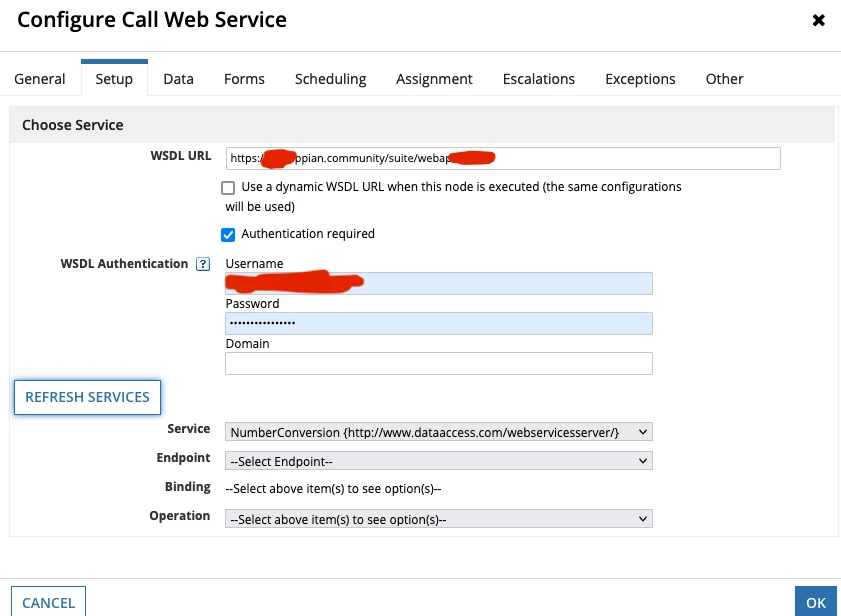
Call SOAP service using locally available WSDL

  • December 21, 2021
  • 12 replies
  • 0 views

Hello Appian practitioners, 

Following the notes from this discussion,

I tried creating a WEB-API to load a locally available WSDL within the 'Call Web Service' smart service.

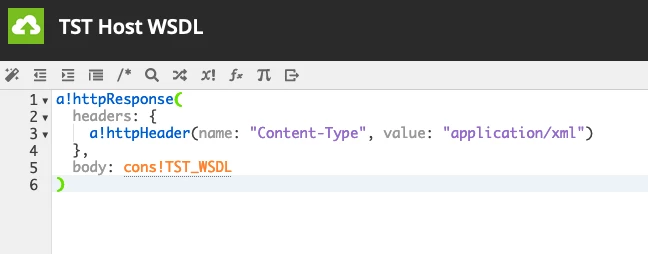
My web-api returns the following httpResponse

a!httpResponse(
/*
* Set an HTTP header that tells the client that the body of the response
* will be a CSV attachment.
*/
headers: {
a!httpHeader(
name: "Content-Disposition",
value: "attachment; filename=" & char(34) & local!username & ".xml" & char(34)
)
},
/*
* Create a CSV value of 'local!user' and place it in the response body.
*/
body: rule!TS_test_ProfileXML() /* XML Contents */
)

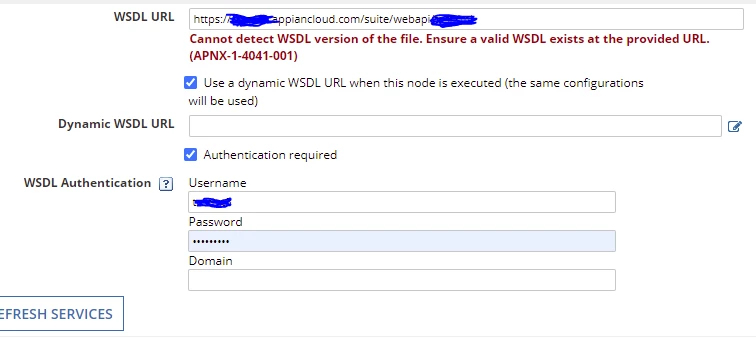
However, the call web-service is still not able to detect the WSDL. 

Appreciate all your help!
Best answer by stefanhelzle0001

Did a quick test with the XML of the WSDL from your example copied to a text constant. This works without any issues. Could it be that the security settings for the API are not correct?

12 replies

stefanhelzle0001
Brainy
December 21, 2021

I never did this, as it might become a problem over time in case the password needs to be changed.

Did you try to set the content type header to "text/xml" and remove the Content-Disposition header?

tajinders0001
December 21, 2021

Yes, I did try adding the content-type and removing content-disposition, but without success.

Would you recommend any other way of consuming the local wsdl file?

stefanhelzle0001
Brainy
December 21, 2021

Did you test your API using Postman or SoapUI?

AFAIK there is no simple way to use a local WSDL.