
April 26, 2023
Solved

Face Mask Detection API

  • April 26, 2023
  • 11 replies
  • 0 views

We are trying to connect Face Mask Detection API by passing image and we are not able to get the desired result, We tried hitting the same API via postman which works fine but we are not sure what wrong we are doing while doing it from appian.

API-rapidapi.com/.../face-mask-detection

Appian Config:
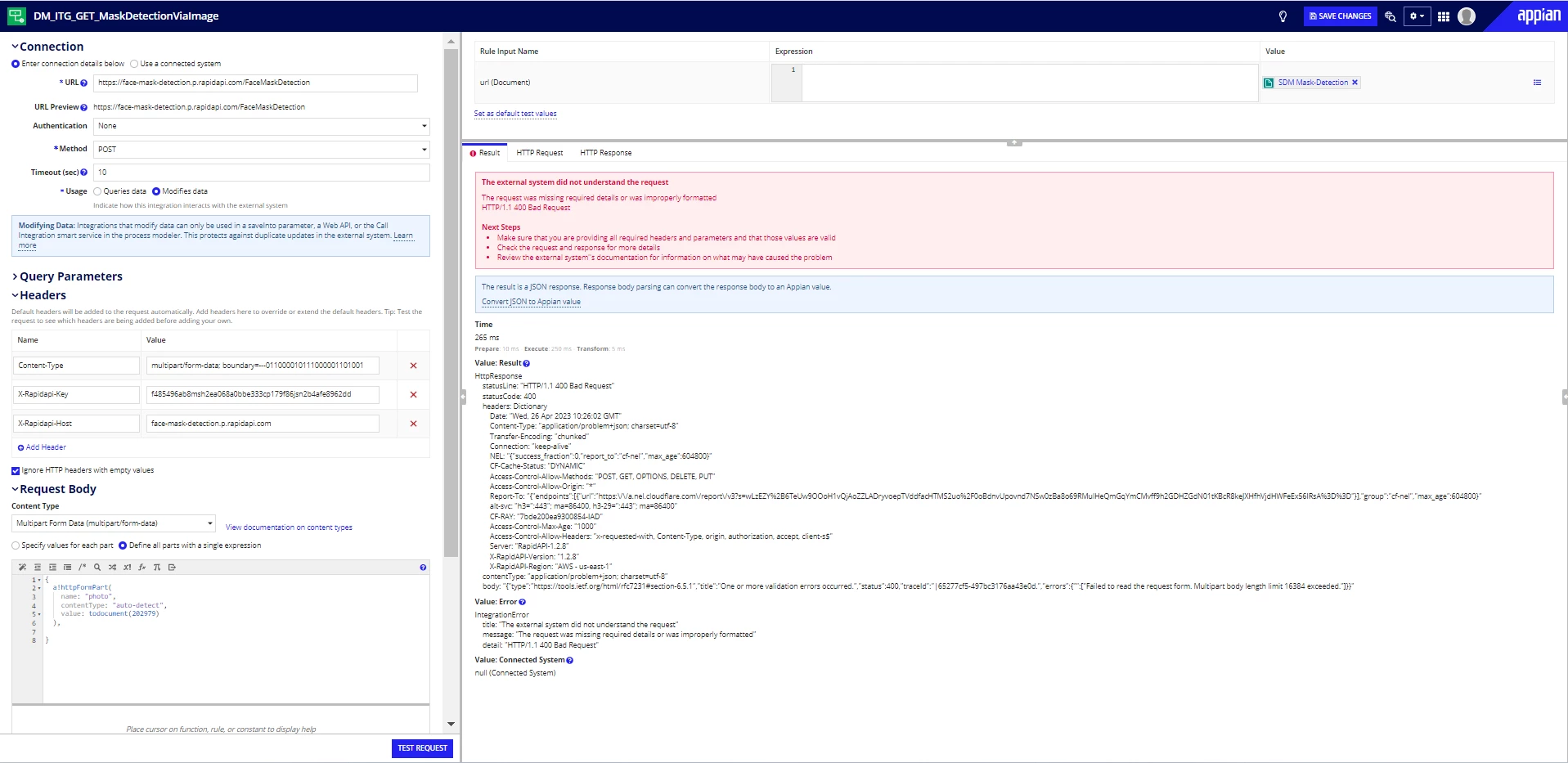
API config-
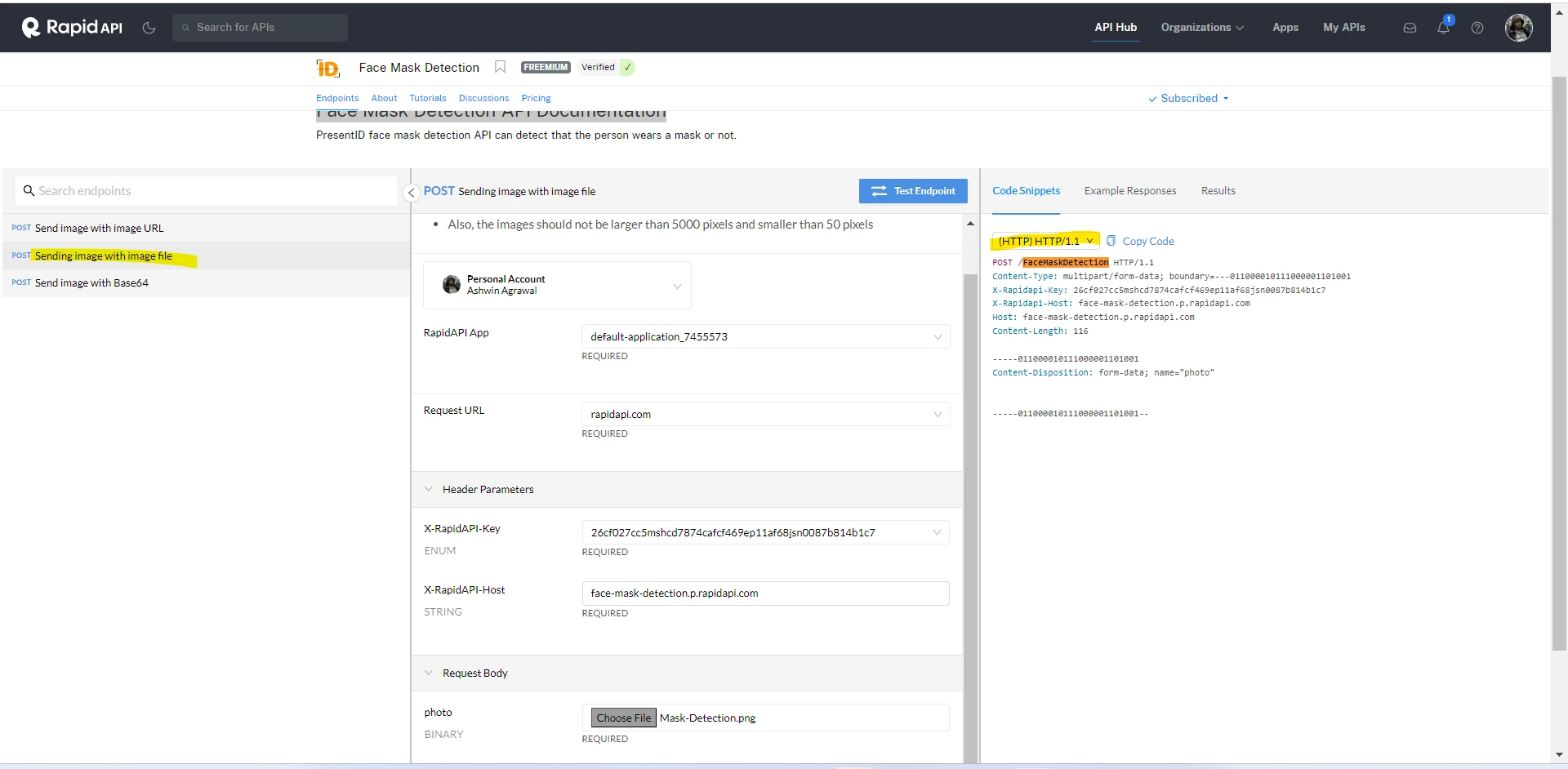
Best answer by ashwina0003

We got the answer for the issue and look like it was a change from Content-Type to content-type and that worked just fine 

11 replies

stefanhelzle0001
April 26, 2023

The error message says that your body is too large. BTW, do you feel comfortable posting your API credentials in a public forum?

April 26, 2023

We are good as long as you are able to help 

 URL:- rapidapi.com/.../face-mask-detection

username-ashwin55569@gmail.com

password- Appian@2020

tushark6475
April 26, 2023

I have tried the same API and for me it is running successfully. My suggestion is to keep in mind to use the same values of the headers as described in the explanation of the API on rapidapi.com. 

April 26, 2023

But if you check the body it says "There aren't any files in Request." because he haven't passed the Content-Type explicitly

April 26, 2023

Default parameters are added to the HTTP request automatically by Appian, so there is no need to provide Content-Type explicitly in Header parameters. I think the boundary parameter provided by you in the multipart/form-data is trying to override the one set by Appian by default and is resulting in error.

If you check the HTTP request tab after Test Request you'll see Content-Type added as default.

April 26, 2023

Right but content type with boundary has to be declared  explicitly  in order to get the result.

April 26, 2023

But why?

I tried integrating it myself and it works without it as I mentioned above.

ashwina0003AuthorAnswer
April 26, 2023

We got the answer for the issue and look like it was a change from Content-Type to content-type and that worked just fine 

April 26, 2023

It will work for any header key other than "Content-Type" coz in the end it is not getting used at all. Try changing it to "xyz" or anything it would still work as Content-Type is added by default in the request by Appian [emoticon:c4563cd7d5574777a71c318021cbbcc8]

April 28, 2023

I agree! this also did work for us, thank you for your response!