

nimitb0002
September 10, 2021
Question

Need help with Integration to edit google sheets

  • September 10, 2021
  • 3 replies
  • 0 views

I have created an integration s shown below:
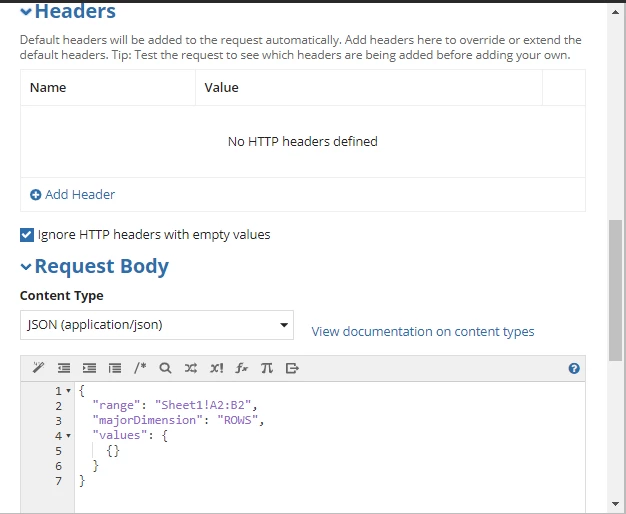
I am able to run this integration when values are null however, it is giving the below error when I give any values:

sample request body with values:

{
"range": "Sheet1!A2:B2",
"majorDimension": "ROWS",
"values": {
{"ABC"}
}
}

Error: 

The external system did not understand the request

error-result-guidance

The request was missing required details or was improperly formatted HTTP/1.1 400 Bad Request
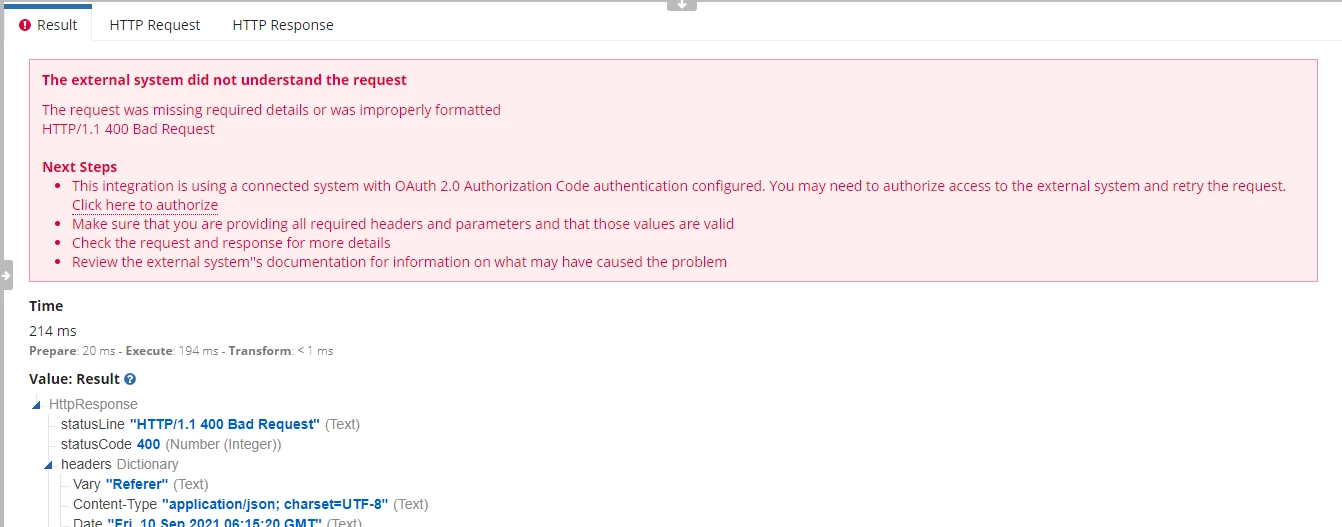
3 replies

marco.amador
September 17, 2021

Hi,

This error usually means that the request is badly formed. Having a quick look, I think the 'values' parameter content is not well formed, since values is expecting a JSON array (delimited by [ and ] ).

Could you try the following request body?

{
  "range": "Sheet1!A2:B2",
  "majorDimension": "ROWS",
  "values": [
    ["ABC"]
  ]
}

Thanks

nimitb0002
September 18, 2021

Hi, actually I tried the request you shared long ago already and it does not work as the square brackets ([ ]) are not valid in Appian for JSON and therefore I changed it to curly brackets.

We get the following error if we use square brackets in Appian integration:


I am grateful for your response, however, I have figured a solution already as well.

If we use a Rule Input (let's say "value") of type TEXT and then pass the exact same JSON request body with square brackets (the one you sent) as Rule Input's value and use the Rule Input in the body (i.e. ri!value) then it works fine:

I had a conversation over online call with someone from Appian Support and they have confirmed that yes the square brackets won't work and also agrees that this is a peculiar thing that it somehow works fine when same request is passed as Rule Input of type TEXT.


October 14, 2022

hi

could you make the connection between google sheets and appian?
i ant to store my db and a google sheets, is it possible?