
April 29, 2022
Question

Outlook

  • April 29, 2022
  • 9 replies
  • 0 views

Hi,

I have a requirement of Appian integration with outlook.

We are sending / triggering an email notification to user(s) with Approve & Reject links.

When the users try to click on the Approve or Reject links, is it possible to update the status in Appian without really login into Appian.

Is there any service in Appian related to Outlook integration to achieve this functionality.
9 replies

davel001150
April 29, 2022

It sounds like you want to build a Portal.  I think this is an excellent use case.  So you need to create a Portal, which is a stand-alone public facing site that users can access without logging into Appian.  You could then configure a link in the email to the Portal page which then offers the user the buttons.  They click one of those, then Appian kicks off a process without the end user having to log in.

https://docs.appian.com/suite/help/22.1/portals-home.html

See if you think that could be a solution.

May 1, 2022

Thanks for sharing the info.

It seems to be we may require an additional license purchase to build Appian portal.

My requirement is:

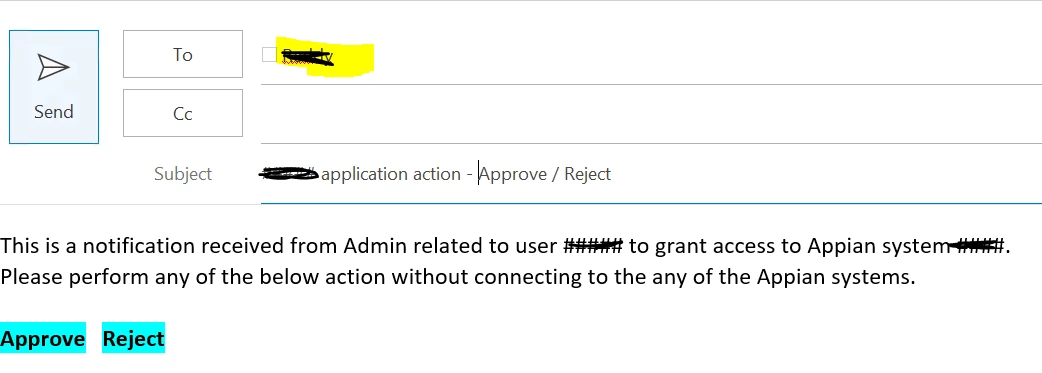
I need to trigger an email notification from Appian system using Send E-Mail service and the notification will go to certain number of users with content like below. Now, when the user click on “APPROVE”  or “REJECT”, I need to update the status according in the Appian without login to the Appian.

Is there an alternate method / mechanism, using which I can integrate outlook with Appian or Appian with outlook.


harshitb6843
May 1, 2022
davel001150
May 1, 2022

I assume that doesn't work because you don't want to just avoid the login screen, you want to avoid the recipient even having an Appian account at all.  Unfortunately, there's very few ways for an unauthenticated user to interact with Appian.

Portals is one way, and I don't know if it would require additional licensing.

Another approach might be to have the "Approve" or "Reject" buttons configured to send emails.  The email address could be set to an Appian process model, which will kick off when it receives the email.

harshitb6843
May 2, 2022

Another approach is to add a script in the HTML code to call a webAPI on Appian using a service account. Not a good one tho, but can work if there is a dead end.