Best answer by carloss662

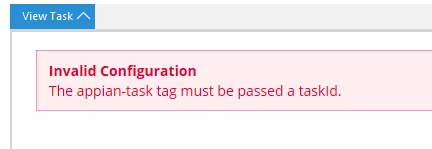
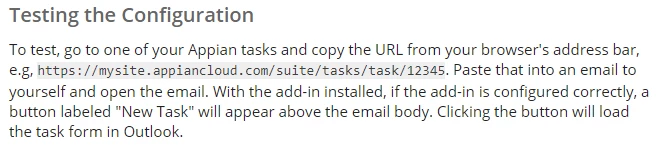
This is probably causing issues: https://docs.appian.com/suite/help/20.3/Appian_Release_Notes.html#task-and-document-download-urls. Probably worth submitting a Support ticket to ask Appian to update the Outlook add-in. In the meantime, any chance you can try removing non-opaque URLs?

4 replies

February 22, 2021

This is probably causing issues: https://docs.appian.com/suite/help/20.3/Appian_Release_Notes.html#task-and-document-download-urls. Probably worth submitting a Support ticket to ask Appian to update the Outlook add-in. In the meantime, any chance you can try removing non-opaque URLs?

jitendrap
June 16, 2021

Hi Ignacio, were you able to find a resolution to this issue?  It looks like this is still occurring even in 21.2.  I'm not sure if this simply requires a change to the XML file being generated when enabling the Microsoft Office integration in the Admin Console, or it will require a code change within Appian.

June 17, 2021

Hi Jitu,

i've created a ticket, the response support gave me was "the only supported versions of Outlook are Office 2016 for Windows and Office 2016 for Mac". I was using Office 365.

Regards!

jitendrap
June 17, 2021

Wow, who uses Office 2016 now?  This integration needs to be updated or removed if this is the case.  Thanks for the update!