December 15, 2023
Question

Pass document from interface to process model after uploading document from file upload

  • December 15, 2023
  • 6 replies
  • 0 views

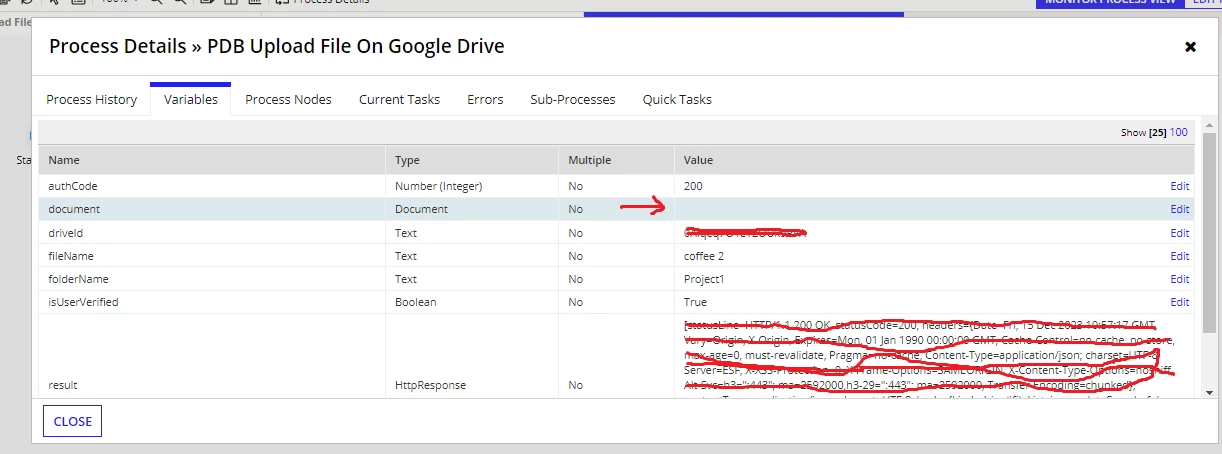
I am trying to pass the document from interface to process model but in process model I am getting blank value in PV.

Steps:

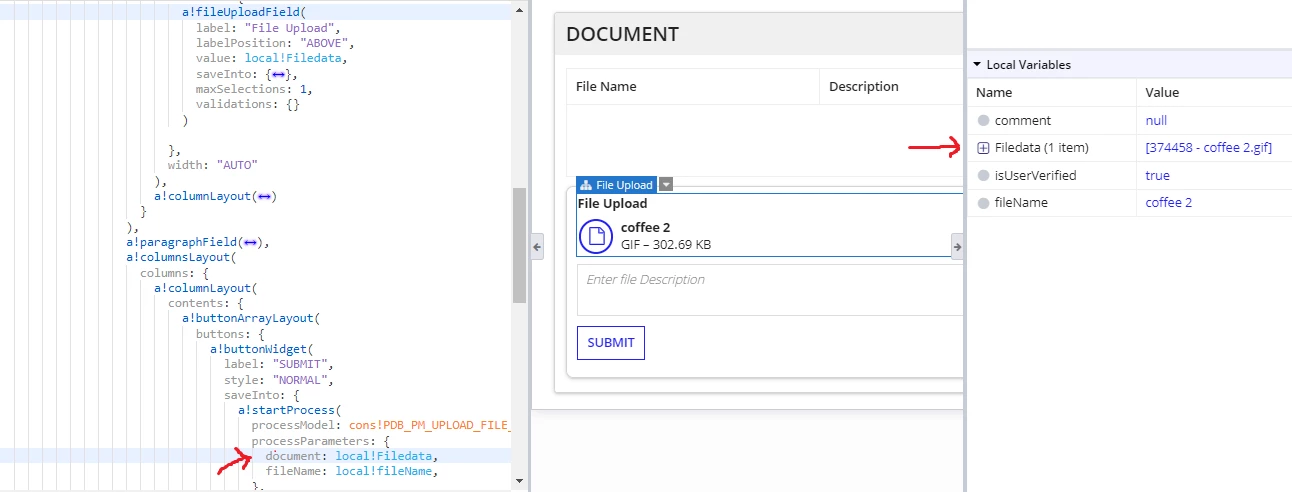
1. uploading document from file upload.

2. On click of submit button try to send the selected doc to process model

3. Process variable is blank even after sending the doc from interface.
6 replies

simonj3483
December 15, 2023

Have you created the appropriate activity class parameter in the data input section of the user interface node?

December 15, 2023

Not Exactly. After uploading the image it is getting stored in local variable i.e fileData. Can you please elaborate more like how we can do this with activity class parameter?

stefanhelzle0001
December 15, 2023

You cannot "send" a document to a process. In Appian, documents a only uploaded on a submit action. With the exception of portals.

Make that interface the start form of a process, set the submit parameter on the button to true, and you will find your document in the process.

karumurua531442
December 15, 2023

Hi [mention:e47af70f04174bf98b0bc5f29340c9af:e9ed411860ed4f2ba0265705b8793d05] 

are you using local variable to send to process model? Create rule input in the interface save the document in the rule input. In process model use an   iuser input task map the interface in user input task, & In input tab( user input task) map the input value to process variable ( both variables i.e rule input and process variable should be of same type ) then try uploading

December 15, 2023

Yes, I am using local variable to send the doc to process model. This interface is one section of the page, so if I am going to call the interface from process model then I wouldn't be able to call the process model on page load to render this section. Do we have any other workaround? or can we able to call process model on page load?

December 15, 2023

Hi [mention:e47af70f04174bf98b0bc5f29340c9af:e9ed411860ed4f2ba0265705b8793d05] ,

Try saving the document to rule input as mentioned by Abhishek. Then create a process variable in process model matching with your rule input name and type. Also make sure you enable the checkbox "Allow the value for the variable to be provided when starting a process" for process variable.