
February 27, 2023
Question

Renaming File Name in SharePoint

  • February 27, 2023
  • 7 replies
  • 0 views

Hello All,

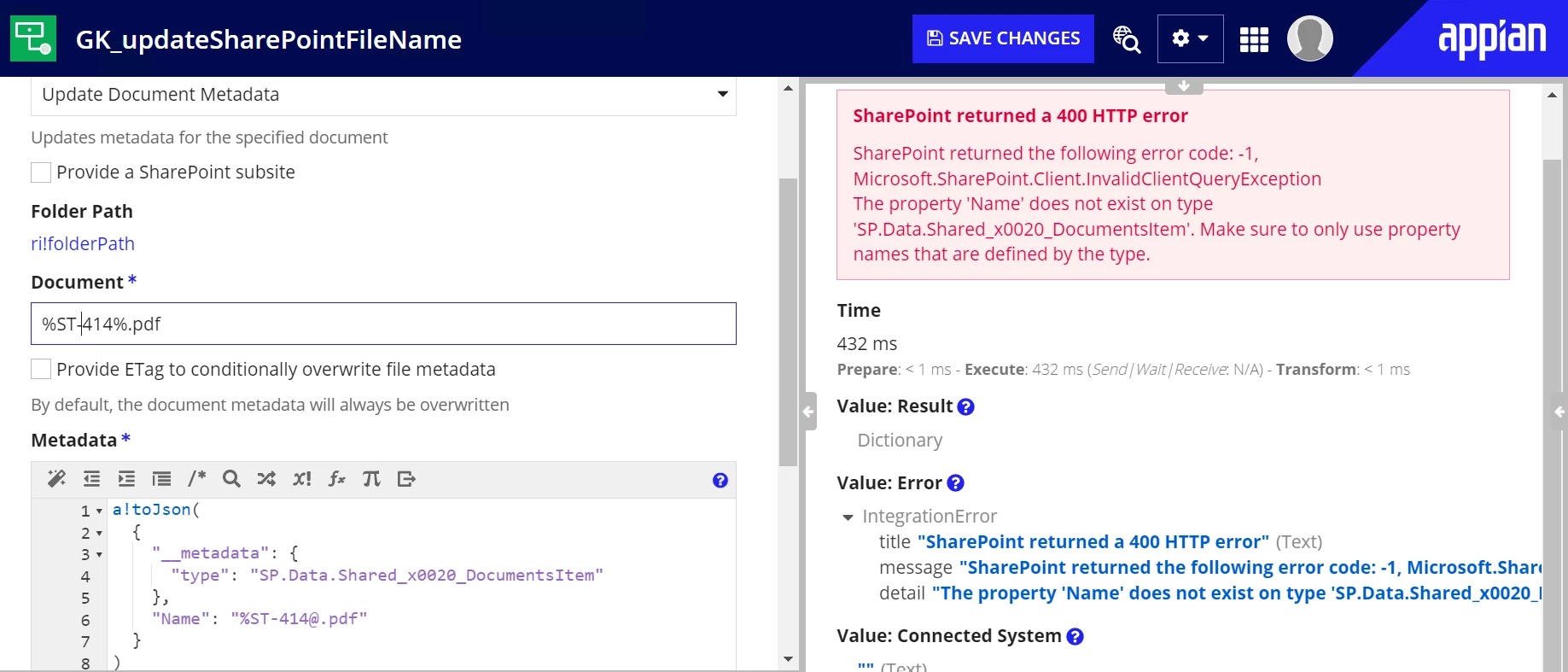
I need to rename a file in SharePoint, but having a problem in identifying the correct metadata type tag to make the filename change

Output from the integration rule
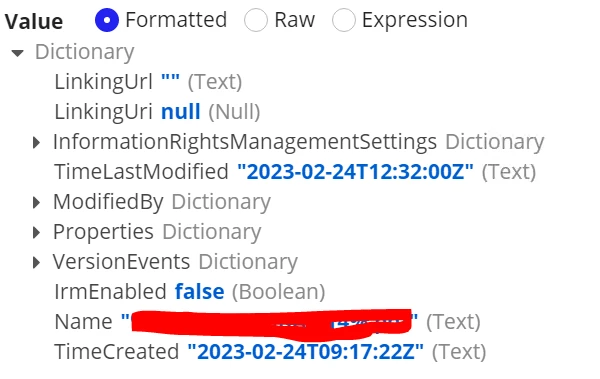
The type used in the below screen is not correct, but I was trying few option with the type.

Please advice which is the right type or correct way to rename the file.
Thanks

Girish Katti

7 replies

adityag9712
February 27, 2023

Method: POST
 
Uri:
 
_api/web/lists/GetbyTitle(')/items()/validateUpdateListItem
 
Body:
{
  "formValues": [
    {
      "FieldName": "FileLeafRef",
      "FieldValue": ""
    }
  ]
}

February 27, 2023

Hello Aditya,

Thank you very much for the responce.

In the URI


_api/web/lists/GetbyTitle('<Document Library Name'>)/items(<item-ID>)/validateUpdateListItem

what is the value is /items(<item-ID>). Can you share any sample example.

Thanks & Regards

Girish Katti

adityag9712
February 27, 2023

It is service available to update the document name. And please take care of proper user access to update the file details 

February 28, 2023

Open the document library and hover over the file you want to rename.
Click the ellipses (...) to the right of the item name, and then click Rename.
In the Rename dialog, type the new name into the field, and then click Save.

Regards,

Rachel Gomez

February 28, 2023

Hello Rachel,

Thankyou for the response, but I was looking for a way to delete files using API or OOTB methods.