February 8, 2023
Solved

Add row dynamically

  • February 8, 2023
  • 6 replies
  • 0 views

Hello everyone,

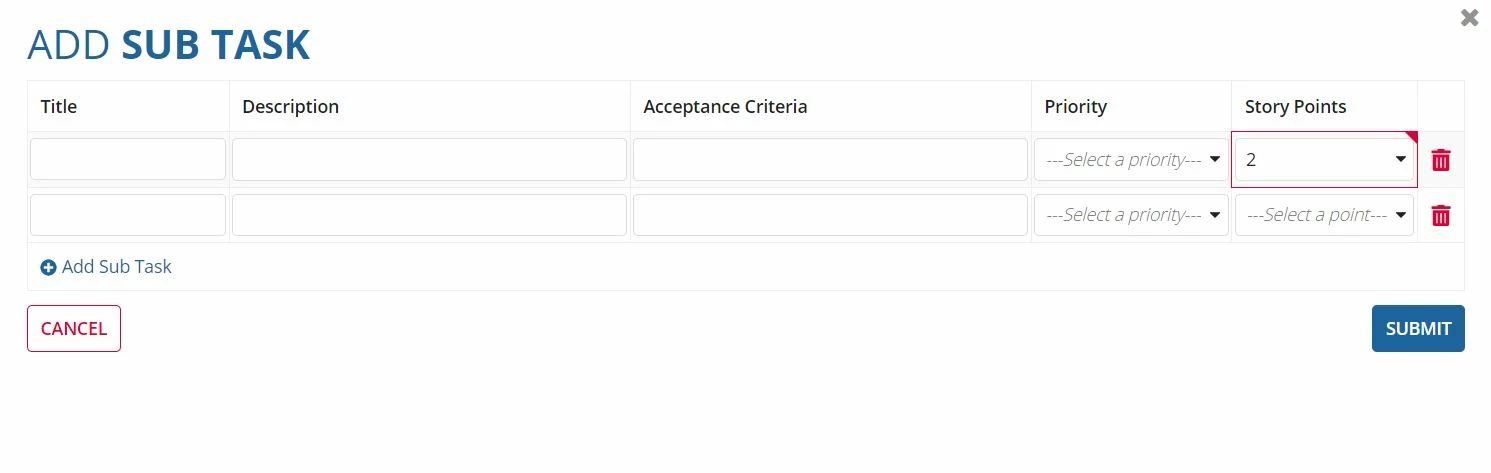
I am using the add row dynamic link in the editable grid interface for the child interface. I have field as story points for the parent interface and also have story point for child interface. Lets say I have story points 5 for the parents interface. Is there any way to automatically pop up another row without clicking the add row dynamic link when the child interface story point is not equal to 5.

Lets say parent interface story point is 5. So if I put 2 as story point for field in child interface another row will pop up without clicking the add row dynamic link.

    Best answer by stefanhelzle0001

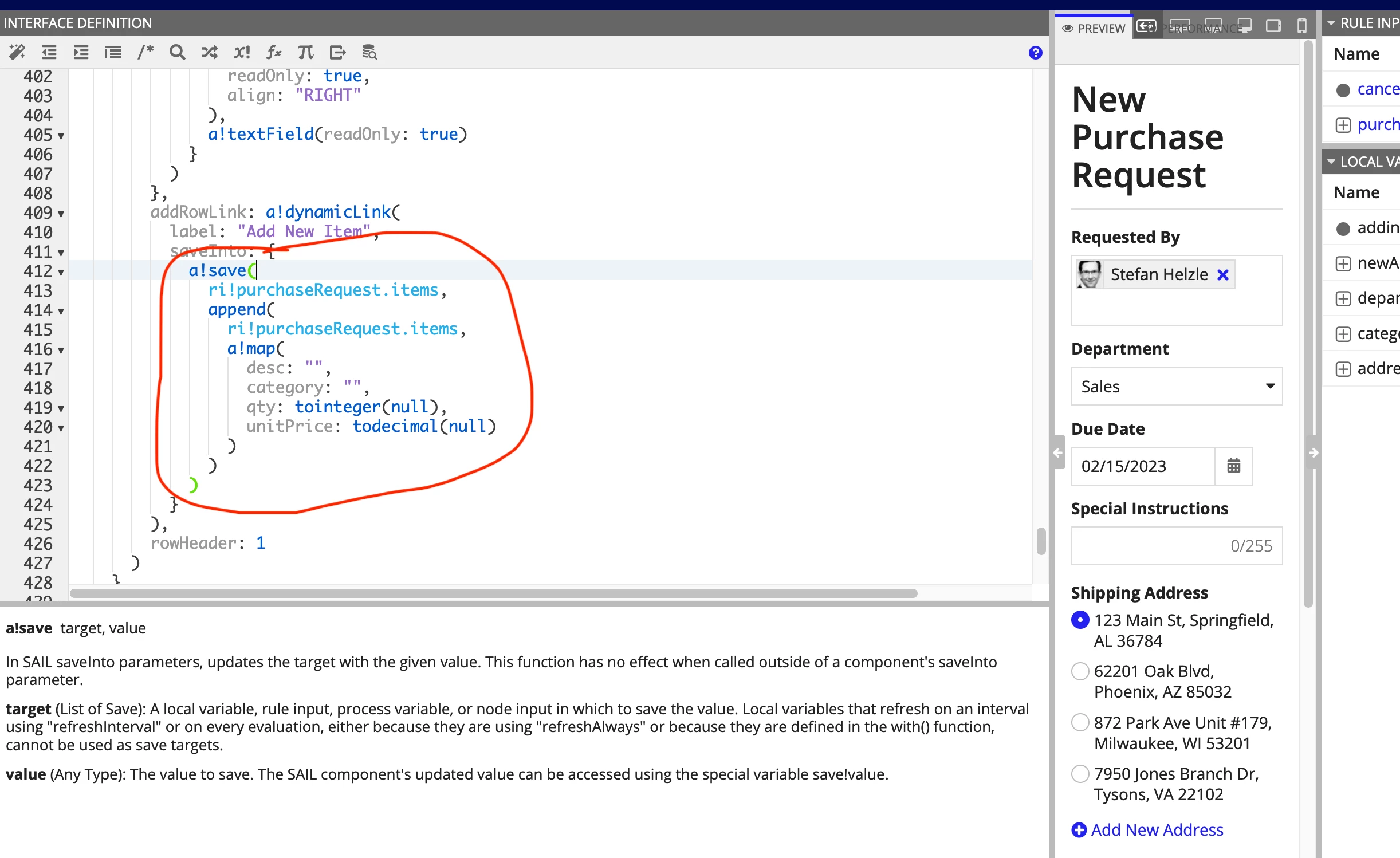
    In that dynamic link, you have some logic that adds that new row. You can add that exact logic to any other component as well.

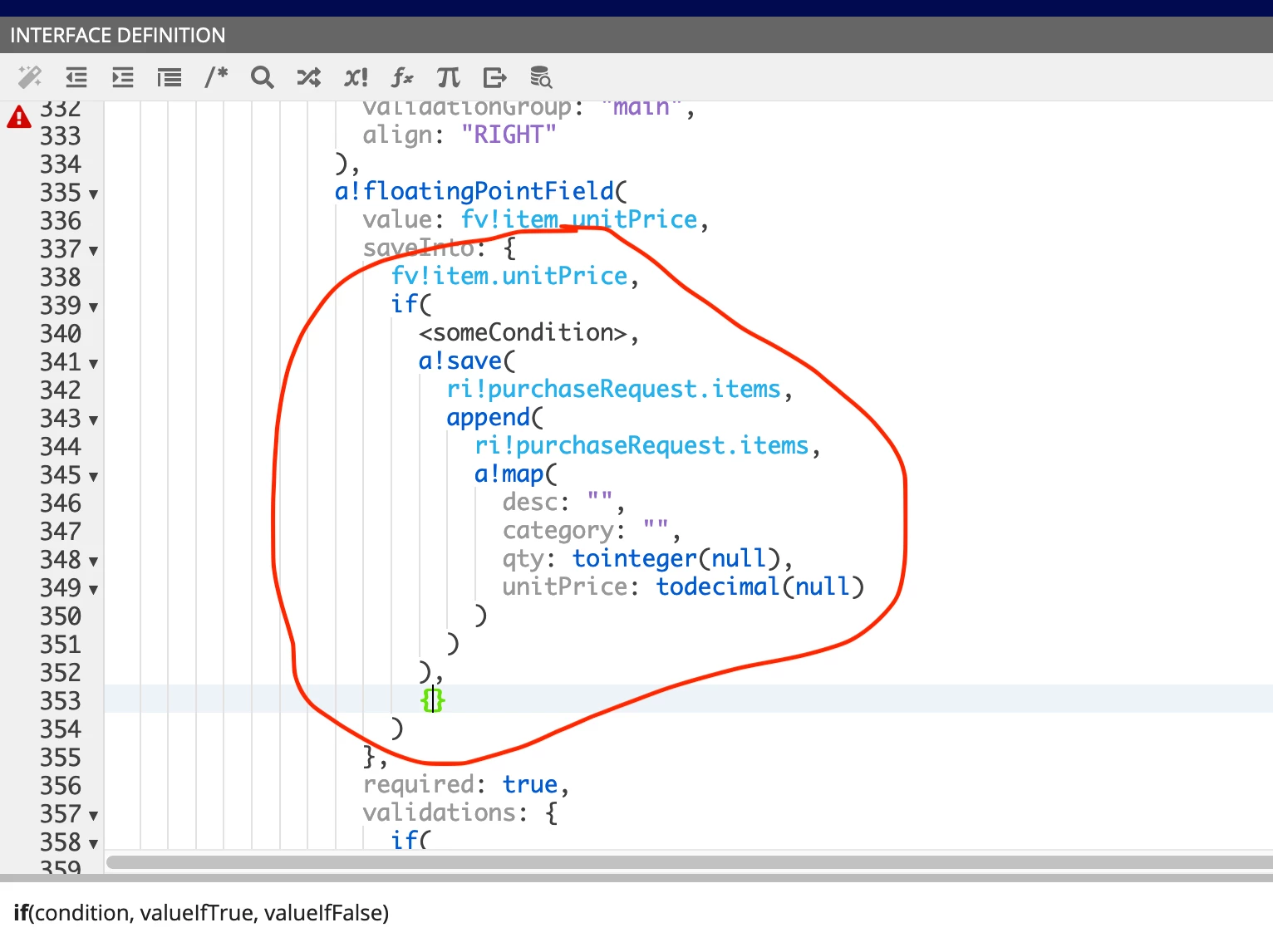
    So, in that drop down for the story points, you would do something like this

    You will need to adapt that code to your use case.

    6 replies

    stefanhelzle0001
    Brainy
    February 8, 2023

    You can evaluate the "add" logic in any saveInto of any component. Just make sure to get the conditions right.

    February 8, 2023

    Thank you for your reply, I didn't actually get it. So, basically add row link (dynamin link) on the saveinto parameter of with the validation.

    stefanhelzle0001
    Brainy
    February 8, 2023

    In that dynamic link, you have some logic that adds that new row. You can add that exact logic to any other component as well.

    So, in that drop down for the story points, you would do something like this

    You will need to adapt that code to your use case.

    abhayd3663
    February 8, 2023