

shanes0001
New Participant
September 14, 2026
Solved

Appian Community Edition Knowledge Center Button

  • September 14, 2026
  • 4 replies
  • 32 views

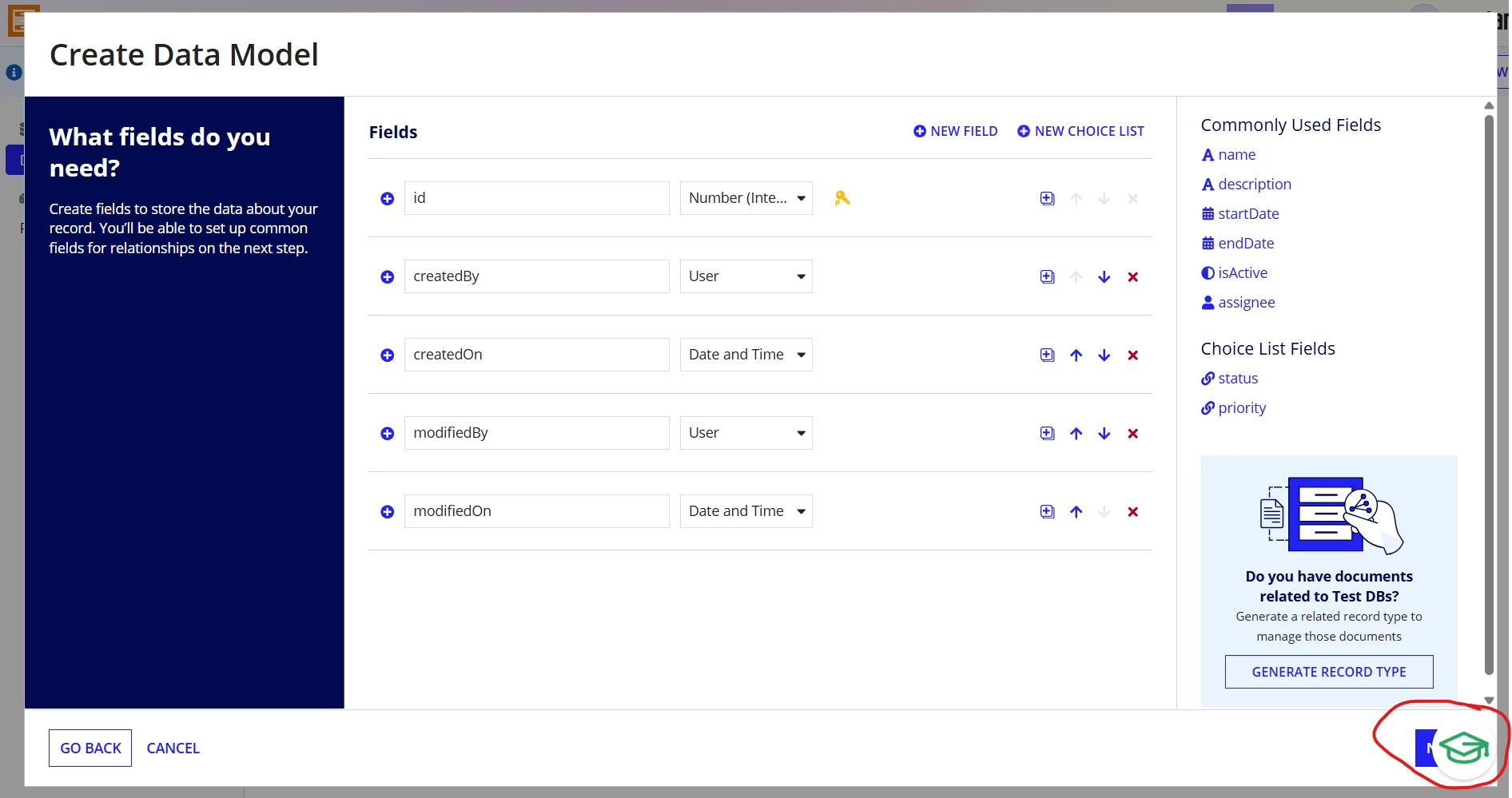
I’ve been working in my workspace using Appian Community Edition and find the knowledge center button difficult to work around. I don’t see a way to remove or move it. Is it possible to remove this button?

 

Best answer by yashwantha0914

could you try dragging the “Knowledge Center” button? I think it might be possible to move it.

4 replies

yashwantha0914
Participating Frequently
September 14, 2026

Hi ​@shanes0001 
AFAIK, I’m not sure how to remove that button. However, in my Appian Community Edition environment, I couldn’t see the “Knowledge Center” button. 

As a workaround, you can try changing your screen resolution so that the “Next button becomes accessible behind the “Knowledge Center” button.

shanes0001
New Participant
September 14, 2026

There are a few buttons like this in the community edition. I don’t see them on the landing page, only when working in my work space. This is the only button I can’t hide. The other buttons show up when I login and disappear after I navigate through the text displayed.

yashwantha0914
Participating Frequently
September 14, 2026

could you try dragging the “Knowledge Center” button? I think it might be possible to move it.